

Personal Trainer Blog
Fitness | Wellness | Diet Self-Improvement

Health and Fitness at your finger tips
Learn fitness, healthy whole food diets, wellness, and other personal training tips/recipes from Denver's weight loss personal trainer.

Ski Conditioning: How to Prepare Your Fitness for Ski Season | Denver Personal Trainer
Summary
Prepare for ski season with a science-backed ski conditioning plan from a Denver personal trainer. Build leg strength, eccentric control, balance, mobility, core stability, and cardio endurance with an 8-week approach designed to help you feel stronger and more controlled on the slopes.
How should you prepare your body for ski season?
Prepare for skiing with 6–8 weeks of progressive strength training, eccentric leg training, single-leg exercises, core stability, balance, and cardiovascular conditioning. Prioritize squats, split squats, step-downs, Romanian deadlifts, lateral movements, and interval cardio, and gradually increase volume so your legs can maintain control as fatigue builds on the mountain.
Topics
ski conditioning, ski conditioning workout, ski season preparation, how to prepare for ski season, how to get in shape for skiing, ski fitness training, skiing fitness, ski workout, ski training exercises, preseason ski workout, strength training for skiing, leg exercises for skiing, exercises for skiing, eccentric training for skiing, quad exercises for skiing
balance exercises for skiing, core exercises for skiing, cardio for skiing, ski endurance training, 8-week ski conditioning program, workout to prepare for skiing, Denver ski conditioning, ski fitness Denver, Denver personal trainer for skiing, personal trainer Denver, personal training LoHi Denver, Colorado ski conditioning, Colorado skiing fitness

Colorado Skiing Fitness / Photo: Federico Tomasoni
Introduction
A particular kind of confidence disappears around the third long run of the first ski day. The legs begin to burn. Turns become less deliberate. You sit farther back in your boots. The short rest on the chairlift suddenly feels necessary, not leisurely. None of this means you forgot how to ski. More often, your technique is being asked to operate on top of a fitness base that’s caught up with the season.
Skiing is unusual because the mountain disguises how physically demanding it is. Gravity does much of the obvious work, but your body continuously absorbs force, controls your center of mass, resists rotation, maintains balance, and adjusts to terrain that changes beneath you. That is why the best ski-season preparation is not simply “get your legs stronger.” It is a mix of strength, muscular endurance, eccentric control, balance, aerobic conditioning, mobility, and the ability to produce competent movement after fatigue sets in.
Recent research supports that broader view. A 2025 International Ski and Snowboard Federation consensus statement recommends multifaceted preparation that addresses strength, endurance, speed, coordination, agility, mobility, and sport-specific testing, rather than relying on a single fitness quality. The recommendations were written primarily for competitive athletes, but the underlying principle applies well to recreational skiers: prepare for the sport's actual demands, not just a generic workout.
Table of Contents
How Fit Should You Be Before Ski Season?
Start Training Six to Eight Weeks Before Your First Ski Day
Build Stronger Quads Without Forgetting Your Hamstrings
Train the Brakes: Eccentric Strength Matters
Make Single-Leg Strength a Priority
Strengthen Your Hips and Lateral Movement
Train Your Core to Resist Movement
Build the Aerobic Engine Behind a Full Ski Day
Add Short Bouts of Higher-Intensity Conditioning
Train Balance Without Turning Your Workout Into a Circus
Prepare Your Ankles and Hips for Ski Position
Practice Movement While Slightly Fatigued
Use a Progressive Four-Phase Ski Conditioning Plan
What to Do During the Final Week Before Skiing
Related Articles
1. Start Training Six to Eight Weeks Before Your First Ski Day
One of the least effective ski-conditioning plans is also one of the most common: doing nothing specific until snow appears, then packing four ski days into a holiday weekend. Your connective tissue, muscles, cardiovascular system, and nervous system respond much better to progressive exposure. For a recreational skier with an existing fitness base, six to eight weeks is a practical preseason runway. Someone starting from a lower baseline may benefit from 8–12 weeks.
Don't try to recreate an entire ski day in the gym in Week 1. Begin with manageable strength and conditioning volume, then gradually add resistance, repetitions, longer sets, unilateral work, lateral movement, and cardiovascular intervals. The goal is to arrive on opening day rested, not exhausted from training. The goal is to arrive with enough reserve that skiing itself doesn't create a dramatic spike in physical demand.
2. Build Stronger Quads Without Forgetting Your Hamstrings
Skiers talk about quadriceps for good reason. The quads spend enormous time controlling knee position as you maintain a partially flexed stance and manage forces through a turn. But ski preparation should not become a month-long squat contest. A 2025 study of elite alpine skiers measured substantial quadriceps and hamstring development and strength, reinforcing the importance of considering the thigh as a coordinated system rather than training only the muscles on the front of the leg. Because the researchers studied elite competitors, their measurements shouldn’t be treated as targets for recreational skiers. The practical takeaway is simpler: strong knee extensors and flexors both matter in skiing. Build your lower-body strength sessions around exercises such as:
Goblet or front squat: 3 sets of 6–10
Romanian deadlift: 3 sets of 6–10
Split squat: 3 sets of 8 per leg
Hamstring curl: 2–3 sets of 8–12
Step-up: 2–3 sets of 8 per leg
Increase resistance gradually while keeping movement clean.
3. Train the Brakes: Eccentric Strength Matters
Skiing requires your muscles to do something gym programs often neglect: produce tension while lengthening. That is eccentric muscle action. Think about lowering slowly into a squat. Your quadriceps are working, but instead of shortening to lift you, they are controlling your descent. Skiing repeatedly asks the legs to absorb and regulate forces in similar ways. You can build this capacity without specialized equipment. Try:
Slow squat: Lower for three to four seconds, pause briefly, then stand normally.
Eccentric step-down: Stand on a box or step and take three seconds to lower one heel toward the floor.
Reverse lunge: Control the lowering phase rather than dropping into the bottom position.
Slow Romanian deadlift: Take three seconds to lower the weight while maintaining hip control.
Begin with two sets. Eccentric training can cause significant delayed soreness if introduced too aggressively.
4. Make Single-Leg Strength a Priority
Skiing may look symmetrical, but the forces experienced by the two legs are constantly changing. A useful preseason program therefore needs more than bilateral squats and leg presses. Single-leg exercises expose strength deficits, balance limitations, hip-control problems, and compensation patterns that can disappear when both feet share the workload. Good options include:
Rear-foot-elevated split squat
Step-up
Single-leg Romanian deadlift
Reverse lunge
Lateral step-down
Single-leg calf raise
Do not chase instability for its own sake. A well-controlled split squat on solid ground generally offers far more useful loading potential than trying to perform the same exercise while wobbling on an unstable surface. Strength first. Complexity later.
5. Strengthen Your Hips and Lateral Movement
Most gym routines live in a forward-and-backward world. Skiing does not. Repeated turning requires your hips and trunk to manage lateral forces while your knees and feet respond underneath you. Add frontal-plane movements once or twice each week:
Lateral lunge: 2–3 sets of 6–10 per side
Mini-band lateral walk: 2 sets of 10–15 steps
Lateral step-down: 2–3 sets of 6–8
Skater step or controlled lateral bound: 2–3 sets of 6–10 per side
Beginners should master controlled stepping patterns before advancing to faster bounds. The purpose isn’t to imitate skiing perfectly in a gym. You cannot. It is to give the hips enough capacity to control forces coming from more than one direction.
6. Train Your Core to Resist Movement
A skier's core doesn't spend the day doing sit-ups. Its more important job is to connect the upper and lower body while resisting unwanted extension, rotation, and lateral collapse. That makes these exercises particularly useful:
Pallof press
Dead bug
Side plank
Farmer carry
Suitcase carry
Cable chop or lift
Bird dog
Perform two or three core exercises during each strength session for two or three sets. If you already work with a personal trainer in Denver, this is also a good place to tailor exercise selection to previous knee, hip, shoulder, or lower-back issues rather than forcing everyone through the same ski circuit.
Quick Summary
Begin ski-specific conditioning 6–8 weeks before your first day.
Train the quadriceps and hamstrings.
Include eccentric exercises that teach your legs to absorb force.
Use single-leg exercises to expose left-to-right differences.
Strengthen the hips for lateral control.
Develop anti-rotation and anti-flexion core strength.
Maintain an aerobic conditioning base.
Add moderate amounts of higher-intensity interval work.
Train balance dynamically, not only by standing on unstable objects.
Reduce training volume during the final week before your first ski day
7. Build the Aerobic Engine Behind a Full Ski Day
Your quadriceps may complain the loudest, but cardiovascular conditioning still matters. A ski day involves repeated cycles of work and partial recovery—ski, chairlift, ski again—over several hours. A better aerobic base can make those repeated efforts less costly and improve recovery between demanding runs. Two or three weekly aerobic sessions are a reasonable preseason target for many recreational skiers. For example:
Session 1: 30–45 minutes of conversational cycling, incline walking, elliptical training, or jogging.
Session 2: 30–40 minutes at a similar moderate intensity.
Session 3: Optional longer easy session or sport-specific conditioning.
If skiing is your primary winter goal, stair climbing and incline walking can help, but they should complement, not replace, strength training.
8. Add Short Bouts of Higher-Intensity Conditioning
Skiing is not one continuous aerobic effort. Hard turns, steeper pitches, bumps, powder, and technical terrain periodically push effort much higher. Once you have built a basic conditioning foundation, add one interval session per week. A simple bike or rower workout:
Warm up 8–10 minutes.
Work hard for 45 seconds.
Recover for 75–90 seconds.
Repeat 6–8 times.
Cool down for 5–10 minutes.
The hard intervals should feel demanding but not like an all-out sprint. More is not necessarily better. Interval training improves repeat-effort capacity—not leaving your legs so depleted that you cannot complete the strength work most relevant to your ski preparation.
9. Train Balance Without Turning Your Workout Into a Circus
Balance matters in skiing, but “balance training” is sometimes reduced to standing on increasingly strange objects. Skiing presents a much more complicated problem. You must control your center of mass while moving, reacting, turning, seeing other skiers, interpreting terrain, and adjusting to changing snow. Recent clinical literature on return to alpine skiing has highlighted these perceptual, motor, and cognitive demands. Researchers argue that skiing requires movement control while simultaneously processing visual information and responding to an unpredictable environment. For a healthy recreational skier, useful progressions might include:
Single-leg balance
Single-leg reach
Step-up to balance
Single-leg Romanian deadlift
Lateral hop and controlled landing
Reaction drills using verbal direction changes
Controlled skater steps with unpredictable cues
Build competency before speed.
10. Prepare Your Ankles and Hips for Ski Position
Ski boots dramatically change ankle mechanics. Limited movement elsewhere can then show up at the knees, hips, or lower back. The 2025 FIS consensus specifically identifies hip, ankle, and lumbar-thoracic spine mobility as relevant physical qualities in competitive snow sports. A practical warm-up can include:
Knee-to-wall ankle mobilization: 8–10 repetitions
Hip-flexor stretch with glute contraction: 30 seconds per side
Adductor rock-back: 8 repetitions
90/90 hip rotation: 6–8 per side
Thoracic rotation: 6–8 per side
Mobility work should improve positions you can subsequently control. Creating a larger range of motion without strength or coordination inside that range offers limited value.
11. Practice Movement While Slightly Fatigued
Perfect movement during the first five minutes of a workout tells you relatively little about what happens during Hour 4 at the resort. Toward the latter portion of your preseason, occasionally pair controlled fatigue with movement quality. For example:
Bike moderately hard for two minutes.
Perform eight controlled step-downs per side.
Complete 20–30 seconds of lateral movement.
Perform six split squats per side.
Rest 90 seconds.
Repeat three rounds.
If mechanics deteriorate substantially, stop the set. Learning to perform sloppy repetitions while tired is not ski conditioning.
12. Use a Progressive Four-Phase Ski Conditioning Plan
Weeks 1–2: Build the Base
Strength train twice weekly. Perform two moderate aerobic sessions. Focus on squats, hinges, step-ups, core stability, ankle mobility, and fundamental single-leg control.
Weeks 3–4: Increase Strength
Progress resistance on squats, split squats, Romanian deadlifts, step-ups, and hamstring work. Add controlled eccentric step-downs and lateral lunges. Continue aerobic conditioning.
Weeks 5–6: Add Ski-Specific Endurance
Introduce longer lower-body sets, lateral movements, one interval session, and controlled fatigue circuits. Continue heavy-enough strength work so endurance does not replace force production.
Weeks 7–8: Build Capacity, Then Taper
Make sessions more ski-specific with repeated bouts of lower-body work and reaction-based movement. During the final five to seven days, reduce total training volume so you arrive at the mountain with fresh legs. Denver skiers who want an individualized plan based on injury history, skiing frequency, age, or current conditioning can use personal training in LoHi Denver to bridge the gap between a generic ski circuit and a program built around your actual movement profile.
13. What to Do During the Final Week Before Skiing
Do not cram for skiing. A punishing leg workout two days before your first mountain weekend is more likely to leave you with sore quads than with useful fitness. During the final week:
Maintain normal movement.
Reduce heavy lower-body volume.
Continue light mobility.
Keep aerobic activity easy to moderate.
Sleep consistently.
Arrive hydrated.
Avoid introducing unfamiliar exercises.
Treat the first ski day as part of your progression.
Don't start your first morning back with six consecutive expert runs just because your brain remembers last March. Give the body time to catch up.
Frequently Asked Questions
How many weeks should I train before ski season?
Six to eight weeks of specific training is a practical target for recreational skiers who already exercise regularly. Beginners, older adults, and people returning from injury may benefit from a longer 8–12-week progression.
What muscles should I strengthen for skiing?
Prioritize the quadriceps, hamstrings, gluteals, calves, hip stabilizers, and trunk. Skiing requires coordinated lower-body strength rather than development of one isolated muscle group.
Are squats good for skiing?
Yes. Squats build lower-body force capacity and tolerance in flexed-knee and hip positions. They work best as part of a broader plan that includes hinges, single-leg exercises, lateral work, and conditioning.
Are lunges good ski training?
Yes. Split squats and reverse or lateral lunges are particularly useful because they load each leg independently while challenging hip and trunk control.
Should skiers do cardio or strength training?
Both. Strength training develops the force and muscular capacity needed to control turns and absorb loads, while aerobic conditioning improves your ability to sustain repeated runs and recover throughout a long ski day.
What cardio is best for ski conditioning?
Cycling, incline walking, stair climbing, rowing, jogging, and elliptical training can all work. Choose modalities you tolerate well and combine moderate aerobic work with limited higher-intensity intervals.
Does balance training prevent ski injuries?
Balance and coordination are important components of ski preparation, but no single balance exercise can guarantee injury prevention. Skiing requires dynamic control, reaction, strength, vision, technique, equipment, and adaptation to changing terrain.
Should I train differently if I have had an ACL injury?
Yes. Previous ACL reconstruction warrants individualized medical and rehabilitation guidance. Recent ski literature emphasizes not only strength and symmetry but also reaction, visual processing, dynamic stability, and progressive return-to-snow exposure.
Peer-reviewed citations
Spörri J, Bonell Monsonís O, Balsiger P, Bahr R, Dios C, Engebretsen L, Finnoff JT, Gillespie S, Hörterer H, Mitterbauer G, Pasanen K, Raschner C, Reardon CL, Scherr J, Schobersberger W, Valtonen M, Weirather T, Gouttebarge V, Bolling C, Verhagen E. (2025). International Ski and Snowboard Federation (FIS) consensus statement on training and testing in competitive alpine and freestyle skiers and snowboarders. BMJ Open Sport & Exercise Medicine, 11, e002623.
PMID: 40919404
DOI: 10.1136/bmjsem-2025-002623
https://doi.org/10.1136/bmjsem-2025-002623
Fitze DP, Franchi MV, Müller Brusco C, Engeler N, Frey WO, Spörri J. (2025). Hamstrings and quadriceps muscle size and strength in female and male elite competitive alpine skiers. Frontiers in Physiology, 15, 1444300.
PMID: 39850451
DOI: 10.3389/fphys.2024.1444300
https://doi.org/10.3389/fphys.2024.1444300
Smith C, Grooms DR, Bradley H. (2024). Enhancing Return to Alpine Skiing: Integrating Perceptual-Motor-Cognitive Considerations in Testing and Progressions: A Clinical Commentary. International Journal of Sports Physical Therapy, 19(7), 923–934.
PMID: 38966833
DOI: 10.26603/001c.120285
ABOUT THE AUTHOR: MICHAEL MOODY, PERSONAL TRAINER
As an author, a personal trainer in Denver, and a podcast host, Michael Moody has helped personal training clients reach new fitness heights and achieve incredible weight-loss transformations since 2005. He also produces the wellness podcast "The Elements of Being" and has been featured on NBC, WGN Radio, and PBS.
Michael offers personal training to Denver residents who want to meet at the 2460 W 26th Ave studio….or in their homes throughout LoHi (80206), LoDo (80202), RiNo (80216), Washington Park (80209), Cherry Creek (80206, 80209, 80243, 80246, 80231), and Highlands (80202, 80211, 80212). Michael also offers personal training sessions in Jefferson Park (80211) and Sloan's Lake (80204, 80212).
If you’re looking for a personal trainer who can curate a sustainable (and adaptable) routine based on your needs and wants, Michael is the experienced practitioner you’ve been looking for. Try personal training for a month…your body will thank you!
Related articles
From the Michael Moody Fitness directory, these are the most relevant internal articles to place at the bottom of this post. The directory includes the existing fast-food review under weight-loss obstacles and several related nutrition, dining-out, grocery, and food-label resources.
For Denver skiers, preseason fitness is not an abstract athletic goal. Winter weekends may mean leaving LoHi before sunrise and spending the day skiing at elevations thousands of feet above Denver, often after a workweek dominated by desks, commuting, and relatively predictable gym surfaces. At Michael Moody Fitness in LoHi, ski preparation can focus on that transition: lower-body strength, eccentric control, hip and ankle mobility, balance, conditioning, and enough muscular endurance to keep moving well after several hours on the mountain. The objective is not to train like an alpine racer. The goal is to arrive at Colorado's slopes physically prepared so fitness supports your skiing instead of becoming the limiting factor.

Surprising Roadblocks to Weight Loss: 11 Reasons the Scale Won’t Move | Denver Personal Trainer
Summary
Weight loss can stall even when you exercise regularly and eat better than before. Short sleep, late eating, calorie-dense “healthy” foods, ultra-processed foods, declining everyday movement, metabolic adaptation, weekend eating, liquid calories, medications, and simple scale fluctuations can disguise or erase a modest calorie deficit. The solution is usually better diagnosis—not a harsher diet.
What Are Some Surprising Things That Can Prevent Weight Loss?
Short sleep, late eating, highly processed foods, unnoticed calories, reduced everyday movement, metabolic adaptation after weight loss, weekend eating, and medication or health changes can make weight loss harder than expected. Before cutting calories further, review 2 to 4 weeks of weight trends, sleep, food portions, steps, exercise, and recovery.
Topics
surprising roadblocks to weight loss, why am I not losing weight, reasons weight loss has stalled, weight loss plateau causes, hidden reasons you cannot lose weight, weight loss obstacles, metabolism and weight loss, sleep and weight loss, late eating and weight loss, ultra-processed foods and weight gain, calorie deficit not working, exercise and weight-loss plateau, adaptive thermogenesis, hidden calories weight loss, weekend eating weight gain, personal trainer Denver weight loss, Denver weight-loss personal trainer, LoHi personal trainer, weight loss coaching Denver
why am I not losing weight in a calorie deficit; why am I not losing weight even though I exercise; can lack of sleep prevent weight loss; why does weight loss get harder after losing weight; can healthy foods stop weight loss; does eating late make it harder to lose weight; why does my weight fluctuate while dieting; can exercise make you move less during the day; why do I lose weight during the week and gain it back on weekends; how long should a weight-loss plateau last

Weight Loss Obstacles / Photo: Murat IŞIK
Introduction
Weight-loss plateaus have a peculiar way of making people distrust arithmetic. You have eaten salads. You have gone to the gym. Your watch celebrated another week of closed activity rings. Berries sit in the refrigerator and protein powder sits in the cabinet. Yet the bathroom scale seems unmoved by your effort. The usual response is escalation: fewer carbohydrates, another cardio session, skipping breakfast, maybe an app that sends stern notifications when you eat an almond without logging it. That response often solves the wrong problem.
Fat loss still depends on energy balance. No credible loophole lets the body indefinitely manufacture fat without sufficient incoming energy. But that simple principle exists inside a complicated human system. Sleep influences hunger. Food processing influences how quickly we eat. Dieting changes energy requirements. Training can be followed by more sitting. Restaurant portions are difficult to estimate. Weekends have calories, too. Meanwhile, water can obscure genuine fat loss for days or even weeks. The practical question, then, is not, “Why doesn’t a calorie deficit work?” It is: Where did the deficit disappear—or where is progress being hidden?
A thoughtful personal trainer in Denver shouldn't automatically prescribe more exercise every time the scale stalls. A better approach is to identify the bottleneck first, then make the smallest change that can correct it.
Table of Contents
Your Scale May Be Hiding Progress
“Healthy” Foods Can Quietly Erase Your Calorie Deficit
You May Be Sleeping Too Little to Control Your Appetite
Your Eating Schedule May Be Working Against You
Ultra-Processed Foods Make Passive Overeating Remarkably Easy
Your Workout May Be Causing Less Total Calorie Burn Than You Think
Your Weekends May Be Canceling Your Weekdays
Weight Loss Itself Changes the Equation
Liquid Calories Can Pass Through Your Appetite
You May Be Dieting Too Aggressively
A Medication or Medical Issue May Have Changed the Landscape
A Two-Week Weight-Loss Roadblock Audit
Related Articles
1. Your Scale May Be Hiding Progress
One of the strangest weight-loss roadblocks is not a roadblock at all. Your body weight includes fat, muscle, glycogen, water, food moving through the digestive tract, and other tissues. A hard resistance-training session can increase short-term water retention. A salty restaurant dinner can do the same. Carbohydrate intake influences glycogen storage, and glycogen stores water. Menstrual-cycle changes can also noticeably affect scale weight. This means someone can lose some body fat without seeing an immediate decline on Tuesday morning.
What to do: Stop judging a program from isolated weigh-ins. Weigh under similar conditions—ideally after waking and using the bathroom—and compare seven-day averages. Add waist circumference every two to four weeks. If your waist is shrinking while strength is stable or improving, a stubborn three-day scale reading deserves very little attention. Wait at least two to four weeks to see meaningful trends before deciding nothing is happening.
2. “Healthy” Foods Can Quietly Erase Your Calorie Deficit
A calorie doesn't become weightless just because it arrived in an avocado. Nuts, nut butters, olive oil, granola, trail mix, hummus, cheese, smoothies, dried fruit, restaurant grain bowls, avocado, pesto, and tahini can all fit beautifully into a nutritious diet. Many are also remarkably energy-dense. This matters when someone changes food quality but never checks quantity. Consider olive oil. A generous freehand pour into a pan may add several times what you imagine. The same problem happens when you measure peanut butter with optimism rather than a tablespoon. You don't need to weigh lettuce for the rest of your life.
What to do: For one week, measure only your calorie-dense staples: oils, dressings, nuts, nut butters, cheese, granola, alcohol, desserts, sauces, and restaurant leftovers. The purpose is calibration, not permanent surveillance. People are often surprised by where their calories come from.
3. You May Be Sleeping Too Little to Control Your Appetite
Sleep is often discussed as part of exercise recovery. Its influence on eating behavior may be just as important. In a 2022 randomized clinical trial, adults with overweight who habitually slept fewer than 6.5 hours per night received either individualized sleep-extension counseling or continued their usual sleep. Participants in the sleep-extension group increased sleep by roughly 1.2 hours and consumed about 270 fewer calories per day relative to the control group, without being prescribed a diet. That does not mean sleeping an extra hour automatically produces a predictable amount of weight loss. It means insufficient sleep can quietly make it harder to maintain an energy deficit. The mechanism does not require a mystical “damaged metabolism.” Staying awake creates additional opportunities to eat. Fatigue can reduce restraint, increase the appeal of convenient foods, and make tomorrow morning's workout considerably less attractive.
What to do: If you routinely sleep fewer than seven hours, treat sleep as part of your weight-loss plan for two weeks. Move bedtime 30 minutes earlier before changing your diet again. Keep caffeine earlier in the day, set a consistent wake time, and notice whether evening cravings change. You may have a sleep problem masquerading as a food problem.
4. Your Eating Schedule May Be Working Against You
Calories still matter at 8 p.m. They do not suddenly become biologically forbidden when the sun goes down. But timing can change the circumstances under which you eat those calories. A controlled 2022 crossover study compared earlier and later eating while researchers held calorie intake, physical activity, sleep, and light exposure steady. Later eating increased hunger and altered appetite-regulating hormones while reducing waking energy expenditure. This does not establish a universal dinner curfew. It does suggest that habitually pushing much of the day's intake late may make weight control less comfortable for some people. The larger real-world issue is often less scientific: the 9:30 p.m. meal is rarely steamed broccoli and lentils. It's often dinner plus wine plus something salty plus something sweet.
What to do: See when your unplanned calories show up. If most occur after dinner, try shifting more protein, vegetables, whole grains, beans, or other filling foods earlier in the day. Establish a normal dinner instead of trying to survive until evening on coffee and determination.
5. Ultra-Processed Foods Make Passive Overeating Remarkably Easy
The problem with certain foods is not that they are morally inferior. They can make eating a lot of energy unusually easy. Ultra-processed foods are engineered for convenience and palatability. Many require little chewing and combine refined carbohydrates, fat, salt, flavorings, and textures that make them easy to consume quickly. Recent evidence continues to associate greater ultra-processed-food exposure with obesity and other adverse outcomes, although observational research cannot prove that every food classified as ultra-processed independently causes weight gain. The practical distinction is more useful than arguing over whether one packaged yogurt meets a technical definition. Compare an apple with apple juice; potatoes with potato chips; oatmeal with a breakfast pastry; beans and rice with a bag of snack food. The minimally processed option generally requires more chewing, more time, and more physical volume for the calories.
What to do: Build most meals around foods that still resemble ingredients: vegetables, fruit, beans, lentils, intact or minimally processed grains, eggs, fish, poultry, yogurt, tofu, nuts, seeds, and other foods appropriate to your diet. You don't need to ban packaged foods. Reduce products that disappear before your appetite notices them.
6. Your Workout May Be Causing Less Total Calorie Burn Than You Think
Exercise is indispensable for health and extremely valuable during weight loss. It improves cardiovascular fitness, preserves or builds muscle when programmed properly, supports physical function, and gives your body something useful to improve. It is not, however, a perfect calorie-accounting device. After a demanding workout, people may unconsciously sit more, walk less, nap, or otherwise reduce activity later. Appetite may also increase. Meanwhile, watches and cardio machines estimate exercise expenditure—not deposits into a calorie bank account. The result is a common paradox: you added a 500-calorie workout, but your total daily deficit did not increase by 500 calories.
What to do: Keep the exercise, but stop “eating back” every calorie a device displays. Track daily steps separately from workouts. If your normal baseline is 8,000 steps and a harder training block quietly lowers you to 5,000, you have found one possible source of compensation. Resistance training deserves special attention during weight loss because maintaining muscle and physical performance matters more than chasing the workout with the highest estimated calorie burn. For individualized programming, personal training in LoHi can combine strength work with realistic nutrition and daily-movement targets rather than treating exercise as punishment for eating.
Quick Summary
Look at weekly weight averages, not one weigh-in.
Audit calorie-dense foods before cutting entire food groups.
Aim for adequate, consistent sleep.
Watch unplanned evening and weekend calories.
Maintain daily movement outside formal exercise.
Build meals around minimally processed, satiating foods.
Recalculate the plan after meaningful weight loss.
Seek medical review for unexplained or rapid weight changes.
7. Your Weekends May Be Canceling Your Weekdays
Five disciplined days do not receive immunity from Saturday. Imagine maintaining a modest 350-calorie deficit Monday through Friday. That creates a theoretical weekly deficit of about 1,750 calories. A restaurant dinner, drinks, brunch, appetizers, and a less structured Sunday can erase much of it without anything resembling a binge. This is why many people report eating “perfectly all week” and still make little progress. They may be telling the truth.
What to do: Review your week as seven days, not two separate lives. You do not need identical meals every day. Instead, decide where flexibility matters most. If Saturday dinner is important socially, make it Saturday dinner—not Saturday breakfast through Sunday bedtime.
8. Weight Loss Itself Changes the Equation
The body you have after losing 20 pounds is not metabolically identical to the body that carried those 20 pounds. A smaller body generally requires less energy. Energy expenditure can also adapt downward beyond what would be predicted from tissue loss alone, though its magnitude varies between people and studies. A 2024 study examining substantial weight loss documented adaptive thermogenesis at the level of resting energy expenditure and found that greater adaptation was associated with a stronger drive to eat afterward. This is not evidence that dieting “breaks” metabolism. It is evidence that yesterday's successful calorie target may eventually become today's maintenance intake.
What to do: Expect periodic recalibration. After meaningful weight loss, reassess portions, steps, appetite, strength, and rate of progress. Do not automatically slash another 500 calories. A small adjustment may be enough. A plateau after losing substantial weight is fundamentally different from a plateau during week one.
9. Liquid Calories Can Pass Through Your Appetite
Drinks are easy to overlook because they do not always produce the fullness people expect from food. Coffee additions, juice, sweetened tea, smoothies, recovery drinks, alcohol, and restaurant cocktails can add meaningful energy before food enters the equation. Smoothies are a particularly interesting example. A drink with banana, nut butter, oats, protein powder, milk, honey, and fruit can pack excellent nutrition. It may also contain the energy of a full meal.
What to do: For one week, drink primarily water, sparkling water, unsweetened tea, or coffee prepared predictably. If you drink alcohol, count the drink and the foods that tend to arrive beside it. Often, the problem isn’t the 150 calories in the drink. It is the drink plus lowered inhibition plus another round of food.
10. You May Be Dieting Too Aggressively
Some weight-loss plans fail because people eat too much. Others fail because the person attempts to eat absurdly little. Severe restriction can produce fatigue, preoccupation with food, poorer training, lower spontaneous activity, and eventually a swing toward overeating. A plan that works brilliantly for four days but collapses every fifth day is not actually working brilliantly.
What to do: Build meals large enough to live on. Include a meaningful source of protein, high-fiber plant foods, and enough total food to reach the next planned meal without spending three hours negotiating with the vending machine. The objective is not the largest calorie deficit you can tolerate temporarily. It is a sufficient deficit you can repeat.
11. A Medication or Medical Issue May Have Changed the Landscape
Not every unexplained weight change needs a new workout. Certain medications can influence appetite, fluid balance, activity, or body weight. Menopause and aging can alter body composition and fat distribution. Thyroid disorders, sleep disorders, edema, and other medical issues may also change weight or make existing habits less effective. Pay close attention when weight changes are rapid, unexplained, or coincide with a medication change or new symptoms.
What to do: Do not stop prescribed medication because of something you read online. Discuss the pattern with the clinician who prescribed it. Bring specific information: when the weight change began, current medications, sleep, appetite changes, activity, swelling, menstrual changes (when applicable), and several weeks of body-weight data. A personal trainer should recognize where fitness coaching ends, and medical evaluation begins.
12. A Two-Week Weight-Loss Roadblock Audit
Before cutting another 500 calories, collect better information. For 14 days:
Record your morning weight and calculate weekly averages.
Measure your waist on day one and day fourteen.
Record approximate bedtime and wake time.
Track daily steps.
Write down alcohol and caloric drinks.
Measure oils, dressings, nuts, nut butters, cheese, and other calorie-dense foods.
Mark restaurant meals rather than pretending the portion matches your home version.
Note unusually hard workouts.
Record hunger on a simple 1–10 scale before dinner and late at night.
Compare weekday intake with weekend intake.
Note constipation, menstrual-cycle changes, unusual swelling, medication changes, or other factors affecting scale weight.
Then look for the pattern. Your average weight may actually be falling. Perhaps your steps collapse after hard workouts. Perhaps you consume half the week's discretionary calories between Friday evening and Sunday afternoon. Perhaps six hours of sleep is driving nightly trips to the pantry. The answer is often less dramatic than people expect. That is good news. Small problems usually permit smaller solutions.
Frequently Asked Questions (FAQ)
What is the most common hidden reason weight loss stops?
A small calorie deficit is often unintentionally erased by larger portions, restaurant meals, drinks, weekend eating, or reduced activity outside formal workouts. Several small discrepancies may cause this, rather than one major mistake.Can your metabolism adapt during weight loss?
Yes. Energy requirements decrease as body mass decreases, and research also documents adaptive thermogenesis in some circumstances. The magnitude varies considerably and should not be interpreted as a permanently “damaged metabolism.”Can you lose fat without losing scale weight?
Temporarily, yes. Water, glycogen, digestive contents, sodium intake, menstrual-cycle changes, and exercise-related inflammation can conceal changes in fat mass.Why do I gain weight after starting strength training?
New resistance training can increase glycogen and associated water storage and produce temporary inflammation. Over longer periods, muscle gain can also influence scale weight.Should I cut calories if my weight does not change for one week?
Usually not based on one week alone. Evaluate consistent weight averages, waist measurements, adherence, steps, sleep, and food intake over several weeks before reducing further.Do ultra-processed foods automatically cause obesity?
No single food automatically causes obesity. However, research has linked higher ultra-processed-food consumption to obesity, and characteristics such as energy density, palatability, eating rate, and portion structure may make excess intake easier.Is more cardio the best way to break a weight-loss plateau?
Not necessarily. Exercise can help, but first assess food intake, daily movement, sleep, recovery, and whether your current body size requires fewer calories than earlier in the process.
Peer-reviewed citations
Tasali E, Wroblewski K, Kahn E, Kilkus J, Schoeller DA. (2022). Effect of Sleep Extension on Objectively Assessed Energy Intake Among Adults With Overweight in Real-life Settings: A Randomized Clinical Trial. JAMA Internal Medicine, 182(4), 365–374.
PMID: 35129580
DOI: 10.1001/jamainternmed.2021.8098
Vujović N, Piron MJ, Qian J, Chellappa SL, Nedeltcheva A, Barr D, et al. (2022). Late isocaloric eating increases hunger, decreases energy expenditure, and modifies metabolic pathways in adults with overweight and obesity. Cell Metabolism, 34(10), 1486–1498.e7.
PMID: 36198293
DOI: 10.1016/j.cmet.2022.09.007
Lane MM, Gamage E, Du S, Ashtree DN, McGuinness AJ, Gauci S, et al. (2024). Ultra-processed food exposure and adverse health outcomes: umbrella review of epidemiological meta-analyses. BMJ, 384, e077310.
PMID: 38418082
DOI: 10.1136/bmj-2023-077310
ABOUT THE AUTHOR: MICHAEL MOODY, PERSONAL TRAINER
As an author, a personal trainer in Denver, and a podcast host, Michael Moody has helped personal training clients reach new fitness heights and achieve incredible weight-loss transformations since 2005. He also produces the wellness podcast "The Elements of Being" and has been featured on NBC, WGN Radio, and PBS.
Michael offers personal training to Denver residents who want to meet at the 2460 W 26th Ave studio….or in their homes throughout LoHi (80206), LoDo (80202), RiNo (80216), Washington Park (80209), Cherry Creek (80206, 80209, 80243, 80246, 80231), and Highlands (80202, 80211, 80212). Michael also offers personal training sessions in Jefferson Park (80211) and Sloan's Lake (80204, 80212).
If you’re looking for a personal trainer who can curate a sustainable (and adaptable) routine based on your needs and wants, Michael is the experienced practitioner you’ve been looking for. Try personal training for a month…your body will thank you!
Related articles
From the Michael Moody Fitness directory, these are the most relevant internal articles to place at the bottom of this post. The directory includes the existing fast-food review under weight-loss obstacles and several related nutrition, dining-out, grocery, and food-label resources.
7 Surprising Reasons Your Weight Loss Has Stalled—and How to Break Through
Top 5 Psychological Barriers Sabotaging Your Weight Loss Journey
21 Weight-Loss Myths Debunked: Expert Tips for Healthy, Sustainable Results
A Structured Approach to Sustainable Weight Loss: 10 Phases to Achieve Your Goals
30 Healthy Snack Options for Weight Loss: A Personal Trainer’s Ultimate Guide
Late Night Habits That Prevent Weight Loss: Sleep, Eating, Screens, and Weight Control Tips
Weight loss in Denver rarely occurs inside a controlled laboratory. Workdays give way to restaurant dinners in LoHi or the Highlands; sedentary office hours can precede strenuous weekends in the foothills; altitude, dry air, travel, skiing, hiking, cycling, and an active social calendar all change the rhythm of eating and recovery. At Michael Moody Fitness in LoHi, weight-loss personal training accounts for those real variables by connecting progressive strength training, everyday movement, recovery, nutrition habits, and Colorado recreation, rather than prescribing a generic workout and calorie target.

20 Misleading Food Labels: What’s Really in These Foods? | Denver Personal Trainer
Summary
Are you eating too much protein? Learn 4 signs your protein intake may be excessive, how much protein you need for muscle and weight loss, and what current research says about protein, digestion, hydration, and kidney health from a Denver personal trainer.
What foods may not be what they seem?
Foods such as pancake syrup, fruit drinks, reduced-fat peanut butter, guacamole-flavored dips, fruit snacks, processed cheese, and low-carb bars may contain less of the ingredient you expect—or more added sugar, sodium, and refined ingredients. Check the ingredient list, serving size, fiber, added sugar, and sodium before relying on front-label claims.
Topics
foods pretending to be something they’re not, misleading food labels, deceptive food marketing, how to read food labels, misleading healthy foods, foods that aren't what they seem, processed foods, ultra-processed foods, ingredient list, hidden added sugar, healthy grocery shopping, food label ingredients, Denver nutrition tips, Denver personal trainer nutrition, LoHi personal trainer, healthy food swaps

Whole Wheat Bread Healthy / Photo: Marta Dzedyshko
Introduction
Walk through a supermarket, and you are surrounded by shorthand. “Maple.” “Whole wheat.” “Fruit.” “Reduced fat.” “Guacamole.” “Protein.” None of these words necessarily tells you whether a food is nutritious—or even whether the ingredient you pictured when you read the front of the package is particularly prominent inside it. That distinction matters more than declaring individual ingredients “good” or “bad.” Food processing itself is not inherently unhealthy; freezing vegetables, pasteurizing milk, grinding peanuts, canning beans, and fermenting yogurt are all forms of processing. The better question is what the finished food delivers: whole-food ingredients, fiber and protein, or mostly refined starches, added sugars, sodium, and fats packed into an easy-to-overeat form.
Recent research reinforces the value of looking beyond marketing. A 2024 review found associations between greater ultra-processed-food consumption and weight gain and obesity, while also noting important limitations in how processing is classified and studied. Research on food labeling likewise suggests that clearer front-of-package information can improve consumers’ understanding and food choices. If you are working on nutrition alongside in-person personal training in LoHi Denver, the practical lesson is refreshingly unglamorous: turn the package around.
Table of Contents
What Does “Pretending to Be Something It’s Not” Actually Mean?
Maple-Flavored Pancake Syrup
White Chocolate
Frozen Whipped Topping
Imitation Bacon Bits
Fruit-and-Nut Bars
Guacamole-Flavored Dip
Grated Parmesan Cheese
Orange-Flavored Fruit Drinks
Fruit Snacks
Vegan Mayo and Mayo-Style Spreads
“Whole Wheat” Bread
Processed Cheese Products
Carton Egg Products
Reduced-Fat Peanut Butter
Agave Syrup
Frozen Beef Patties and Sliders
Formed Potato Crisps
Instant Hot Cocoa
Non-Dairy Coffee Creamers
Low-Carb Bars With Added Fiber
How to Read a Food Label in 30 Seconds
Related Articles
1. Maple-Flavored Pancake Syrup
A bottle beside the pancakes may resemble maple syrup without being maple syrup. Real maple syrup is concentrated maple sap; conventional pancake syrups can instead use corn syrup or other sweeteners plus flavoring and coloring. That does not make authentic maple syrup a free food—both contribute substantial sugar. If you want maple syrup, look for “100% pure maple syrup” and an ingredient list that contains only maple syrup. Then treat it as what it is: a concentrated sweetener, not a health food.
2. White Chocolate
White chocolate is legally chocolate, but nutritionally it differs from dark chocolate because it contains cocoa butter without the nonfat cocoa solids responsible for much of cocoa's flavanol content. The old advice that “the darker the better” is too simplistic; percentage, portion size, and added sugar all matter. If cocoa flavanols are your priority, compare dark chocolates with high cocoa content and relatively little added sugar. If you simply like white chocolate, enjoy it as candy rather than buying it for purported antioxidant benefits.
3. Frozen Whipped Topping
Whipped topping and whipped cream are not interchangeable foods. Cool Whip Original currently begins with water, corn syrup, high-fructose corn syrup, and hydrogenated coconut and palm-kernel oils before skim milk appears on the ingredient list. A two-tablespoon serving has 25 calories and 1 gram of added sugar. That does not make two tablespoons dangerous. It simply makes “whipped topping” an accurate description. If you want whipped cream, buy cream and whip it; if you prefer frozen whipped topping, judge it on its actual ingredients and portion rather than assuming it is cream.
4. Imitation Bacon Bits
Here, the package is surprisingly candid. McCormick Bac’n Pieces are explicitly sold as imitation bacon bits and are vegan. Their first ingredient is textured soy flour, followed by vegetable oil, salt, caramel color, yeast extract, and flavorings. Older references blamed flavor enhancers for appetite and insulin problems, but the evidence was not strong enough. Delete those claims. The relevant distinction is simpler: these are seasoned soy-based pieces designed to taste like bacon. Choose them if that is what you want; choose actual bacon if you intended to buy bacon.
5. Fruit-and-Nut Bars
This category demonstrates why food articles need updating. An older formulation of KIND Blueberry Vanilla & Cashew prompted criticism because its blueberry pieces incorporated other fruits. The current product is different: cashews are first, almonds second, chicory-root fiber third, and dried blueberries fourth. One bar contains 160 calories, 4 grams of fiber, 5 grams of protein, and 4 grams of added sugar. That is a perfectly reasonable packaged snack for many people. Still, a blueberry-flavored bar should not replace fruit by default. A handful of nuts with fresh blueberries provides a different—and less processed—food matrix.
6. Guacamole-Flavored Dip
“Guacamole-flavored” deserves emphasis. Dean’s current version begins with skim milk and soybean oil; avocado is third. A two-tablespoon serving supplies 100 calories, 10 grams of fat, and zero grams of fiber. Compare that with homemade guacamole, where avocado is the foundation rather than one component. Mash avocado with lime, tomato, onion, cilantro, and salt, and you know precisely what you are eating. The issue isn't that gums or preservatives automatically make a food harmful. The issue is whether the product matches what you thought you were buying.
7. Commercially Grated Parmesan Cheese
The internet once became obsessed with calling cellulose in grated cheese “wood pulp.” That framing is more sensational than useful. Cellulose is used as an anti-caking ingredient. Current Kraft grated Parmesan lists Parmesan cheese first, followed by cellulose powder and potassium sorbate. If you want nothing but cheese, buy a wedge of Parmigiano-Reggiano or Parmesan and grate it yourself. If convenience matters more, pre-grated Parmesan can fit into a healthy diet. Ingredient transparency—not fear of an unfamiliar word—is the useful standard.
8. Orange-Flavored Fruit Drinks
SunnyD is a particularly clean example of front-label expectations meeting the Nutrition Facts panel. The manufacturer calls Tangy Original an “orange-flavored citrus punch.” It contains 5% juice. An eight-ounce serving contains 60 calories, 14 grams of total sugar and 12 grams of added sugar. Water and high-fructose corn syrup are the first two ingredients. If you want an orange, eat an orange. If you want juice, choose 100% juice and keep the portion modest. If you want punch, recognize punch as a sweet beverage.
9. Fruit Snacks
The word fruit does a lot of marketing work here. Some fruit snacks contain fruit concentrates, but nutritionally they behave much more like candy than whole fruit when they contain substantial added sweeteners and little fiber. The distinction is physical as much as chemical. Whole fruit packages water, fiber, and micronutrients inside an intact food structure. A chewy fruit snack is easy to consume quickly and generally lacks that structure. Pack an apple, berries, grapes, or an orange when whole fruit is practical.
10. Vegan Mayo and Mayo-Style Spreads
The original thoughts on Just Mayo are badly dated. The more durable point concerns identity standards. Traditional mayonnaise has a federal standard requiring vegetable oil, acidifying ingredients, and egg-yolk-containing ingredients. Plant-based spreads can still be useful products. “Vegan” tells you that animal ingredients are absent; it doesn’t tell you the food's calorie density, sodium content, or nutritional quality. Compare the Nutrition Facts panel and ingredients instead of assuming either conventional or plant-based mayonnaise automatically wins.
11. “Whole Wheat” Breads
Bread deserves more scrutiny than its color. Brown bread is not necessarily whole grain, and words such as “wheat” or “multigrain” do not guarantee that whole grains dominate the formula. Look for whole wheat or another whole grain near the beginning of the ingredient list and compare fiber and added sugar across brands. This also shows why nutrition cannot be reduced to a single ingredient: the FDA's updated “healthy” criteria for grain products consider whole-grain content alongside limits on added sugar, sodium, and saturated fat.
Quick Summary: Five Things to Check Before Buying Packaged Food
Read the product name carefully: “flavored,” “drink,” “spread,” and “product” can tell you something important.
Check the first three ingredients: ingredients appear in descending order by weight.
Look at added sugar: it is now separately identified on the Nutrition Facts panel.
Compare fiber and protein: especially among breads, bars, cereals, and snacks.
Check the serving size: a seemingly impressive number means little if your actual portion is two or three servings.
12. Processed Cheese Products
American cheese, cheese spreads, and natural cheddar are different products, but “processed” does not mean fake. Processed cheese generally combines cheese with ingredients that alter texture, melting behavior, and shelf stability. The useful comparison is nutritional and culinary. Check sodium and saturated fat, then decide what function you need. A slice designed to melt evenly on a burger may make sense there; a block of cheddar may be preferable when you want a simpler ingredient list and stronger flavor from a smaller amount.
13. Carton Egg Products
Carton egg products range from plain egg whites to flavored egg substitutes containing seasonings, gums, or other ingredients. Don't judge them solely by the carton. If you want eggs, whole eggs remain an inexpensive source of high-quality protein and several micronutrients. If you need extra protein with fewer calories, egg whites can be useful. Read the ingredients and choose the version that solves your actual nutritional problem rather than assuming “egg substitute” is inherently healthier.
14. Reduced-Fat Peanut Butter
Reducing fat sounds automatically virtuous until you remember that much of the fat naturally occurring in peanuts is unsaturated. Some reduced-fat peanut spreads replace part of that fat with carbohydrate ingredients. Current Jif Reduced Fat, for example, lists peanuts followed by corn-syrup solids, sugar and pea protein; two tablespoons provide 190 calories, 12 grams of fat, 7 grams of protein and 3 grams of added sugar. For the simplest option, choose peanut butter containing peanuts—or peanuts and salt—and control the portion.
15. Agave Syrup
Agave once enjoyed a nutritional halo because of its relatively low glycemic response. That never made it calorie-free or metabolically magical. Honey, maple syrup, agave, and table sugar have different compositions and flavors, but all are concentrated sweeteners. For labeling purposes, the FDA classifies sugars from syrups and honey as added sugars. Rather than searching for a “healthy sugar,” use less. Save sweeteners for foods where sweetness genuinely improves the meal.
16. Frozen Beef Patties and Sliders
A burger-shaped product can contain more than beef. Some frozen patties incorporate soy protein, water, seasoning, or binders; others contain only beef. The ingredient list can answer this question in seconds. If you want a conventional hamburger, look for beef as the sole ingredient and choose an appropriate fat percentage. If you intentionally want a blended meat-and-plant product, that is another legitimate choice. The important part is making that choice consciously.
17. Formed Potato Crisps
Pringles are not simply thin slices of potato. Current Original Pringles are made from dried potatoes plus vegetable oil, corn flour, cornstarch, rice flour, and other ingredients. A serving of about 15 crisps contains 150 calories and less than 1 gram of fiber. That does not require a courtroom argument over whether they are “real chips.” Nutritionally, treat them as a snack food. If you want potatoes, eat potatoes; if you want Pringles, portion them as Pringles.
18. Instant Hot Cocoa
Cocoa powder and instant cocoa mix fall into different nutritional categories. Many mixes combine sugar with cocoa and other ingredients to produce a fast, sweet drink. An easy alternative is to stir unsweetened cocoa powder into warmed milk or an unsweetened fortified plant beverage, then add sweetener to suit your taste. You control the sugar instead of inheriting the manufacturer's formula. The principle is useful well beyond cocoa: whenever possible, start with the core ingredient and add sweetness yourself.
19. Non-Dairy Coffee Creamers
“Non-dairy” doesn't mean nutritionally similar to milk, and “creamer” doesn't necessarily mean cream. Formulations vary considerably, which is precisely why the ingredient list matters. Choose according to what you actually need. Milk adds protein and naturally occurring nutrients. Unsweetened soy milk provides protein without dairy. Half-and-half supplies creaminess in a small serving. Flavored creamers may add meaningful sugar when several tablespoons disappear into multiple coffees each morning.
20. Low-Carb Bars With Added Fiber
“Net carbs” can obscure more than they clarify. Manufacturers commonly subtract fiber—and sometimes sugar alcohols—from total carbohydrate to advertise a lower number. Added or isolated fibers are not automatically useless; some have documented physiological effects. But a bar containing isolated fiber is not nutritionally interchangeable with lentils, oats, berries, vegetables, or nuts. Whole foods deliver fiber within a larger matrix of water, micronutrients, and phytochemicals. Compare total carbohydrate, fiber, added sugar, protein, calories, and serving size rather than letting one net-carb number make the decision.
How to Read a Food Label in 30 Seconds
Start with the serving size, because every number beneath it depends on that amount. Next, scan calories, added sugar, saturated fat, sodium, fiber, and protein according to your needs. Then read the first several ingredients. The FDA notes that 5% Daily Value or less is considered low and 20% or more is high for nutrients such as added sugar. Most importantly, resist nutrition-by-adjective. Natural, protein, keto, plant-based, reduced-fat, fruit, whole wheat, and organic each describe something, but none summarizes the nutritional quality of an entire food.
The same principle guides the nutrition discussions I have with clients pursuing fat loss and strength goals through personal training in Denver: build most meals around foods you can recognize, but don't manufacture anxiety about every packaged product. Convenience has value. The objective is a better overall dietary pattern, not a kitchen that passes an ideological purity test.
Frequently Asked Questions
What foods are not what they seem? Pancake syrup, fruit drinks, guacamole-flavored dips, fruit snacks, reduced-fat peanut butter, imitation bacon bits, formed potato crisps, and some coffee creamers can differ considerably from the whole food their name, appearance, or placement may suggest. Read the formal product description and ingredients rather than relying on package imagery.
How can you tell whether a packaged food is healthy? No single number decides this. Start with serving size, then compare added sugar, sodium, saturated fat, fiber, and protein. Read the ingredient list as well. Current FDA guidance similarly treats nutritional quality as multidimensional rather than defining “healthy” solely by total fat.
Are all processed foods unhealthy? No. Processing includes cooking, freezing, fermenting, pasteurizing, and canning. Recent research raises legitimate concerns about diets high in certain ultra-processed foods, but processing level alone does not fully describe nutritional quality.
Is high-fructose corn syrup worse than regular sugar? The old article overstates this distinction. For practical dietary planning, focus more on the amount of added sugars you consume than on treating one caloric sweetener as uniquely toxic. The FDA recommends limiting overall added sugars rather than singling out one common sweetener.
Is reduced-fat peanut butter healthier than regular peanut butter? Not necessarily. Current Jif Reduced Fat contains corn-syrup solids and sugar after peanuts and provides 190 calories per two tablespoons, so “reduced fat” does not automatically mean substantially fewer calories or better nutrition.
Should I avoid foods with ingredients I cannot pronounce? No. Pronounceability is not a scientific measure of safety or nutritional quality. Assess the food's overall composition, how often you eat it, its nutrient profile, and its purpose.
Are ultra-processed foods associated with weight gain? Evidence increasingly links higher ultra-processed-food consumption to weight gain and obesity, although researchers still debate classification methods and the mechanisms involved.
Does reading food labels actually help people make healthier choices? Evidence suggests it can. A 2024 systematic review covering 221 articles found moderate-certainty randomized-trial evidence that front-of-package labeling improved understanding of nutritional quality and the healthfulness of choices and purchases.
Peer-reviewed citations
Kelly B, Ng SH, Carrad A, Pettigrew S. (2024). The Potential Effectiveness of Front-of-Pack Nutrition Labeling for Improving Population Diets. Annual Review of Nutrition, 44(1), 405–440.
PMID: 38857543
DOI: 10.1146/annurev-nutr-011224-030917
Dicken SJ, Batterham RL. (2024). Ultra-processed Food and Obesity: What Is the Evidence? Current Nutrition Reports, 13(1), 23–38.
PMID: 38294671
DOI: 10.1007/s13668-024-00517-z
ABOUT THE AUTHOR: MICHAEL MOODY, PERSONAL TRAINER
As an author, a personal trainer in Denver, and a podcast host, Michael Moody has helped personal training clients reach new fitness heights and achieve incredible weight-loss transformations since 2005. He also produces the wellness podcast "The Elements of Being" and has been featured on NBC, WGN Radio, and PBS.
Michael offers personal training to Denver residents who want to meet at the 2460 W 26th Ave studio….or in their homes throughout LoHi (80206), LoDo (80202), RiNo (80216), Washington Park (80209), Cherry Creek (80206, 80209, 80243, 80246, 80231), and Highlands (80202, 80211, 80212). Michael also offers personal training sessions in Jefferson Park (80211) and Sloan's Lake (80204, 80212).
If you’re looking for a personal trainer who can curate a sustainable (and adaptable) routine based on your needs and wants, Michael is the experienced practitioner you’ve been looking for. Try personal training for a month…your body will thank you!
Related articles
From the Michael Moody Fitness directory, these are the most relevant internal articles to place at the bottom of this post. The directory includes the existing fast-food review under weight-loss obstacles and several related nutrition, dining-out, grocery, and food-label resources.
Grocery decisions do not happen in a laboratory. For my Denver personal training clients, nutrition has to coexist with work, family schedules, restaurant meals, travel, skiing, hiking, training sessions, and the occasional brewery patio. At my private LoHi studio at 2460 W. 26th Ave, I encourage clients to become better label readers rather than chase a perfect-food list: compare similar products, prioritize fiber-rich whole foods most of the time, keep added sugars and highly refined snacks in perspective, and choose a dietary pattern that can survive real life in Denver.

4 Signs You May Be Eating Too Much Protein | Denver Trainer
Summary
Are you eating too much protein? Learn 4 signs your protein intake may be excessive, how much protein you need for muscle and weight loss, and what current research says about protein, digestion, hydration, and kidney health from a Denver personal trainer.
What are signs you may be eating too much protein?
Eating more protein than you need may show up when protein-heavy foods push calories above your needs, crowd out fiber-rich plants, contribute to constipation, or accompany an unnecessarily restrictive low-carbohydrate diet. For healthy adults, the issue is usually overall dietary balance—not protein suddenly becoming toxic.
Topics
signs you are eating too much protein, too much protein, how much protein do I need, high protein diet side effects, too much protein symptoms, protein intake for muscle growth, protein intake for weight loss, does protein cause constipation, does protein cause dehydration, protein and kidney health, how much protein per day, personal trainer Denver, LoHi personal trainer, Denver nutrition and fitness
grams of protein per kg, high protein diet, protein and fiber, protein powder, protein for resistance training, protein and muscle growth, protein supplements, plant-based protein, protein and weight gain, protein RDA, 1.6 g/kg protein, protein needs after 40
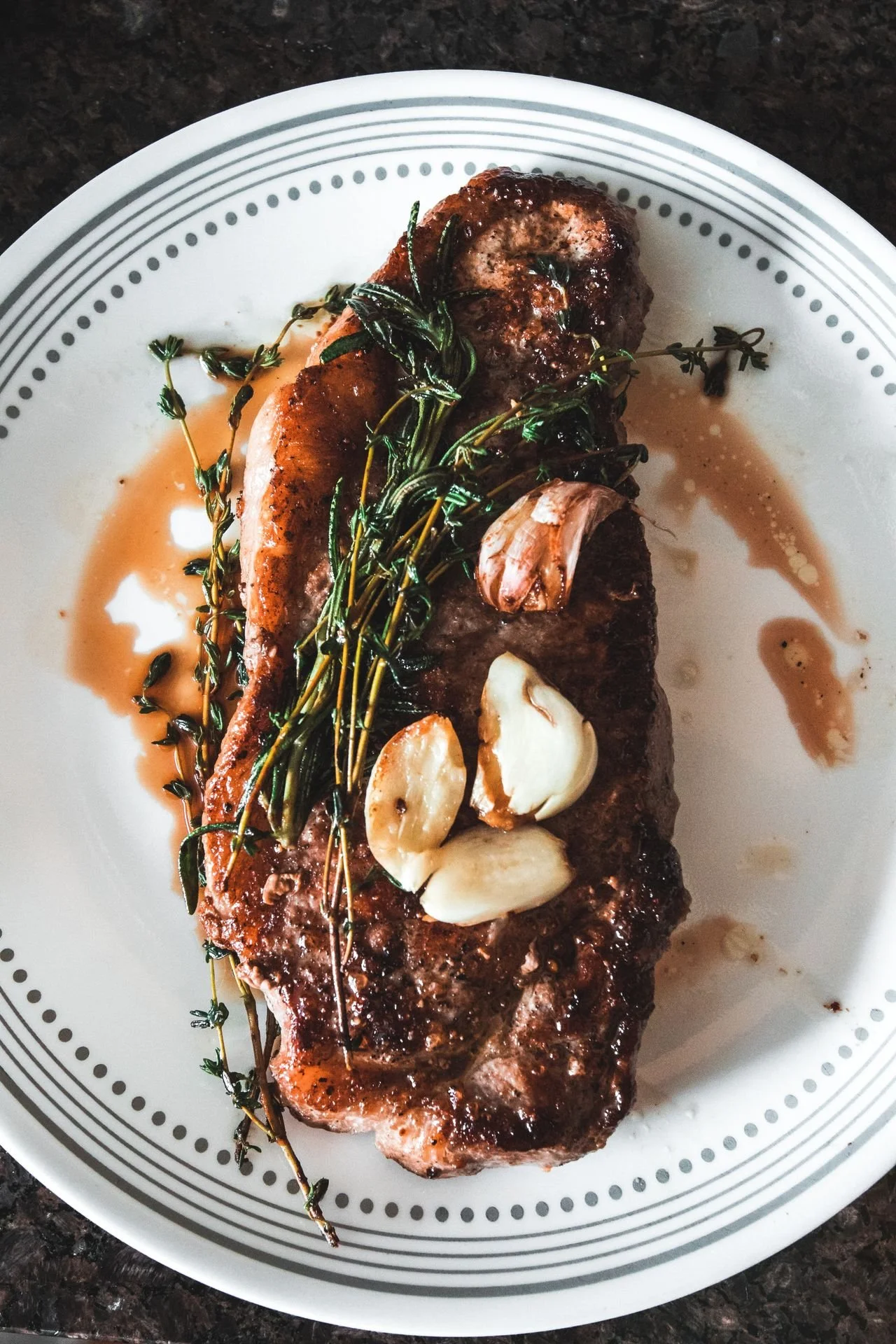
Protein Weight Loss / Photo: Javon Swaby
Introduction
Protein has earned an unusually spotless reputation. Carbohydrates have spent decades being alternately celebrated and blamed; dietary fat survived its own public trial. Protein, meanwhile, has become the macronutrient people routinely add without asking whether they need more.
Walk through a grocery store, and the evidence is everywhere: protein cereal, protein pasta, protein bars, protein shakes, protein cookies, and bottled drinks containing as much protein as a modest meal. For someone lifting weights, trying to preserve muscle while losing weight, or simply attempting to eat better, more can begin to sound synonymous with better. It isn't.
Protein is essential for maintaining and repairing tissue, and people who resistance train can benefit from consuming more than the minimum required to prevent deficiency. But the useful question isn't whether protein is good or bad. It's whether the amount you're eating fits your body size, training, total calorie intake, and overall diet. Recent research gives us a considerably more nuanced answer than the high-protein diet advice of previous decades.
Table of Contents
How Much Protein Do You Actually Need?
Sign #1: Protein Is Pushing Your Calories Higher Than You Realize
Sign #2: Your High-Protein Diet Has Crowded Out Fiber
Sign #3: You Feel Thirsty, Headachy, or Sluggish After Cutting Carbohydrates
Sign #4: You're Eating More Protein but Getting Little Additional Benefit
What About Protein and Your Kidneys?
How to Fix a Protein-Heavy Diet
Frequently Asked Questions
Related Articles
How Much Protein Do You Actually Need?
An important distinction exists between the Recommended Dietary Allowance and an intake designed to support someone who trains regularly. The adult RDA is 0.8 grams of protein per kilogram of body weight per day. That figure should not be interpreted as an optimal target for every active adult. People who resistance train, older adults trying to preserve muscle, and people losing weight while attempting to retain lean mass may benefit from higher intakes.
A 2022 systematic review and meta-analysis of 74 randomized controlled trials found that additional protein produced small additional improvements in lean body mass among healthy adults performing resistance exercise. The researchers observed meaningful effects at roughly 1.2–1.59 g/kg/day among adults 65 and older and at 1.6 g/kg/day or above among younger adults participating in resistance training.
Another 2022 dose-response meta-analysis found that increasing protein alongside resistance training was associated with additional strength gains up to approximately 1.5 g/kg/day, with no further strength benefit detected beyond that level in its analysis.
For perspective, a 180-pound person weighs approximately 82 kilograms. An intake of 1.2–1.6 g/kg would equal roughly 98–131 grams of protein per day. That is quite different from automatically trying to consume 180 or 200 grams because a fitness influencer equated grams of protein with pounds of body weight. The more productive question is: What is the additional protein replacing, and is it helping you accomplish something?
1. Protein Is Pushing Your Calories Higher Than You Realize
Protein contains approximately four calories per gram. Your body uses protein differently from carbohydrate or fat, and protein can be particularly satiating, but its calories don't disappear. Suppose your breakfast, lunch, and dinner already supply enough protein for your needs. Adding a 250-calorie shake, a protein bar, and a high-protein snack every day could add several hundred calories without replacing anything else.
That isn't “too much protein” in the toxicological sense. It's too much food for the energy you're expending. This distinction also corrects a problem with the original version of this article: animal protein does not automatically cause weight gain, just as switching to plant protein does not automatically cause weight loss. Body-weight change depends heavily on total energy balance, while food quality, satiety, dietary adherence, and activity affect how manageable that balance becomes.
What to do
Track your normal food intake for three representative days without deliberately changing it. Count protein from meals, snacks, beverages, and supplements. Then look at the foods you've added specifically because they contain protein. If a shake simply sits on top of an already adequate diet, ask whether it has a job. Someone following a thoughtfully programmed resistance-training plan with a personal trainer in Denver may have very different requirements from someone who is sedentary but consuming the same collection of protein powders and bars. Food should solve a nutritional problem—not create one because its label contains a desirable macronutrient.
2. Your High-Protein Diet Has Crowded Out Fiber
Protein doesn't inherently cause constipation. A poorly constructed high-protein diet can. This often happens through displacement. A person decides to “eat more protein,” so breakfast becomes eggs and a protein shake instead of oatmeal, berries, and nuts. Lunch becomes chicken and cheese instead of a meal containing beans, vegetables, or whole grains. A protein bar replaces fruit. Dinner grows another serving of meat while vegetables become decoration. Protein increased. Fiber quietly disappeared.
That's a substantially better explanation for digestive trouble than the old claim that protein simply overwhelms your digestive enzymes. Plant foods provide dietary fiber and a range of micronutrients and phytochemicals that purified protein products can't match. Beans, lentils, chickpeas, and soy foods are especially useful because they provide protein and fiber at the same time.
What to do
Instead of counting only protein grams, audit what accompanies them. Pair Greek yogurt with berries and seeds. Add beans or lentils to salads. Serve fish, tofu, chicken, or another protein with a meaningful portion of vegetables. Choose whole grains when they fit your diet. Use nuts and seeds strategically rather than relying exclusively on bars and powders.
You can also shift some meals toward the options in my guide to 16 Best Vegetarian Protein Sources for Muscle and Health or the broader Whole Food Plant-Based Macros guide. Both make it easier to think beyond protein as an isolated number. If constipation persists despite adequate fiber, fluids, and activity—or is accompanied by blood, significant pain, unexplained weight loss, or another concerning symptom—speak with a healthcare professional rather than assuming protein is responsible.
Quick Summary: 4 Signs Your Protein Intake May Need an Adjustment
Your calories keep climbing. You're adding protein-rich foods and supplements instead of substituting them, making an energy surplus easier to create.
Fiber-rich foods have disappeared. Meat, dairy, powders, and bars are crowding out fruits, vegetables, beans, legumes, and whole grains on your plate.
A restrictive low-carb diet leaves you feeling poorly. Headaches, thirst, or fatigue may reflect changes in carbohydrate, fluid, or electrolyte intake rather than protein itself.
More protein isn't producing more progress. Once intake is sufficient, another scoop of powder cannot substitute for progressive resistance training, sleep, and recovery.
Protein isn't the villain in this story. The problem is treating a single nutrient as though the rest of your diet—and your training—no longer matters.
3. You Feel Thirsty, Headachy, or Sluggish After Cutting Carbohydrates
Eating additional protein does not automatically dehydrate a healthy person. Protein metabolism does produce nitrogenous waste that the kidneys excrete, but that physiological fact alone isn't evidence that a normal high-protein diet causes clinically meaningful dehydration. The more common dietary scenario is different.
People who sharply increase protein often simultaneously slash carbohydrates, sometimes intentionally pursuing a ketogenic or very-low-carbohydrate diet. Glycogen—the stored form of carbohydrate—is stored with water. When carbohydrate intake drops sharply and glycogen stores decline, body water can also fall. Fluid and electrolyte changes during this transition may contribute to thirst, fatigue, headaches, or lightheadedness in some people. Those symptoms therefore shouldn't automatically be labeled “protein toxicity.”
What to do
Change one variable at a time. If you recently increased protein and dramatically decreased carbohydrates, don't assume protein is the culprit. Examine your fluid intake, carbohydrate intake, overall calorie intake, sodium and potassium sources, training load, alcohol consumption, sleep, and environmental conditions.
This matters in Colorado. Training outdoors in Denver's dry climate or hiking at elevation creates a different hydration challenge from sitting indoors at sea level. Keep fluids available throughout the day, use urine color as a rough—not diagnostic—feedback tool, and pay attention to thirst rather than forcing an arbitrary gallon of water. My guide to 9 Easy Ways to Drink More Water Every Day offers practical ways to make hydration more consistent. Persistent or severe headaches, excessive thirst, weakness, vomiting, confusion, or unusual changes in urination warrant medical evaluation rather than another adjustment to your macros.
4. You're Eating More Protein but Getting Little Additional Benefit
This may be the most overlooked sign of all: nothing bad happens. Nothing particularly useful happens, either. Protein intake and results don't follow an unlimited linear relationship. The 2022 dose-response meta-analysis examining protein intake and strength found progressively greater strength improvements with resistance training as protein increased up to about 1.5 g/kg/day, but no further gains beyond that point.
Similarly, the large 2022 meta-analysis by Nunes and colleagues concluded that increasing protein produces relatively small additional gains in lean body mass and lower-body strength among healthy adults participating in resistance exercise. The important phrase is participating in resistance exercise. Protein supplies raw material. Training supplies the stimulus. If someone is obsessing over whether lunch contains 42 or 52 grams of protein but hasn't progressively overloaded a squat, row, press, hinge, or other appropriate movement in months, nutrition has become a distraction from the larger training problem.
What to do
Once you're consuming an appropriate amount of protein, move your attention to the variables that are more likely to determine your next improvement: progressive resistance training, exercise selection, technique, training volume, recovery, sleep, and consistency. Spread protein-containing foods across the day rather than treating dinner as a rescue mission for a low-protein breakfast and lunch. Favor whole-food sources most of the time, and use powders or bars for convenience when they actually make your diet easier.
If you're unsure how nutrition should fit your training, individualized personal training in LoHi Denver can connect your food choices to an actual strength program instead of treating protein intake as a goal on its own. Michael Moody Fitness also provides a private Denver personal training studio experience built around individualized programming rather than generic macronutrient prescriptions.
What About Protein and Your Kidneys?
This subject deserves more precision than the familiar warning that “too much protein damages your kidneys.”For people with chronic kidney disease, protein recommendations can be medically important and should be individualized with a physician and registered dietitian.
Healthy adults are a different population. A 2026 systematic review and meta-analysis examined 22 randomized trials of high-protein diets in adults without chronic kidney disease. The high-protein diets—typically approximately 25–35 percent of calories or at least 2.0 g/kg/day—produced higher estimated glomerular filtration rates but no significant difference in serum creatinine and no consistent biochemical evidence suggesting renal injury. The authors cautioned that many trials were relatively short and that the long-term renal implications remain uncertain.
That's considerably more useful than saying either “high protein destroys your kidneys” or “eat as much as you want.” If you have kidney disease, impaired kidney function, recurrent kidney stones, or another relevant medical condition, your appropriate protein intake is a clinical question—not a fitness-blog calculation.
How to Fix a Protein-Heavy Diet
Start with your objective. If you're resistance training and trying to build or preserve muscle, protein deserves attention. Current evidence suggests an intake of about 1.2–1.6 g/kg/day covers a useful range for many active adults, though needs vary with age, training, calorie intake, and medical circumstances.
Then stop evaluating meals by protein alone. A dinner containing 40 grams of protein but virtually no vegetables, legumes, fruit, whole grains or other fiber-rich foods isn't nutritionally superior merely because its protein number is impressive. Build meals around protein + plants + an appropriate energy source. That might mean salmon, roasted vegetables, and potatoes; tofu, vegetables, and brown rice; Greek yogurt, berries, and walnuts; lentil pasta with vegetables; or eggs with whole-grain toast and fruit.
Finally, distinguish supplements from necessities. Protein powder is food technology, not magic. It can be convenient, inexpensive, and useful. But if you're already meeting your needs through food, another shake doesn't become beneficial merely because you drank it within thirty minutes of exercising.
Frequently Asked Questions
Can eating too much protein make you gain weight?
Protein itself does not automatically cause fat gain. However, protein provides calories, so consistently adding protein-rich foods or supplements to your normal diet can contribute to an energy surplus. Weight change depends on the larger energy balance rather than one macronutrient in isolation.
Does too much protein cause dehydration?
There isn't good evidence that a moderately high-protein diet automatically dehydrates healthy adults. However, people who increase protein while sharply reducing carbohydrates may see changes in glycogen and body water. Exercise, heat, altitude, alcohol, and inadequate fluid intake also affect hydration.
Can too much protein cause constipation?
Protein itself isn't necessarily the cause. Constipation becomes more plausible when a protein-heavy diet displaces fiber-rich foods such as vegetables, fruit, beans, lentils and whole grains, particularly when fluid intake is also inadequate.
Is high protein bad for your kidneys?
People with kidney disease may require individualized protein recommendations. In adults without chronic kidney disease, a 2026 meta-analysis of randomized trials found no consistent biochemical evidence of renal injury from high-protein diets, although the researchers emphasized that long-term evidence remains limited.
How much protein should I eat to build muscle?
Requirements vary, but recent meta-analyses suggest that approximately 1.2–1.6 g/kg/day is a useful evidence-based range for many people performing resistance training. Benefits diminish as intake rises, and training remains essential.
Do I need a protein shake after every workout?
No. A shake is a convenient way to obtain protein, not a requirement for building muscle. Total dietary protein and a consistent resistance-training program matter more than automatically drinking a shake after every workout.
Is plant protein good enough for building muscle?
A well-planned diet can provide protein from soy foods, beans, lentils, peas, grains, nuts, seeds, and other plant sources. Variety helps provide an adequate mixture of essential amino acids. You don't need to eliminate animal foods to benefit from plant proteins; simply replacing some protein sources can also increase dietary variety and fiber.
Peer-reviewed citations
Nunes EA, Colenso-Semple L, McKellar SR, et al. (2022). Systematic review and meta-analysis of protein intake to support muscle mass and function in healthy adults. Journal of Cachexia, Sarcopenia and Muscle, 13(2), 795–810.
PMID: 35187864
DOI: 10.1002/jcsm.12922
Tagawa R, Watanabe D, Ito K, Otsuyama T, Nakayama K, Sanbongi C, Miyachi M. (2022). Synergistic Effect of Increased Total Protein Intake and Strength Training on Muscle Strength: A Dose-Response Meta-analysis of Randomized Controlled Trials. Sports Medicine - Open, 8(1), 110.
PMID: 36057893
DOI: 10.1186/s40798-022-00508-w
Teixeira Silva PR, Santos P, de Miranda Silva Nogueira PA, et al. (2026). Effects of High-Protein Diets on Renal Function and Body Composition in Adults Without Chronic Kidney Disease: A Systematic Review and Meta-Analysis of Randomised Trials. Diabetes, Obesity and Metabolism, 28(9), 7672–7683.
PMID: 42289790
DOI: 10.1111/dom.70996
ABOUT THE AUTHOR: MICHAEL MOODY, PERSONAL TRAINER
As an author, a personal trainer in Denver, and a podcast host, Michael Moody has helped personal training clients reach new fitness heights and achieve incredible weight-loss transformations since 2005. He also produces the wellness podcast "The Elements of Being" and has been featured on NBC, WGN Radio, and PBS.
Michael offers personal training to Denver residents who want to meet at the 2460 W 26th Ave studio….or in their homes throughout LoHi (80206), LoDo (80202), RiNo (80216), Washington Park (80209), Cherry Creek (80206, 80209, 80243, 80246, 80231), and Highlands (80202, 80211, 80212). Michael also offers personal training sessions in Jefferson Park (80211) and Sloan's Lake (80204, 80212).
If you’re looking for a personal trainer who can curate a sustainable (and adaptable) routine based on your needs and wants, Michael is the experienced practitioner you’ve been looking for. Try personal training for a month…your body will thank you!
Related articles
From the Michael Moody Fitness directory, these are the most relevant internal articles to place at the bottom of this post. The directory includes the existing fast-food review under weight-loss obstacles and several related nutrition, dining-out, grocery, and food-label resources.
Protein requirements make more sense when you consider the work you're actually asking your body to do. At Michael Moody Fitness in Denver, nutrition guidance is paired with individualized strength, mobility, and conditioning programs rather than isolated macro targets. For clients training in LoHi and throughout Denver—or preparing for Colorado's hiking, skiing, and outdoor demands—the objective is practical: eat enough protein to support recovery and muscle, while leaving room for the fiber-rich foods, carbohydrates, fats, and total energy that support the rest of an active life.

6 Strange Things That Happen to Your Food Before You Buy It—and What Actually Matters
Summary
The trip from farm to grocery cart is considerably more complicated than most shoppers realize. Apples may be coated with edible wax. Farmed salmon can receive pigments through its feed. Poultry may be chilled in antimicrobial-treated water. Organic crops can still be treated with approved pesticides. Almonds are pasteurized. Some of these practices sound alarming but exist primarily to reduce spoilage or foodborne illness. The useful question is not whether a food has been “processed” before reaching the store. It is whether that particular process meaningfully changes its safety, nutrition, or value.
What happens to food before it reaches the grocery store?
Fresh foods may be washed, chilled, waxed, pasteurized, treated with approved antimicrobials, or produced with pesticides and veterinary drugs before reaching the grocery store. Many of these steps improve food safety or shelf life. Consumers should focus on meaningful differences—nutrition, sodium, food-safety practices, and verified production claims—rather than frightening-sounding processing terms.
Topics
what happens to food before you buy it, food processing before grocery store, grocery store food facts, food safety processing, wax on apples, is apple wax safe, farmed salmon color, why is farmed salmon pink, air-chilled chicken vs water-chilled chicken, antibiotics in meat, raised without antibiotics meaning, organic produce pesticides, does organic mean pesticide free, almond pasteurization, why are almonds pasteurized, food labels explained, healthy grocery shopping, food safety facts, Denver nutrition coach, personal trainer Denver, personal trainer LoHi

Salmon Weight Loss / Photo: Laura oliveira
The Grocery Store Is the End of a Much Longer Story
An apple sitting under the fluorescent lights of a supermarket appears almost comically simple. It is an apple. Pick it, box it, truck it, sell it. Agriculture does not work quite that neatly. Food has to survive harvesting, packing, transportation, temperature changes, storage, microbes, insects, moisture loss, bruising and, occasionally, weeks between farm and kitchen. The modern food system has developed an equally long list of interventions to manage those problems.
Some sound worse than they are. “Wax coating” evokes a candle rather than an apple. “Chlorine treatment” sounds more appropriate for a swimming pool than a chicken-processing facility. Pasteurizing an almond seems strange until you remember that low-moisture foods can still harbor pathogens. This distinction matters because food conversations tend to collapse two different questions into one: Was something done to my food? and is that thing harmful to me? They are not the same question. Here are six practices worth understanding before your next trip through the grocery store.
Table of Contents
Produce May Get an Edible Wax Coating
Farmed Salmon Gets Help With Its Color
Chicken May Take a Chilled Antimicrobial Bath
Meat Labels Can Tell You Something—But Read Them Precisely
Organic Produce Can Still Be Treated With Pesticides
Almonds Are Pasteurized Before You Eat Them
What Should You Actually Do at the Grocery Store?
Related Articles
1. Produce May Get an Edible Wax Coating
That glossy apple is not necessarily showing off. Fresh fruits and vegetables continue losing water after harvest. Apples, cucumbers, citrus fruits, and other produce may therefore receive a thin edible coating designed to reduce moisture loss, slow deterioration, and extend marketable life. Modern coatings can contain lipids, proteins, polysaccharides, or combinations of ingredients that alter moisture and gas exchange at the food surface.
A 2025 review in Comprehensive Reviews in Food Science and Food Safety examined the composition and safety of edible fruit and vegetable coatings. The authors concluded that most ingredients used in these coatings do not pose a risk at the levels at which they are consumed, while also emphasizing the need for continued safety evaluation as new coating formulations appear. This is a good example of why “processed” is an imprecise synonym for “unhealthy.” Extending the life of produce can reduce dehydration, spoilage, and food waste without turning an apple into junk food.
What should you do? Wash whole produce under cool running water before cutting or eating it. Rub the surface with your hands and use a clean produce brush for firm foods such as cucumbers and melons. Drying it afterward with a clean towel can further reduce surface bacteria.
One important correction to older advice: do not wash fruits and vegetables with soap or household detergent. The FDA specifically advises against it because produce is porous and can absorb detergent residue. Commercial produce washes aren't necessary either. Unless you have another reason to remove it, don't automatically peel produce just because it looks glossy. Peeling can also discard fiber and plant compounds contained in or near the skin.
2. Farmed Salmon Gets Help With Its Color
Salmon provides one of the more visually dramatic examples of the difference between wild and farmed food production. Wild salmon obtain carotenoid pigments from the aquatic food chain. Astaxanthin, a reddish carotenoid found in organisms salmon eat, contributes to the characteristic pink, orange, and red flesh we associate with the fish. Farmed salmon do not necessarily have access to that same diet, so producers can incorporate carotenoids into their feed. The FDA permits astaxanthin in salmonid feed specifically to enhance flesh color, subject to regulatory limits.
That fact sometimes gets converted online into the much more provocative claim that farmed salmon is “dyed.” Technically, pigment is being added through the animal's feed. Nutritionally, however, that pigment tells you very little about whether salmon belongs on your plate.
Both wild and farmed salmon can provide high-quality protein and long-chain omega-3 fatty acids. Their exact fatty-acid and micronutrient profiles vary with species, feed, geography, and production system, which makes sweeping statements such as “wild salmon is always healthier” less useful than they sound.
What should you do? Treat salmon as a protein choice rather than a purity test. Compare price, source, species, and sustainability considerations, and eat fish as part of a varied diet if it fits your medical and nutritional needs. If the color of farm-raised salmon concerns you, understand what is actually producing it before paying a large premium based solely on appearance.
3. Chicken May Take a Chilled Antimicrobial Bath
Processing poultry requires one immediate practical problem to be solved: a warm carcass needs to cool rapidly enough to limit bacterial growth. One common approach is immersion chilling. Chickens move through cold water during processing, and antimicrobial interventions can control pathogens within poultry-processing systems. Another method, air chilling, cools poultry with cold air rather than immersing it in a chill tank.
USDA explains that chickens and turkeys can absorb some water during immersion chilling. When water is retained in a single-ingredient raw poultry product, the amount has to be declared on the label. USDA notes that labels declaring roughly 8% to 12% retained water are not unusual. The word “chlorine” understandably gets attention, but context matters. Antimicrobial processing is intended to reduce microbial contamination; chemical names alone do not establish that a food presents a health hazard.
Another chicken-label issue more relevant to everyday nutrition is added solutions. Some poultry products contain water, salt, broth, or flavoring solutions. Those additions can materially increase sodium intake.
What should you do? Turn the package over. Compare sodium per serving and look at the ingredient list. If chicken contains chicken plus a solution of water, salt, and other ingredients, you are buying something nutritionally different from an unenhanced chicken breast. If you prefer air-chilled chicken for texture, retained-water concerns, or personal preference, buy it. Just don't assume immersion-chilled poultry is inherently unsafe.
Quick Summary
Produce may receive an edible coating to reduce moisture loss and extend shelf life.
Farmed salmon gets its pink-orange color from carotenoids in its feed, particularly astaxanthin.
Chicken may be water-chilled and exposed to approved antimicrobial treatments during processing.
Antibiotic and hormone labels require more nuance than phrases such as “antibiotic-free” suggest.
Organic produce can be treated with approved pesticides; organic does not mean untreated.
Almonds are pasteurized for a reason: Salmonella can survive in low-moisture foods.
4. Meat Labels Can Tell You Something—But Read Them Precisely
The old version of this article dismissed “antibiotic-free” language largely as marketing. That needs updating. USDA's Food Safety and Inspection Service recognizes animal-raising claims including “Raised Without Antibiotics,” “No Antibiotics Ever,” and related language. FSIS evaluates supporting documentation for these voluntary claims and has expanded verification efforts around them. That differs from saying conventional meat should contain clinically meaningful antibiotic residues.
Veterinary drugs are subject to withdrawal periods intended to allow residues to fall below legal tolerances before slaughter. USDA also operates residue-monitoring programs. For chicken, for example, FSIS notes that antibiotics can be used, but a withdrawal period is required before slaughter, and poultry is sampled for residues.
The broader public-health discussion of antibiotic use in food animals centers on antimicrobial resistance, not simply the idea that eating a conventional chicken breast gives you a dose of antibiotics. Contemporary reviews continue to identify responsible antimicrobial stewardship in animal agriculture as an important component of preserving antibiotic effectiveness. Hormone labels require their own careful reading. USDA states that steroid hormone implants for growth are not approved in poultry. Hormone-related rules differ by animal species, so a hormone claim on beef is not equivalent to the same wording on chicken.
What should you do? If animal-production practices matter to you, choose specific, regulated claims rather than vague health halos. “Raised Without Antibiotics” tells you something about production. It should not be interpreted as meaning conventional meat is automatically contaminated with unsafe antibiotic residues.
5. Organic Produce Can Still Be Treated With Pesticides
Few food labels are misunderstood as consistently as “organic.” USDA organic certification is a production standard. It does not mean that no pesticide or pest-control substance has ever touched the crop. Organic farmers are expected to rely first on management, mechanical, physical, and biological approaches to pests and disease. When those approaches are insufficient, farmers may use certain substances under National Organic Program rules. In general, nonsynthetic substances are allowed unless specifically prohibited, while synthetic substances are prohibited unless specifically included on the National List. That distinction is far more accurate than saying organic produce is “pesticide-free.”
Evidence suggests that eating organic foods can reduce exposure to some pesticide residues. A recent systematic review found that clinical trials consistently reported lower pesticide exposure among people consuming organic diets, although evidence that organic food produces superior long-term health outcomes remains much less certain. The practical lesson is not that organic is meaningless. It means something more specific than “chemical-free.”
What should you do? Buy organic when its production standards matter to you, and the price fits your budget. If organic prices discourage you from eating fruits and vegetables altogether, conventional produce remains a nutritionally valuable option. Wash either type under running water before eating or preparing it.
6. Almonds Are Pasteurized Before You Eat Them
Pasteurization sounds perfectly ordinary when applied to milk and oddly industrial when applied to an almond. Microbiology doesn’t care about our expectations. Low-moisture foods are not automatically sterile. Salmonella has been an important concern in almonds, which is why commercial processing incorporates validated pathogen-reduction treatments. Those methods can include heat-based processes and other approved interventions.
Recent research helps explain why these processes exist. In a 2023 study published in the International Journal of Food Microbiology, researchers compared ultraviolet light, chemical sanitizers, and heat for reducing Salmonella on almonds. A 75°C heat treatment of vacuum-packaged whole almonds produced greater than a five-log reduction while preserving color and visual quality better than the tested alternatives. An earlier 2022 study by the same research group similarly found that dry heat combined with vacuum packaging could achieve substantial Salmonella reductions with minimal visible deterioration of the almonds. That puts the processing question into perspective. The relevant comparison is not “natural almond versus tampered-with almond.” It is the benefits and drawbacks of a particular pathogen-control method.
What should you do? If you prefer a particular pasteurization process, check the manufacturer's information or contact the company. But there is little reason to avoid almonds merely because they have undergone a validated pathogen-reduction treatment. Almonds remain a useful source of unsaturated fat, fiber, protein, and micronutrients.
What Should You Actually Do at the Grocery Store?
Most shoppers don't need a forensic investigation of every apple, chicken breast, and almonds. A better grocery strategy is surprisingly ordinary.
Read the ingredient list when one food can hide another. A package that looks like plain chicken may contain an added solution. A flavored nut may contain substantial sodium or added sugar. Processing matters more when it meaningfully changes what you are eating.
Compare nutrition labels rather than relying on front-of-package language. “Natural,” “organic,” “air chilled,” and “raised without antibiotics” describe different attributes. None automatically tells you the food's calories, sodium, fiber, protein, or overall place in your diet.
Wash produce correctly. Plain running water, gentle rubbing, and a produce brush for firm items are sufficient for home preparation. Skip the dish soap.
Don't let food-safety interventions frighten you away from nutritious foods. Pasteurization, refrigeration, sanitation and edible coatings exist partly because food has to remain safe and usable while moving through a large supply chain.
Spend your nutritional attention where it produces the greatest return. Whether an apple carries a microscopic edible coating is probably less consequential to your health than whether you regularly eat fruit in the first place. Whether salmon received astaxanthin through feed is probably less important than the broader pattern of protein and fat sources across your week.
The same principle applies when I discuss nutrition with clients during personal training in LoHi, Denver. Healthy eating becomes unnecessarily difficult when you treat every unfamiliar ingredient or agricultural practice as a threat. The more useful skill is learning which details actually change the nutritional equation. For people combining nutrition changes with resistance training, weight management, or injury prevention, a Denver personal trainer can also help place individual food choices inside the larger context of training volume, body-composition goals, recovery, and everyday habits.
Frequently Asked Questions
Is the wax on apples safe to eat?
Edible coatings slow moisture loss and deterioration. A 2025 scientific review found that most ingredients used in edible coatings do not pose a safety concern at the quantities normally consumed, although newer formulations require continued evaluation. Wash the apple under running water and eat the peel if you enjoy it.
Should I wash apples with soap to remove wax?
No. The FDA recommends washing fruits and vegetables under running water and specifically advises against using soap, detergent, or commercial produce washes. Rub the surface with your hands and use a clean produce brush for firm produce.
Is farmed salmon artificially colored?
Farmed salmon can receive astaxanthin or other approved carotenoid pigments through its feed to produce the familiar pink-orange flesh. Wild salmon acquire carotenoids through their natural food chain. Feed-derived astaxanthin does not, by itself, make farmed salmon unhealthy.
Is air-chilled chicken healthier than water-chilled chicken?
Not necessarily. Air chilling avoids the retained water associated with immersion chilling and may affect texture, but either method can be part of a safe processing system. For nutrition, check sodium and the ingredient list for added solutions.
Does organic mean pesticide-free?
No. USDA organic standards restrict which substances and farming methods can be used, but certain pest-control substances are permitted. Organic diets appear to reduce exposure to some pesticide residues, but that is different from saying organic food has never been treated.
Does meat labeled “raised without antibiotics” contain fewer antibiotic residues?
The claim primarily describes how the animal was raised. Conventional animal products are still subject to drug-withdrawal requirements and residue tolerances. The broader reason many consumers and public-health researchers care about agricultural antibiotic use is antimicrobial resistance.
Why are almonds pasteurized?
Almonds are a low-moisture food, but pathogenic bacteria such as Salmonella can survive under low-moisture conditions. Pasteurization or another validated pathogen-reduction treatment lowers that food-safety risk.
Should I avoid processed food altogether?
“Processed” covers an enormous range—from washed spinach and pasteurized almonds to sugar-sweetened desserts. Judge the actual intervention and nutritional composition rather than assuming that any processing step makes a food unhealthy.
Peer-Reviewed Research
Gammage S, Marangoni AG. (2025). Safety of edible coatings on fruits and vegetables. Comprehensive Reviews in Food Science and Food Safety, 24(2), e70108.
PMID: 39898906
DOI: 10.1111/1541-4337.70108
Poulia KA, Bakaloudi DR, Alevizou M, Papakonstantinou E, Zampelas A, Chourdakis M. (2025). Impact of organic foods on chronic diseases and health perception: a systematic review of the evidence. European Journal of Clinical Nutrition, 79(2), 90–103.
PMID: 39261657
DOI: 10.1038/s41430-024-01505-w
Xu S, Chen H. (2023). Mild heat treatment achieved better inactivation of Salmonella and preservation of almond quality than ultraviolet light and chemical sanitizers. International Journal of Food Microbiology, 399, 110253.
PMID: 37210955
DOI: 10.1016/j.ijfoodmicro.2023.110253
ABOUT THE AUTHOR: MICHAEL MOODY, PERSONAL TRAINER
As an author, a personal trainer in Denver, and a podcast host, Michael Moody has helped personal training clients reach new fitness heights and achieve incredible weight-loss transformations since 2005. He also produces the wellness podcast "The Elements of Being" and has been featured on NBC, WGN Radio, and PBS.
Michael offers personal training to Denver residents who want to meet at the 2460 W 26th Ave studio….or in their homes throughout LoHi (80206), LoDo (80202), RiNo (80216), Washington Park (80209), Cherry Creek (80206, 80209, 80243, 80246, 80231), and Highlands (80202, 80211, 80212). Michael also offers personal training sessions in Jefferson Park (80211) and Sloan's Lake (80204, 80212).
If you’re looking for a personal trainer who can curate a sustainable (and adaptable) routine based on your needs and wants, Michael is the experienced practitioner you’ve been looking for. Try personal training for a month…your body will thank you!
Related articles
From the Michael Moody Fitness directory, these are the most relevant internal articles to place at the bottom of this post. The directory includes the existing fast-food review under weight-loss obstacles and several related nutrition, dining-out, grocery, and food-label resources.
Grocery decisions in Denver often fit into a larger health routine: weekday strength training, restaurant meals, active weekends, hiking, skiing, and the practical challenge of eating consistently on a busy schedule. At Michael Moody Fitness, nutrition education complements individualized strength, mobility, and body-composition programming for clients training at the private LoHi studio and throughout Denver. The emphasis is not on “clean” versus “toxic” foods, but on understanding labels, building a varied whole-food diet, and making choices that can survive ordinary Colorado life.

5 Starbucks Drinks to Rethink for Weight Loss | Denver Trainer
Summary
Coffee itself is not particularly difficult to fit into a weight-loss plan. A Grande brewed coffee, cold brew, or Americano adds very few calories before you add anything. The equation changes when coffee becomes the foundation for whipped cream, syrups, sauces, whole milk, Frappuccino base, cookie pieces, or caramel toppings.
Several Grande Starbucks drinks on the current U.S. menu contain roughly 380–480 calories and 46–61 grams of sugar in their standard recipes. That does not make them forbidden foods, nor does drinking one guarantee weight gain. But when a high-calorie beverage becomes an everyday habit—especially alongside breakfast, lunch, or a pastry—it can quietly increase total energy intake. This updated list replaces several outdated choices from the original article and uses current nutrition information published by Starbucks.
Which Starbucks drinks are highest in calories and sugar?
Among the current Grande drinks reviewed here, Mocha Cookie Crumble and Caramel Ribbon Crunch Frappuccinos stand out, followed by Horchata Frappuccino, White Chocolate Mocha, and Vanilla Bean Crème Frappuccino. For weight management, size, frequency, whipped cream, syrups, and sauces matter more than banning Starbucks entirely.
Topics
high-calorie Starbucks drinks; Starbucks drinks for weight loss; Starbucks drink calories; Starbucks drinks sugar; Starbucks Frappuccino calories; low-calorie Starbucks drinks; Starbucks weight loss tips; Mocha Cookie Crumble calories; Caramel Ribbon Crunch calories; White Chocolate Mocha calories; Denver personal trainer; personal trainer Denver; LoHi personal trainer; weight loss personal trainer Denver.

Starbucks Coffee / Photo: Erik Mclean
Why Liquid Calories Deserve Attention
The original version of this article began with an Eggnog Latte and a warning about how many calories, grams of fat, and grams of sugar a person should consume at each meal. Both needed an update. There is no scientifically meaningful rule saying every weight-loss meal must contain 300–400 calories, 13 grams of sugar, or 3–5 grams of fat. Calorie needs vary substantially according to body size, activity, age, sex, goals, training volume, and other factors. A 6-foot-4 recreational athlete should not automatically be assigned the same meal target as a sedentary person half his or her size. The better question is what happens to total energy intake over time.
Recent research gives liquid calories a legitimate place in that discussion. A 2023 systematic review and meta-analysis published in The American Journal of Clinical Nutrition examined prospective studies and randomized trials of sugar-sweetened beverages. Among adults, higher consumption was associated with weight gain, while randomized trials found weight increased when sugar-sweetened beverages were added to the diet and decreased when they were removed.
A 2024 meta-analysis reached the issue from the opposite direction: replacing sugar-sweetened drinks with non-caloric alternatives produced a modest reduction in body mass index across randomized trials. Neither study was specifically about Starbucks, and a milk-based Frappuccino is not nutritionally identical to soda. That distinction matters. Still, the broader lesson is useful: beverages can make a meaningful contribution to daily energy intake, and replacing a routinely caloric drink with a substantially lighter one can affect weight over time.
Table of Contents
Why Liquid Calories Deserve Attention
Mocha Cookie Crumble Frappuccino
Caramel Ribbon Crunch Frappuccino
Horchata Frappuccino
White Chocolate Mocha
Vanilla Bean Crème Frappuccino
Five Easier Ways to Order Starbucks for Weight Loss
Starbucks and Weight Loss: Frequently Asked Questions
Related Articles
These rankings are based on standard Grande recipes among current drinks reviewed for this article, not a claim that these will permanently remain Starbucks' five highest-calorie beverages. Starbucks changes its menu, particularly seasonally.
1. Mocha Cookie Crumble Frappuccino: 480 Calories
480 calories | 24 g fat | 55 g sugar
The Mocha Cookie Crumble Frappuccino earns the first spot for a simple reason: in its standard Grande form, it is closer calorically to a small meal than to a conventional cup of coffee. Starbucks lists 480 calories, 24 grams of fat, and 55 grams of sugar. The recipe combines Frappuccino Roast coffee, mocha sauce, Frappuccino chips, milk, ice, whipped cream, mocha drizzle, and cookie crumble topping. Ordering one occasionally isn't inherently disastrous. The problem is context. If 480 beverage calories arrive after breakfast or beside a breakfast sandwich and pastry, they are being layered onto the day rather than necessarily replacing anything.
A more practical order: Choose a Tall when you specifically want the Frappuccino, eliminate whipped cream or extra topping if those features are not important to you, and avoid automatically pairing it with another dessert. If you want cold coffee rather than a frozen dessert, a Grande Cold Brew has about 5 calories before additions.
2. Caramel Ribbon Crunch Frappuccino: 470 Calories
470 calories | 22 g fat | 60 g sugar
Only ten calories separate the Caramel Ribbon Crunch from the first-place drink. Starbucks lists a Grande at 470 calories, with 22 grams of fat and 60 grams of sugar. Its calorie density is not mysterious: dark caramel sauce, whipped cream, caramel drizzle, caramel-sugar topping, milk, and Frappuccino base all contribute. Sixty grams of sugar also makes it one of the sweeter drinks in this group. Again, Starbucks' number represents total sugar, so it's inaccurate to describe every one of those grams as added sugar.
A more practical order: Decide which part of the drink you actually care about. If you want caramel flavor rather than whipped cream, drizzle, crunch topping, and frozen texture, simplify the order. Reducing size and toppings is often more satisfying than ordering a completely different beverage that does not resemble what you wanted. For a lighter coffee-forward alternative, Starbucks lists a Grande Iced Shaken Espresso at about 100 calories in its standard recipe.
3. Horchata Frappuccino: 400 Calories
400 calories | 15 g fat | 61 g sugar
The Horchata Frappuccino lands third by calories but first in sugar among these five selections. According to Starbucks, a Grande contains 400 calories, 15 grams of fat, and 61 grams of sugar. This example shows why calories and sugar should not be treated as interchangeable measures. The Horchata Frappuccino has 80 fewer calories than the Mocha Cookie Crumble yet slightly more sugar. Neither number tells you everything about the drink, but together they make it clear that this is better thought of as an indulgence than as ordinary morning coffee.
A more practical order: If you like the cinnamon-forward flavor profile, start with a smaller size and fewer flavor additions. If caffeine and coffee flavor are your priorities, a Grande Caffè Americano has about 15 calories before you add anything. Cinnamon can add aroma and flavor without turning the drink into a 400-calorie order.
A Quick Summary
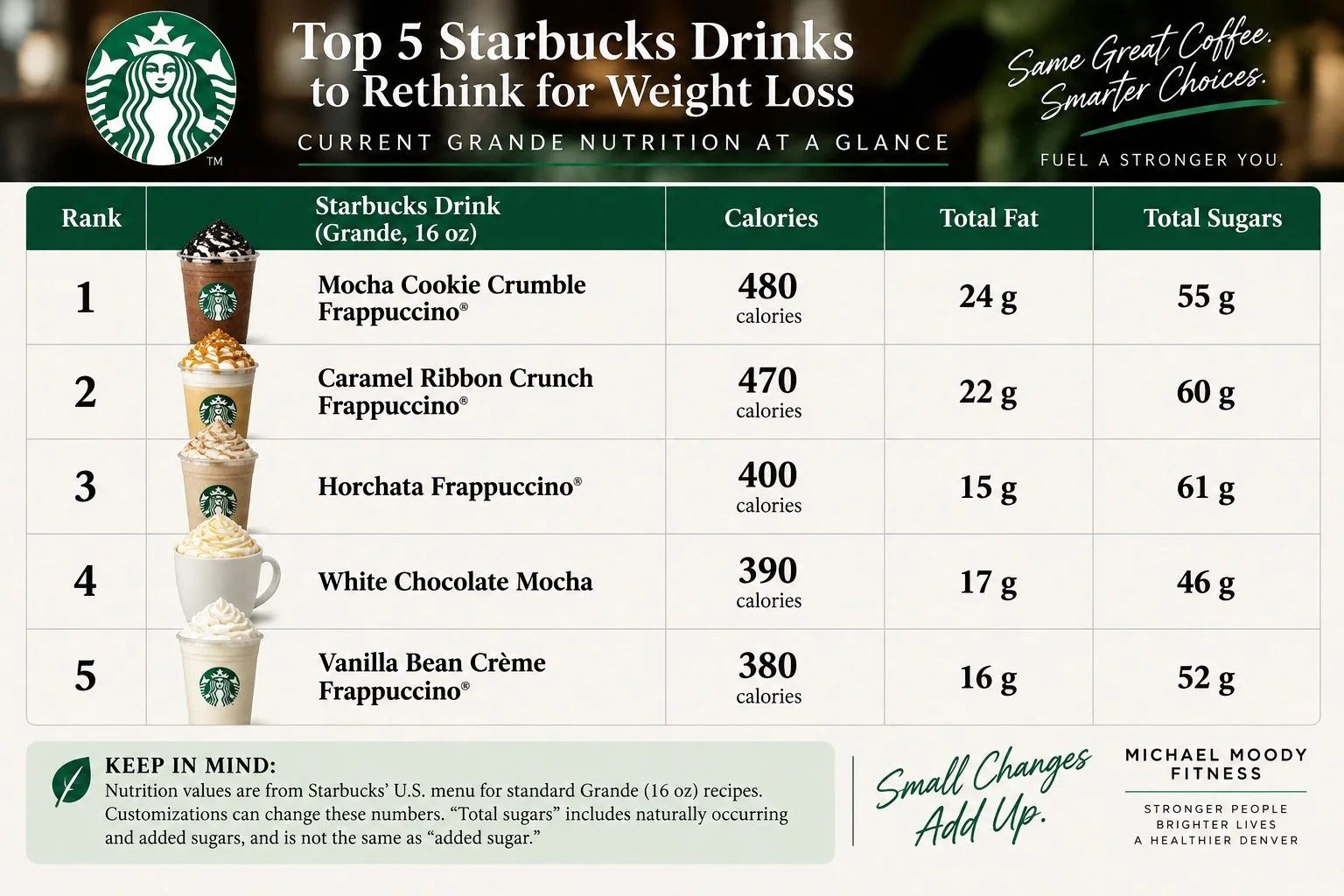
Starbucks Drinks
4. White Chocolate Mocha: 390 Calories
390 calories | 17 g fat | 46 g sugar
The White Chocolate Mocha has survived in spirit from the original article, though the nutrition numbers and menu context have changed. Starbucks currently lists a standard Grande hot White Chocolate Mocha at approximately 390 calories, 17 grams of fat, and 46 grams of sugar. It also contains 13 grams of protein, largely from the milk. That protein is worth acknowledging; nutrition is rarely captured by one alarming number. But protein doesn't erase the energy from milk, white chocolate mocha sauce, and whipped cream.
A more practical order: Ask for fewer pumps of white chocolate mocha sauce, skip whipped cream if you don't particularly value it, or start with a plain latte and add only enough flavoring to make it enjoyable. Starbucks lists a standard Grande Caffè Latte at about 190 calories, while a Grande Iced Caffè Latte is approximately 130 calories. That leaves considerably more room to customize the drink without getting close to 400 calories.
5. Vanilla Bean Crème Frappuccino: 380 Calories
380 calories | 16 g fat | 52 g sugar
The Vanilla Bean Crème Frappuccino deserves inclusion for another reason: it contains no coffee and essentially no caffeine, yet a standard Grande still contains about 380 calories, 16 grams of fat, and 52 grams of sugar. “Crème” and “caffeine-free” can sound lighter than “mocha” or “coffee Frappuccino.” Nutritionally, that assumption does not hold. This is still a blended dessert-style beverage.
A more practical order: Treat it as dessert, not hydration. If you want it, order the size you can enjoy without mindlessly finishing a larger portion. If the real objective is simply something cold and flavored, consider whether you need the whipped cream and full Frappuccino treatment every time. That small distinction—What am I actually looking for from this drink?—is more useful than labeling Starbucks good or bad.
Five Easier Ways to Order Starbucks for Weight Loss
1. Change the size before changing the entire drink
Moving from Grande to Tall keeps the flavor you want while reducing the amount you consume. For many people, this is more sustainable than repeatedly ordering a “healthy” substitute they do not enjoy.
2. Begin with the simplest coffee base
Starbucks lists a Grande Iced Coffee and Cold Brew at approximately 5 calories each and a Grande Americano at about 15 calories before additions. Then decide how much milk, syrup, or sweetener is worth adding, rather than starting with several hundred calories and trying to subtract them.
3. Remove the extras you barely notice
Whipped cream, drizzle, crumb toppings, crunch toppings, and extra sauce can contribute calories without necessarily being the reason you bought the drink. Keep the ingredients that matter to you.
4. Look at weekly frequency, not one isolated order
A 480-calorie Frappuccino once every few weeks is a different nutritional pattern from one purchased every weekday. Five 480-calorie drinks total 2,400 calories in a week before any accompanying food. That does not mean a person automatically gains a predetermined amount of body fat—the body is not a simple calorie ledger—but frequency changes the scale of the habit. The research supports focusing on repeated beverage patterns rather than demonizing one cup. Higher habitual intake of sugar-sweetened beverages has been associated with greater obesity and cardiometabolic risk in longitudinal research.
5. Make the rest of the diet do the heavy lifting
Weight management does not require a spotless coffee order. A diet built primarily around adequate protein, high-fiber foods, fruits and vegetables, minimally processed staples, and individual-appropriate portions leaves room for discretionary foods and drinks. This is also where individualized coaching can be more useful than generic calorie rules. My approach to personal training in LoHi Denver and working as a personal trainer in Denver is to look at the complete pattern—strength training, movement, sleep, food habits, recovery, and consistency—rather than trying to make one Starbucks order carry the burden of an entire weight-loss plan.
Frequently Asked Questions
Can you drink Starbucks and still lose weight?
Yes. Weight loss depends on overall energy balance and dietary patterns over time, not on whether Starbucks appears in your diet. A lower-calorie coffee fits easily, while a 400–480-calorie specialty drink may require more deliberate planning if you drink it often.
What is one of the lowest-calorie coffee choices at Starbucks?
A Grande brewed coffee, iced coffee, or cold brew contains roughly 5 calories before you add milk, cream, syrups, or sweeteners. A Grande Caffè Americano is approximately 15 calories.
Which drink on this list has the most calories?
The standard Grande Mocha Cookie Crumble Frappuccino has the most calories among the five reviewed here, at 480.
Which drink on this list has the most sugar?
The Grande Horchata Frappuccino has the highest reported sugar content of these five at 61 grams, narrowly exceeding the Caramel Ribbon Crunch Frappuccino at 60 grams.
Is a White Chocolate Mocha bad for weight loss?
No individual beverage is automatically “bad” for weight loss. A standard Grande White Chocolate Mocha contains about 390 calories; however, frequency and what you pair it with matter. Fewer pumps, no whipped cream, a smaller size, or starting with a latte can reduce the calorie load.
Are Frappuccinos unhealthy?
“Healthy” and “unhealthy” are too blunt to be useful here. Most of the Frappuccinos discussed in this article are calorie-dense, sweet drinks. People can consume them occasionally within an otherwise nutritious diet. Problems become more plausible when they are routine additions to an already sufficient diet and make sustained calorie control harder.
Peer-Reviewed Research
Nguyen M, Jarvis SE, Tinajero MG, Yu J, Chiavaroli L, Blanco Mejia S, Khan TA, Tobias DK, Willett WC, Hu FB, Hanley AJ, Birken CS, Sievenpiper JL, Malik VS. (2023). Sugar-sweetened beverage consumption and weight gain in children and adults: a systematic review and meta-analysis of prospective cohort studies and randomized controlled trials. The American Journal of Clinical Nutrition, 117(1), 160–174.
PMID: 36789935
DOI: 10.1016/j.ajcnut.2022.11.008
Tobiassen PA-S, Køster-Rasmussen R. (2024). Substitution of sugar-sweetened beverages with non-caloric alternatives and weight change: A systematic review of randomized trials and meta-analysis. Obesity Reviews, 25(2), e13652.
PMID: 37880814
DOI: 10.1111/obr.13652
Santos LP, Gigante DP, Delpino FM, Maciel AP, Bielemann RM. (2022). Sugar sweetened beverages intake and risk of obesity and cardiometabolic diseases in longitudinal studies: A systematic review and meta-analysis with 1.5 million individuals. Clinical Nutrition ESPEN, 51, 128–142.
PMID: 36184197
DOI: 10.1016/j.clnesp.2022.08.021
ABOUT THE AUTHOR: MICHAEL MOODY, PERSONAL TRAINER
As an author, a personal trainer in Denver, and a podcast host, Michael Moody has helped personal training clients reach new fitness heights and achieve incredible weight-loss transformations since 2005. He also produces the wellness podcast "The Elements of Being" and has been featured on NBC, WGN Radio, and PBS.
Michael offers personal training to Denver residents who want to meet at the 2460 W 26th Ave studio….or in their homes throughout LoHi (80206), LoDo (80202), RiNo (80216), Washington Park (80209), Cherry Creek (80206, 80209, 80243, 80246, 80231), and Highlands (80202, 80211, 80212). Michael also offers personal training sessions in Jefferson Park (80211) and Sloan's Lake (80204, 80212).
If you’re looking for a personal trainer who can curate a sustainable (and adaptable) routine based on your needs and wants, Michael is the experienced practitioner you’ve been looking for. Try personal training for a month…your body will thank you!
Related articles
From the Michael Moody Fitness directory, these are the most relevant internal articles to place at the bottom of this post. The directory includes the existing fast-food review under weight-loss obstacles and several related nutrition, dining-out, grocery, and food-label resources.
Living and training in Denver changes the context of nutrition more than people sometimes expect. Weekend hiking, skiing, cycling, recreational sports, altitude, long workdays, and restaurant culture can produce very different energy demands from one person to the next. At my private LoHi studio, the objective isn’t to hand every client the same list of prohibited drinks. Instead, I determine which everyday habits interfere with that person's strength, body composition, health, and performance goals—and which habits can remain without consequence. Michael Moody Fitness provides one-on-one personal training from its LoHi location at 2460 W. 26th Avenue in Denver.

10 Healthy Eating Habits for Sustainable Weight Loss | Denver Personal Trainer
Summary
Sustainable weight loss rarely hinges on a single food or kitchen trick. It grows from repeatable decisions: eating without shame, noticing hunger and stress, arranging the kitchen to make nourishing food convenient, building balanced plates, and consuming enough protein to support muscle. These ten strategies turn broad nutrition advice into actions you can use at your next meal.
What Eating Habits Support Sustainable Weight Loss?
Eating more attentively, planning repeatable meals, keeping whole fruit visible, filling half the plate with vegetables, and distributing protein across meals can support sustainable weight loss. Smaller dishes may help some people, but portions, food quality, emotional awareness, activity, sleep, and overall energy intake matter more than any single trick.
Topics
healthy eating habits for weight loss, sustainable weight loss habits, eating habits to lose weight, mindful eating for weight loss, portion control for weight loss, healthy weight loss tips, weight-loss nutrition tips, personal trainer Denver, Denver weight-loss personal trainer, personal trainer LoHi
how to build healthy eating habits, how to stop emotional eating, does mindful eating help with weight loss, do smaller plates help you eat less, half-plate rule for weight loss, how to distribute protein throughout the day, high-protein meals for weight loss, plant-based smoothie for weight loss, are whole eggs healthy for weight loss, sustainable weight-loss coaching Denver, nutrition habits for preserving muscle, simple portion-control strategies, self-compassion and weight loss, healthy eating without counting calories

Healthy Weight Loss Meals / Photo: Sergei Starostin
Introduction
Most weight-loss advice arrives dressed as revelation: eliminate this ingredient, drink that mixture, buy a special container, never eat after a particular hour. The appeal is understandable. A rule feels easier to manage than the unruly combination of appetite, stress, family schedules, restaurant portions, grocery prices, sleep, and biology that actually shapes how people eat. The better habits tend to be less cinematic. They make a health-supporting choice more visible, convenient, satisfying, or repeatable. They also leave room for dinner with friends, an unpredictable workday, and the occasional meal that exists for pleasure rather than nutritional precision.
That distinction matters because a person can follow a rigid diet for three weeks without learning much about hunger, meal structure, or the conditions that lead to overeating. When the diet ends, the old environment remains. Sustainable weight loss requires more than temporary obedience; it requires a routine that can survive ordinary life. The ten practices below are not metabolic shortcuts, and none guarantees weight loss. Their value lies in reducing friction. Some improve a meal's physical composition. Others bring attention to portions or uncover the emotions attached to eating. Together, they can help create a modest, manageable energy deficit while supporting nutrition, training, and lean tissue.
Table of Contents
Stop the Shame Game
Eat More Consciously
Get Smaller Plates—With a Caveat
Buy a Fruit Bowl
Be Boring—Strategically
Blend a Plant-Based Smoothie
Eat the Yolk
Use the Half-Plate Rule
Tap Into Your Emotions
Spread Out Your Protein
How to Put These Habits Into Practice
Frequently Asked Questions
Related Articles
1. Stop the Shame Game
Shame is often mistaken for accountability, but the two operate differently: accountability identifies a behavior and chooses a response, while shame turns a behavior into an identity—“I ate more than intended” becomes “I have no discipline.” A 2021 systematic review found that self-compassion interventions showed promise for improving eating and activity behaviors, although methodological weaknesses prevented strong conclusions about weight loss itself. After an unplanned meal, replace punishment with a three-question review: What was happening before I ate? What did I need at that moment? What adjustment would make the next similar situation easier? The answer might be a more substantial lunch, an afternoon snack, an earlier bedtime, or simply accepting that one restaurant meal does not require a compensatory fast. If your plan repeatedly leaves you ravenous, the plan—not your character—may need revision. Persistent guilt, secretive eating, purging, or cycles of restriction and bingeing deserve care from a physician or eating-disorder specialist, not a stricter calorie target.
2. Eat More Consciously
Conscious eating does not require silent meals or meditating over every carrot. It means gathering enough information to recognize when you are hungry, when you are satisfied, and when your hand moves toward food without much involvement from your attention. For one meal per day, sit at a table, remove the phone, portion the food before eating, and pause halfway through for 20 seconds. Ask whether you are still physically hungry, enjoying the food, or continuing because it remains in front of you. A practical hunger scale can help: begin near a 3 or 4 out of 10—clearly hungry but not desperate—and consider stopping near a 6 or 7—comfortably satisfied rather than uncomfortably full. Mindfulness research suggests possible benefits for eating behavior, but the effects are generally modest and should not be sold as automatic weight loss. The purpose is observation. Once you notice that rushed lunches leave you unsatisfied or television encourages second servings, you have something specific to change.
3. Get Smaller Plates—With a Caveat
A smaller plate isn't a reliable appetite-control tool on its own. A 2021 systematic review and meta-analysis found no meaningful effect from reduced-size plates alone, although calibrated dishes and certain combinations of smaller bowls and serving utensils appeared more useful. Keep the idea, but improve the execution: use a nine- or ten-inch dinner plate, plate the planned meal in the kitchen, and put leftovers away before sitting down. For calorie-dense foods such as pasta, chips, ice cream, or nuts, a smaller bowl can establish a visible boundary; eating from a bag or family-size container cannot. A divided or visually marked plate may be even more helpful because it provides information instead of relying on an optical illusion. You may always take more if you remain hungry after ten minutes. The dish is a pause button, not a prohibition, and it cannot compensate for a meal containing too little protein, fiber, or total food to be satisfying.
4. Buy a Fruit Bowl
The fruit bowl matters because the kitchen is full of cues. Food that is visible, ready, and within reach is more likely to be considered before food that requires washing, peeling, or searching. Place two or three durable options—apples, pears, oranges, peaches, or bananas—where you normally see snack foods, and keep washed berries or grapes at eye level in the refrigerator. Then give the fruit a job: pair an apple with peanut butter for an afternoon snack, add berries to oatmeal, or eat an orange with lunch. Whole fruit provides water, fiber, and chewing time that juice generally does not, but it is not a negative-calorie food and need not be eaten without regard to appetite. The useful substitution is fruit in place of a less-filling default, not fruit on top of everything you already consume. Rotate what you buy, and begin with an amount your household will finish; a decorative bowl of spoiled produce changes no one’s diet.
5. Be Boring—Strategically
Novelty is delightful, but it creates work. If every weekday breakfast requires a new recipe and every dinner begins with a search for inspiration, fatigue eventually hands the decision to takeout. Choose two breakfasts, two lunches, and three or four dinners that you like well enough to repeat. A useful rotation might include oatmeal with berries and Greek or soy yogurt; eggs with vegetables and whole-grain toast; a lentil-grain bowl; a chicken, tofu, or tuna wrap; vegetable chili; sheet-pan fish and vegetables; and tacos built around beans or lean protein. Repetition simplifies shopping, makes portions easier to recognize, and reduces decisions made while hungry. “Boring” should not mean nutritionally narrow: rotate vegetables, fruits, beans, whole grains, protein sources, herbs, and spices within the structure. Keep one flexible meal each week for a restaurant, new recipe, or favorite family dish. The objective is not culinary austerity. It is giving the busiest parts of the week a dependable floor.
6. Blend a Plant-Based Smoothie
A smoothie can be a compact meal or an easy way to drink hundreds of calories without noticing; the ingredients decide which. Begin with one cup of unsweetened soy milk or another suitable base, one cup of berries, a handful of spinach, and a protein source such as silken tofu, unsweetened soy yogurt, or a protein product that fits your dietary and medical needs. Add oats or half a banana if the smoothie must support a workout. Measure nut butter, seeds, coconut, and sweeteners rather than pouring freely; nutritious ingredients still contribute energy. Keep some texture, drink it slowly, and don't assume pulverized vegetables are better than vegetables you chew. If a smoothie leaves you hungry within an hour, pair it with whole fruit, toast, or another solid food—or turn the ingredients into a bowl. A smoothie is most useful when it replaces a skipped breakfast or a low-fiber convenience meal, not when it becomes an extra beverage beside a full breakfast.
7. Eat the Yolk
Egg whites provide protein, but the yolk contains much of the egg’s choline and several fat-soluble nutrients. For many healthy adults, whole eggs can fit within an overall eating pattern rich in vegetables, legumes, whole grains, fruit, nuts, and unsaturated fats. That doesn't mean dietary cholesterol is irrelevant or that everyone responds the same way. Genetics, diabetes, baseline LDL cholesterol, saturated-fat intake, medications, and the foods served with eggs all influence cardiovascular risk. Two eggs with spinach, tomatoes, beans, and whole-grain toast create a different nutritional pattern from eggs accompanied daily by bacon, sausage, butter, and refined bread. If you need more protein without several additional yolks, combine one or two whole eggs with extra whites. People with high LDL cholesterol, familial hypercholesterolemia, diabetes, or established cardiovascular disease should discuss egg frequency and lipid monitoring with a physician or registered dietitian rather than following a universal internet rule.
Quick Summary
Replace food shame with a factual review of what happened.
Eat one screen-free meal each day and pause halfway through.
Use smaller bowls or calibrated dishes instead of relying on plate size alone.
Place ready-to-eat whole fruit where you will see it.
Repeat a small collection of balanced weekday meals.
Build smoothies around produce and protein, not juice and sweeteners.
Keep whole eggs in context with your cardiovascular history.
Fill about half the plate with non-starchy vegetables.
Match emotional needs with responses more precise than automatic eating.
Include a substantial protein source across several meals.
Pair nutrition changes with resistance training, aerobic activity, and sleep.
Adjust the plan when it repeatedly creates excessive hunger or guilt.
8. Use the Half-Plate Rule
At lunch and dinner, fill roughly half the plate with non-starchy vegetables, one quarter with protein, and one quarter with a fiber-rich carbohydrate; then add an appropriate amount of unsaturated fat. This could mean roasted broccoli, salmon, and potatoes with olive oil; peppers and onions, black beans, and corn tortillas with avocado; or a large mixed-vegetable stir-fry with tofu and brown rice. The proportions are a visual starting point, not a prescription for everyone or every culture. Athletes, highly active adults, pregnant people, and those recovering from illness may require more carbohydrate or total food, while someone managing diabetes may need individualized guidance. Do not let the vegetable half become an undressed pile of leaves beside a tiny meal. Use cooked and raw vegetables, seasoning, sauces, and varied textures to make the plate satisfying. The rule works best because it reserves meaningful space for high-volume, fiber-containing foods while leaving room for protein and carbohydrates—not because vegetables erase calories elsewhere.
9. Tap Into Your Emotions
Emotional eating is not a moral lapse. Food can distract, soothe, reward, connect, and punctuate the day; those roles help explain why nutritional knowledge alone rarely settles every eating decision. Before an unplanned snack, try a brief HALT check: Am I hungry, angry, anxious, lonely, or tired? If you're physically hungry, eat something adequate. If the need is emotional, wait ten minutes and choose a response that matches it—a short walk for restlessness, a call for loneliness, a shower for transition, or an earlier bedtime for fatigue. You may still decide to eat, but the decision will be informed, not automatic. Track the setting, emotion, hunger level, and food for one week without calories or judgment. Patterns are often more useful than totals: the difficult hour may consistently be 4 p.m., the drive home, or the quiet after children go to bed. Recurrent binge episodes or significant distress should be addressed with a licensed mental-health professional or registered dietitian experienced in eating behavior.
10. Spread Out Your Protein
Total daily protein remains more important than a mathematically perfect distribution, but eating almost none at breakfast and lunch before having an enormous portion at dinner may be a missed opportunity—especially for older adults or people trying to preserve muscle during weight loss. A 2024 review concluded that protein quantity, quality, age, and activity all affect the response; it also noted that long-term evidence for an ideal distribution remains incomplete. A practical approach is to include a substantial protein source at three meals: eggs or Greek or soy yogurt at breakfast; beans, lentils, fish, poultry, tofu, or tempeh at lunch; and another suitable source at dinner. Many active adults can start with 25–35 grams per meal, while larger individuals and adults over 60 may need individualized amounts. Resistance training provides the physical stimulus that nutrition supports. Anyone with chronic kidney disease or another condition affecting protein needs should obtain a target from a physician or registered dietitian.
How to Put These Habits Into Practice
Do not install all ten habits on Monday morning. Select one environmental change and one meal change for the next two weeks. You might place fruit on the counter and add protein to breakfast, or use a divided dinner plate and eat lunch without your phone. Define success as completing the action most of the time—not producing an immediate change on the scale.
Review the results after 14 days. Did the habit reduce rushed choices, extreme hunger, or evening grazing? Was it affordable and realistic? Keep what helped, modify what created friction, and then add another practice. If weight loss is appropriate for you, monitor trends across several weeks while also tracking waist circumference, strength, energy, sleep, and hunger. A personal trainer in Denver can organize the exercise side of this process around your health history and schedule, while a registered dietitian can provide individualized nutrition therapy. For clients who prefer neighborhood-based coaching, personal training in LoHi can integrate strength, mobility, and sustainable weight-management habits without treating exercise as punishment for eating.
Frequently Asked Questions (FAQs)
What are ten healthy eating habits for weight loss?
Useful habits include eating mindfully, using portion cues, keeping whole fruit visible, repeating balanced meals, filling half the plate with vegetables, recognizing emotional triggers, and eating enough protein throughout the day.
Can you lose weight without counting calories?
Yes, some people can create an energy deficit through consistent portions, minimally processed foods, meal planning, protein, fiber, and reduced liquid calories. Tracking may still help when you can't otherwise evaluate progress.
Why does shame make weight management harder?
Shame can turn a correctable behavior into a judgment about personal worth. A factual, self-compassionate review is more likely to identify hunger, stress, fatigue, or environmental cues you can address.
What should a balanced weight-loss plate contain?
Use non-starchy vegetables for approximately half the plate, a protein source for one quarter, and a fiber-rich carbohydrate for the remaining quarter, with an appropriate amount of unsaturated fat.
Is protein timing important for weight loss?
Total daily intake is the priority. Distributing protein across several meals may support meal quality and muscle protein synthesis, particularly for older adults and people resistance-training during weight loss.
What makes a smoothie suitable for weight loss?
A useful smoothie contains produce, a substantial protein source, an unsweetened liquid, and measured portions of calorie-dense ingredients. It should replace or complete a meal rather than become an unplanned addition.
Are small plates an effective portion-control strategy?
Not consistently. Research suggests that calibrated plates and certain smaller bowls or utensils may be more helpful than simply replacing a large dinner plate with a smaller one.
How quickly should I add new eating habits?
Begin with one or two actions and practice them for approximately two weeks. Add another habit after determining whether the first changes are realistic, affordable, and helpful.
Peer-Reviewed Citations
Brenton-Peters J, Consedine NS, Boggiss A, Wallace-Boyd K, Roy R, Serlachius A. 2021. Self-compassion in weight management: A systematic review. Journal of Psychosomatic Research.
PMID: 34560404
DOI: 10.1016/j.jpsychores.2021.110617
Vargas-Alvarez MA, Navas-Carretero S, Palla L, Martínez JA, Almiron-Roig E. 2021. Impact of Portion Control Tools on Portion Size Awareness, Choice and Intake: Systematic Review and Meta-Analysis. Nutrients.
PMID: 34207492
DOI: 10.3390/nu13061978
Layman DK. 2024. Impacts of protein quantity and distribution on body composition. Frontiers in Nutrition.
PMID: 38765819
DOI: 10.3389/fnut.2024.1388986
ABOUT THE AUTHOR: MICHAEL MOODY, PERSONAL TRAINER
As an author, a personal trainer in Denver, and a podcast host, Michael Moody has helped personal training clients reach new fitness heights and achieve incredible weight-loss transformations since 2005. He also produces the wellness podcast "The Elements of Being" and has been featured on NBC, WGN Radio, and PBS.
Michael offers personal training to Denver residents who want to meet at the 2460 W 26th Ave studio….or in their homes throughout LoHi (80206), LoDo (80202), RiNo (80216), Washington Park (80209), Cherry Creek (80206, 80209, 80243, 80246, 80231), and Highlands (80202, 80211, 80212). Michael also offers personal training sessions in Jefferson Park (80211) and Sloan's Lake (80204, 80212).
If you’re looking for a personal trainer who can curate a sustainable (and adaptable) routine based on your needs and wants, Michael is the experienced practitioner you’ve been looking for. Try personal training for a month…your body will thank you!
Related articles
From the Michael Moody Fitness directory, these are the most relevant internal articles to place at the bottom of this post. The directory includes the existing fast-food review under weight-loss obstacles and several related nutrition, dining-out, grocery, and food-label resources.
Denver’s altitude, dry air, restaurant culture, and easy access to outdoor recreation make it hard to reduce energy needs to a generic meal plan. At Michael Moody Fitness in LoHi, we consider nutrition habits alongside strength, recovery, injuries, work schedules, and activities such as hiking, skiing, cycling, and neighborhood walking. The aim is n’t simply to eat less; it is to build a stronger routine that supports life in Denver.

15 Common Gym Mistakes to Avoid | Denver Personal Trainer
Summary
Many gym mistakes are less obvious than dropping a weight or performing an exercise backward. Poor progression, random programming, unnecessary fatigue, incomplete range of motion, distracted training, and copying someone else’s routine can quietly limit results. Here are 15 common workout mistakes—and practical ways to train with more purpose, control, and consistency.
What Are the Most Common Gym Mistakes?
The most common gym mistakes include doing too much too soon, lifting weights you cannot control, neglecting strength or aerobic training, skipping a useful warm-up, training every set to failure, copying other people’s workouts, chasing soreness, using an unnecessarily limited range of motion, and exercising without a progressive plan.
Topics
common gym mistakes; gym mistakes to avoid; workout mistakes; strength training mistakes; weightlifting mistakes; common workout mistakes; lifting mistakes; resistance training mistakes.
proper lifting technique; progressive overload; training to failure; full range of motion exercises; gym warm-up; cardio and strength training; workout recovery; exercise form; workout programming; repetitions in reserve; workout plateau; how to progress weights.
Denver personal trainer; personal trainer Denver; LoHi personal trainer; personal training LoHi Denver; strength training Denver; Denver strength coach; injury prevention personal trainer Denver; workout coaching Denver.

Personal Trainer Tips / Photo: Julia Larson
Introduction
Most gym mistakes are not spectacular. Nobody sounds an alarm when someone adds weight faster than their technique can accommodate, spends six months repeating a program that stopped progressing three months earlier, or turns every workout into a test of endurance. The consequence is usually quieter: stalled strength, recurring irritation, inconsistent motivation, or a great deal of effort producing surprisingly little adaptation.
Fitness advice has changed, too. Some rules that were repeated confidently a decade ago deserve a more careful reading today. Sweat is not a reliable measure of workout quality. Muscle soreness is not proof that an exercise “worked.” Cardio does not automatically sabotage muscle growth. Not every repetition needs to be performed at an artificially slow tempo. Training to failure is not mandatory. And a rounded shoulder or imperfectly vertical spine is not, by itself, an injury diagnosis. The useful question is not whether an exercise looks exactly like a textbook photograph. It is whether the movement, load, volume, range, and progression make sense for the person performing it.
For someone who wants individualized help organizing those variables, working with a personal trainer in Denver can provide a second set of eyes on technique, exercise selection, progression, and recovery. For everyone else, these 15 corrections offer a good place to start.
Table of Contents
Trying to Do Too Much, Too Soon
Confusing More Training With Better Training
Focusing Only on Cardio—or Only on Weights
Walking Into the Gym Without a Plan
Training Hard While Under-Fueling
Copying Another Person’s Workout
Lifting More Weight Than You Can Control
Skipping a Useful Warm-Up
Assuming Slower Repetitions Are Always Better
Using Less Range of Motion Than You Can Control
Letting Your Phone Run the Workout
Taking Every Set to Failure
Chasing Soreness, Sweat, and Calories Burned
Changing Exercises Too Often—or Never Changing Them
Treating “Perfect Posture” as the Goal
Related Articles
1. Trying to Do Too Much, Too Soon
Enthusiasm becomes a liability when a previously inactive person jumps directly into five hard workouts, long runs, heavy lifting, and aggressive calorie restriction during the same week. Your cardiovascular system may tolerate a workload before your tendons, joints, muscles, technique, and recovery habits are prepared for it. Instead, establish a workload you can repeat: perhaps two or three strength sessions and manageable aerobic activity, then progress one variable at a time. Add a small amount of weight, another set, a few repetitions, or several minutes of aerobic work—not all four at once. The first weeks of a program should feel almost disappointingly manageable. Consistency gives the body an opportunity to adapt; repeatedly recovering from heroic first efforts does not.
2. Confusing More Training With Better Training
“Overtraining” is often used too casually. A difficult workout, temporary soreness, or a tired Thursday does not constitute overtraining syndrome. The more common problem for recreational exercisers is simply accumulating more workload than they can currently recover from. Look for patterns rather than isolated bad days: declining performance across several workouts, persistently heavy legs, unusually poor sleep, recurring aches, loss of enthusiasm, or difficulty completing loads that were recently routine. Before adding another training day, ask whether the existing sessions are progressing. A person making steady gains with three purposeful workouts rarely needs five merely because five sounds more serious. Recovery is not the absence of training; it is part of the training dose that enables adaptation.
3. Focusing Only on Cardio—or Only on Weights
The old argument that people must choose between endurance and muscle is unnecessarily binary. A 2022 systematic review and meta-analysis found that combining aerobic and strength training did not meaningfully compromise maximal strength or muscle hypertrophy gains, although closely pairing the two may matter more when explosive power is the primary objective. For general fitness, include both. Strength training develops force, muscle, and physical capacity; aerobic exercise trains the cardiovascular and respiratory systems and improves endurance. If time is limited, schedule two or three full-body resistance sessions and distribute walking, cycling, running, rowing, or other aerobic activities throughout the week. Athletes emphasizing speed or power may benefit from separating demanding endurance and strength sessions rather than cramming both into one exhausting workout.
4. Walking Into the Gym Without a Plan
A workout does not need to be complicated, but it should answer four questions before you begin: What am I training? Which exercises am I performing? How much work am I doing? What would count as progress? Write down the exercise, load, sets, repetitions, and—when useful—an estimate of repetitions remaining before failure. If you performed three sets of eight goblet squats with 50 pounds last week, today’s objective might be cleaner repetitions, nine reps per set, or a modest load increase. That is more informative than choosing whatever machine happens to be available. Programs can flex around crowded gyms, travel, pain, and busy weeks, but without some continuity you cannot distinguish adaptation from activity. Exercise burns time; training uses information from one session to shape the next.
5. Training Hard While Under-Fueling
Nutrition advice becomes distorted when food is treated merely as something exercise is supposed to erase. Hard training requires enough total energy, protein, carbohydrate, fluid, and micronutrients to support the work being requested. That does not mean everyone needs a pre-workout meal, sports drink, supplement stack, or rigid “anabolic window.” For a short or moderate session, normal meals may be perfectly adequate. Before a demanding workout, however, many people perform better when a meal or snack containing carbohydrate and protein has been comfortably digested. Afterward, return to a normal balanced meal rather than attempting to “earn” food through exercise. If fat loss is the goal, use a sustainable nutritional deficit rather than combining severe restriction with escalating exercise—a combination that makes high-quality training and recovery harder to maintain.
6. Copying Another Person’s Workout
The person next to you may be performing an excellent exercise—for their body, goal, injury history, training phase, and experience. None of that makes it automatically appropriate for you. A deep barbell squat, deficit deadlift, box jump, overhead press, or advanced cable variation can be useful without being universally necessary. Before copying an exercise, identify its purpose. Which movement or muscle is it intended to train? Can you control the required range? Does it reproduce symptoms? Do you have a simpler exercise that accomplishes the same objective? Social media makes sophisticated-looking exercises unusually visible, while the dull fundamentals that build strength over years receive far less attention. Choose exercises based on the adaptation you need, not the novelty of what somebody else is doing.
7. Lifting More Weight Than You Can Control
Heavy resistance training is not inherently reckless. In fact, higher loads can be particularly useful when maximal strength is the objective. The mistake is selecting a weight that changes the exercise into something else: dramatically shortening the range, bouncing through the difficult portion, losing control of the trunk, or requiring assistance on repetitions that were supposed to be independent. A useful rule is to increase the load only after you can repeatedly demonstrate the intended technique at the current one. Film an occasional set from a useful angle or ask a qualified coach to watch. Load is only one training variable; adding five pounds while sacrificing the movement that made the previous weight effective is not necessarily progression.
Quick Summary
Build training volume gradually rather than changing everything at once.
Combine resistance and aerobic exercise instead of treating them as rivals.
Write down exercises, sets, repetitions, loads, and progression.
Choose weights and ranges of motion you can control.
Use warm-ups that resemble the demands of the workout.
Do not use sweat or soreness as your primary performance measures.
Most resistance-training sets do not have to reach muscular failure.
Keep useful exercises long enough to measure progress.
Eat and recover well enough to support the workload.
Modify symptomatic movements rather than blaming every ache on “bad posture.”
8. Skipping a Useful Warm-Up
The claim that a brief warm-up universally “prevents injury” is too broad. Research is more supportive of structured, multicomponent neuromuscular warm-ups in specific sporting populations than of the idea that five minutes of arbitrary stretching makes every gym workout safe. A gym warm-up should prepare you for the work immediately ahead. Spend several minutes increasing temperature if needed, move the joints and patterns relevant to the session, then perform progressively heavier practice sets before demanding compound lifts. A squat session, for example, might include easy cycling or walking, several controlled bodyweight squats, and two or three ramp-up sets. Save elaborate mobility routines for limitations that actually require them. Warm up with a purpose, not from superstition.
9. Assuming Slower Repetitions Are Always Better
Control matters; deliberately moving every repetition as slowly as possible does not automatically make it superior. The 2026 American College of Sports Medicine evidence review found that time under tension did not consistently determine training outcomes, while power development specifically benefits from an intentionally fast concentric phase with appropriate loads. For most general strength exercises, lower the resistance under control, avoid uncontrolled bouncing, and lift at a speed appropriate to your goal. Heavy repetition will naturally move more slowly, even when you are trying to accelerate it. If you are training power, moving deliberately slowly can defeat the objective. Tempo is a programming tool—not a moral judgment about whether a repetition was “good.”
10. Using Less Range of Motion Than You Can Control
Range of motion deserves more nuance than “every repetition must go as deep as possible.” Research generally supports training through a substantial range when the goal is broad strength and muscular development, while partial-range work can still serve legitimate purposes. More recent evidence also shows that resistance training itself can improve joint range of motion, with a 2023 meta-analysis of 55 studies finding meaningful improvements in flexibility from loaded resistance exercise. Use the largest range you can comfortably control for the intended movement, then modify it when anatomy, symptoms, rehabilitation constraints, or a specific training goal justify it. A squat does not become better merely because it is deeper; it becomes better when the selected depth can be loaded and controlled appropriately.
11. Letting Your Phone Run the Workout
Phones are useful gym tools when they log sets, time recovery periods, display a program, record technique, or play music. They become a problem when a two-minute recovery interval quietly becomes nine minutes of messages and scrolling—or when attention shifts to a screen while you are moving a load. Decide which role the phone has before training. Put the program in a note or app, use a timer when rest periods matter, and return the phone to your pocket after recording the set. Rest itself is not wasted time; adequate recovery can improve the quality of subsequent sets. The mistake is not resting “too long” by some arbitrary rule. It is losing track of the session and allowing distraction to determine training density.
12. Taking Every Set to Failure
Few gym habits generate more unnecessary fatigue than treating every set as a referendum on toughness. A 2023 systematic review and meta-analysis found no evidence that momentary muscular failure was superior to non-failure resistance training for muscle hypertrophy. That does not make failure useless. It can help establish effort, and it may be reasonable on selected machine or isolation exercises where the cost of a failed repetition is low. But for most training, particularly compound movements, stopping when one to three technically sound repetitions remain appears to be a practical starting point. You can accumulate productive work without turning every squat, deadlift, press, or row into a maximal event—and often preserve enough quality to perform the next set well.
13. Chasing Soreness, Sweat, and Calories Burned
A successful workout does not need to leave you unable to walk downstairs. Delayed-onset muscle soreness is influenced by novelty, eccentric loading, training volume, and individual response; it is not a scorecard for muscle growth. Sweat is heavily affected by temperature, humidity, clothing, acclimatization, body size, and genetics. Calorie readouts on cardio machines are estimates, not precise measurements of what your body expended. Track outcomes closer to the goal instead: loads lifted, repetitions completed, movement quality, walking or running pace, cardiovascular workload, body measurements when relevant, and how those variables change over several weeks. The gym rewards boring evidence. If you can perform more useful work with the same or better technique, something measurable has improved even when your shirt remains relatively dry.
14. Changing Exercises Too Often—or Never Changing Them
The original advice to “add variety” is only half right. Constant novelty makes progressive overload difficult because every week becomes a new baseline. At the other extreme, repeating an exercise indefinitely despite pain, boredom, stalled performance, or a changed goal is equally unhelpful. Keep foundational movements long enough to learn them and establish whether they are progressing—often several weeks rather than several workouts. Then change an exercise for one of the following reasons: a new goal, a plateau that persists after other programming variables have been addressed, a limitation in equipment, persistent discomfort, or the need to emphasize a different movement pattern. The 2026 ACSM review found that periodization itself did not consistently improve outcomes across the evidence base, another reason not to confuse programming complexity with programming quality.
15. Treating “Perfect Posture” as the Goal
“Forward head,” “rounded shoulders,” and an arched lower back were once routinely presented as defects waiting to become injuries. Human bodies are more variable than that. Posture is a position, not a diagnosis, and no single alignment must be maintained throughout an entire workout or day. What matters during resistance exercise is whether you can create and control the positions required by the task, tolerate the load, and adapt the movement when symptoms appear. A rounded upper back while sitting at a desk does not automatically explain shoulder pain; nor does every visible asymmetry need correction. Persistent pain, weakness, numbness, swelling, instability, or loss of function deserves an appropriate clinical assessment. For ordinary training, build strength through varied, tolerable positions rather than spending the session trying to look anatomically perfect.
A structured personal training program in LoHi can be particularly useful when several of these variables overlap—for example, when someone is returning from an injury while also trying to regain strength, improve conditioning, and determine which movements can be progressed safely.
Frequently Asked Questions (FAQ)
What are the most common mistakes people make at the gym?
Common mistakes include progressing too quickly, using weights that are beyond control, training without a plan, neglecting either strength or aerobic exercise, taking every set to failure, copying other people’s workouts, and measuring success by soreness or sweat.What gym mistakes can prevent muscle growth?
Inconsistent training, insufficient productive volume, poor progression, inadequate nutrition and recovery, and repeatedly sacrificing useful repetitions for excessive fatigue can all interfere with progress. Training to muscular failure on every set is not required for hypertrophy.Is cardio bad for muscle growth?
Generally, no. A 2022 meta-analysis found that concurrent aerobic and strength training did not compromise maximal strength or hypertrophy adaptations, although explosive strength development may require more careful scheduling.Should beginners lift weights to failure?
Usually not on every set. Beginners have much to gain from learning technique and accumulating consistent training volume without adding the fatigue and form deterioration that can accompany repeated failure training.How much weight should I lift at the gym?
Choose a resistance that challenges the target muscles while allowing you to maintain the intended exercise technique and range of motion. The correct number is therefore specific to the exercise, goal, experience, and individual rather than a universal percentage.Do I need to stretch before strength training?
Not necessarily. A movement-specific warm-up and progressive practice sets may be more relevant to the upcoming task, and a 2023 meta-analysis found that resistance training itself can improve joint range of motion.Is soreness necessary for a workout to be effective?
No. Soreness is a response to training stress and novelty, not a requirement for strength or muscle gains. Track objective performance across several weeks instead.How often should I change my workout?
Do not change exercises simply to create novelty. Keep important movements long enough to learn them and measure progression, then modify the program when your goal, symptoms, equipment, preferences, or performance indicate a reason to do so.
Peer-Reviewed Citations
Schumann M, Feuerbacher JF, Sünkeler M, Freitag N, Rønnestad BR, Doma K, Lundberg TR. 2022. Compatibility of Concurrent Aerobic and Strength Training for Skeletal Muscle Size and Function: An Updated Systematic Review and Meta-Analysis. Sports Medicine. 52(3):601–612.
PMID: 34757594
DOI: 10.1007/s40279-021-01587-7
https://doi.org/10.1007/s40279-021-01587-7Alizadeh S, Daneshjoo A, Zahiri A, Hadjizadeh Anvar S, Goudini R, Hicks JP, Konrad A, Behm DG. 2023. Resistance Training Induces Improvements in Range of Motion: A Systematic Review and Meta-Analysis. Sports Medicine. 53(3):707–722.
PMID: 36622555
DOI: 10.1007/s40279-022-01804-x
https://doi.org/10.1007/s40279-022-01804-xRefalo MC, Helms ER, Trexler ET, Hamilton DL, Fyfe JJ. 2023. Influence of Resistance Training Proximity-to-Failure on Skeletal Muscle Hypertrophy: A Systematic Review with Meta-analysis. Sports Medicine. 53(3):649–665.
PMID: 36334240
DOI: 10.1007/s40279-022-01784-y
https://doi.org/10.1007/s40279-022-01784-y
ABOUT THE AUTHOR: MICHAEL MOODY, PERSONAL TRAINER
As an author, a personal trainer in Denver, and a podcast host, Michael Moody has helped personal training clients reach new fitness heights and achieve incredible weight-loss transformations since 2005. He also produces the wellness podcast "The Elements of Being" and has been featured on NBC, WGN Radio, and PBS.
Michael offers personal training to Denver residents who want to meet at the 2460 W 26th Ave studio….or in their homes throughout LoHi (80206), LoDo (80202), RiNo (80216), Washington Park (80209), Cherry Creek (80206, 80209, 80243, 80246, 80231), and Highlands (80202, 80211, 80212). Michael also offers personal training sessions in Jefferson Park (80211) and Sloan's Lake (80204, 80212).
If you’re looking for a personal trainer who can curate a sustainable (and adaptable) routine based on your needs and wants, Michael is the experienced practitioner you’ve been looking for. Try personal training for a month…your body will thank you!
Related articles
From the Michael Moody Fitness directory, these are the most relevant internal articles to place at the bottom of this post. The directory includes the existing fast-food review under weight-loss obstacles and several related nutrition, dining-out, grocery, and food-label resources.
Training in Denver has its own practical context. At roughly a mile above sea level, cardiovascular work can feel different for newcomers or people returning after time away, while the city’s outdoor culture means gym goals often extend beyond the gym itself: hiking steeper trails, skiing with more control, cycling the Front Range, carrying a pack, or simply navigating Denver’s hills without feeling deconditioned. In my LoHi personal training practice, the useful question is therefore rarely, “What burns the most calories today?” It is, “Which combination of strength, mobility, conditioning, and recovery will make this person more capable outside this room?” That is a better foundation for durable fitness—and a more meaningful way to judge whether a workout program is working.

16 Best Vegetarian Protein Sources for Muscle and Health
Summary
Vegetarian protein is not difficult to find, but vegetarian high-protein food is a more useful category. Lentils, tofu, tempeh, edamame, beans, seitan, eggs, Greek yogurt, cottage cheese, hemp seeds, and textured vegetable protein can make a meaningful contribution to daily protein intake. Spinach and Brussels sprouts are nutritious; they simply should not be mistaken for serious protein sources.
What Are the Best Vegetarian Protein Sources?
The best vegetarian protein sources include tofu, tempeh, edamame, lentils, beans, seitan, textured vegetable protein, hemp seeds, eggs, Greek yogurt, and cottage cheese. For muscle and strength, total daily protein, adequate essential amino acids, sufficient calories, and resistance training matter more than finding one supposedly perfect vegetarian protein.
Topics
vegetarian protein sources; high-protein vegetarian foods; plant-based protein sources; vegetarian protein foods; best vegetarian protein sources
high-protein foods for vegetarians; vegetarian protein for muscle gain; meatless protein sources; protein-rich vegetarian foods; vegetarian foods high in protein; best plant proteins
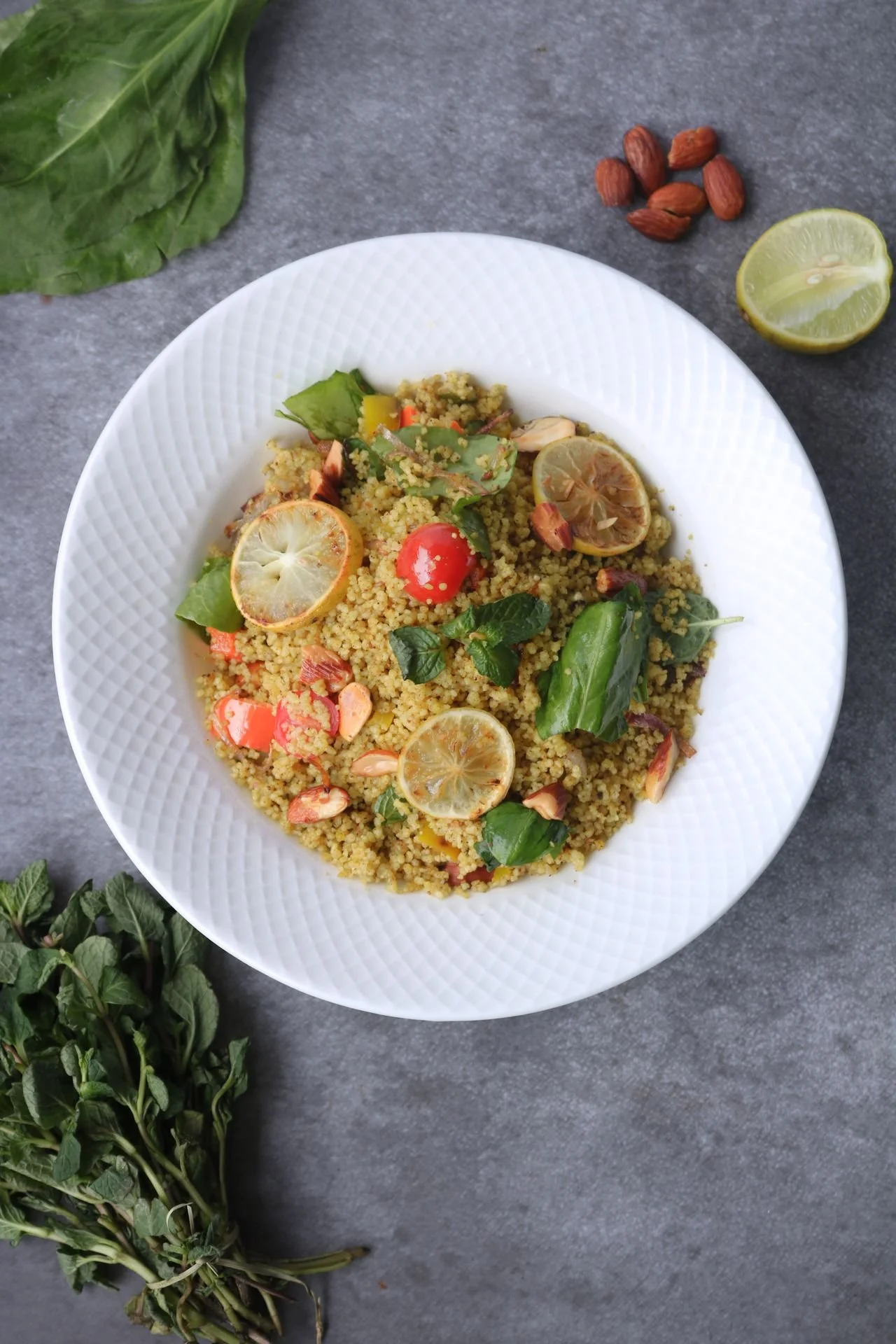
Vegetarian Protein Diet / Photo: Harish .P
Introduction
Vegetarian protein lists have a peculiar habit of putting spinach in the same category as lentils and then acting as though the arithmetic works itself out. It does not. Spinach is an excellent food. So are Brussels sprouts. But if the purpose of a list is to help someone construct meals with enough protein to maintain muscle, recover from exercise, or simply remain satisfied between meals, we should distinguish a vegetable that happens to contain protein from a food that can realistically anchor the protein portion of dinner.
The old version of this article also repeated several nutrition claims that have not aged well. Cooked chickpeas do not contain 39 grams of protein per cup, nor do cooked black beans. Soy does not need to be restricted simply because it is soy, and describing animal foods collectively as inflammatory is far too broad. Contemporary research paints a more interesting picture: plant protein can support muscle, although total intake, digestibility, amino acid composition, food choices, and—especially for older adults—meal planning still matter. Recent reviews have found that carefully planned plant-based diets can support muscle maintenance, while a 2023 systematic review of randomized trials found that soy protein can support training adaptations in active adults and athletes. (Pandey et al., 2025; Zare et al., 2023.) Here are the vegetarian protein sources I would actually build around.
Table of Contents
Eggs
Edamame
Tofu
Tempeh
Lentils
Chickpeas
Black Beans
Textured Vegetable Protein
Seitan
Greek Yogurt
Cottage Cheese
Hemp Seeds
Chia Seeds
Almonds
Quinoa
Green Peas
Where Spinach and Brussels Sprouts Fit
How to Build a Better Vegetarian Protein Meal
Related Articles
1. Eggs
For ovo-vegetarians and lacto-ovo vegetarians, eggs remain one of the simplest ways to add a complete protein to breakfast or lunch, with roughly 6 grams of protein in a large egg. The original article was too categorical in saying eggs are not vegetarian: vegetarian diets have several recognized forms, and many include eggs and dairy while vegan diets exclude animal-derived foods. Rather than turning the definition into a philosophical argument, use eggs according to the eating pattern you have chosen. Two eggs paired with beans, whole-grain toast, vegetables, or Greek yogurt creates a much stronger meal than asking the eggs to supply all the protein alone.
2. Edamame
Edamame deserves considerably more respect than the old warning to “limit your consumption.” These immature soybeans provide protein and fiber in the same food, and USDA FoodData Central now maintains an updated entry for prepared edamame. Soy is also one of the more useful plant proteins because of its amino-acid profile. A 2023 systematic review of randomized trials concluded that soy protein can be a viable alternative to conventional protein supplements for active people, without supporting the common internet narrative that soy must be avoided due to generalized hormonal concerns. Add shelled edamame to grain bowls, salads, stir-fries, or soups.
3. Tofu
Tofu is one of the easiest ways to turn a vegetable-heavy meal into a genuinely protein-centered one. Protein content varies with firmness and water content, so read the package rather than relying on one universal number. Extra-firm tofu generally gives you more protein per ounce than softer varieties. Its mildness is an advantage: bake it until crisp, crumble it into a breakfast scramble, add it to curry, or blend silken tofu into sauces. For people trying to increase protein without adding meat, tofu is far more useful than simply piling additional nuts or vegetables onto a plate.
4. Tempeh
Tempeh is fermented whole soybeans pressed into a dense cake, which gives it a firmer texture and generally more protein per bite than softer tofu. It works particularly well for people who dislike meat substitutes engineered to imitate burgers or chicken. Slice it thinly and sear it for sandwiches, crumble it into chili, or cube it for a grain bowl. Recent evidence on soy protein makes the old reflexive warning against soy difficult to justify; the more useful questions are whether you tolerate the food, enjoy it, and can use it consistently in an otherwise balanced diet.
5. Lentils
Lentils are where vegetarian protein and fiber become especially useful partners. A cooked cup of lentils supplies roughly 18 grams of protein along with a substantial amount of fiber, making lentils a more credible protein source than leafy vegetables. Red lentils dissolve beautifully into soups and curries; green and brown lentils hold their shape for salads and bowls. They are also inexpensive, shelf-stable, and easy to batch cook. Recent systematic-review evidence on legumes suggests potential benefits for several cardiometabolic risk markers, although the strength of evidence varies by outcome and study design.
6. Chickpeas
Chickpeas are nutritious, but the original claim of 39 grams of protein in a cooked cup was far too high. A more realistic serving is still valuable because chickpeas contribute both protein and fiber, particularly when paired with another substantial protein source. Add them to salads, roast them for texture, simmer them in curry, or use hummus alongside whole grains and vegetables. There is also no reason to fear properly cooked or commercially canned legumes because of online discussions about lectins. If canned beans bother your digestive system, rinsing them and gradually increasing portions may be more effective than treating lectins themselves as a toxin.
7. Black Beans
Black beans had the same problem in the original article: their protein and fiber numbers were dramatically inflated. A cooked cup is closer to the mid-teens in grams of protein, which is still quite good for an inexpensive whole food. Think of black beans as part protein source, part high-fiber carbohydrate. Combine them with tofu, textured vegetable protein, eggs, Greek yogurt, or a grain-and-seed mixture for a higher-protein meal. They work particularly well in chili, tacos, breakfast bowls, soups, and grain salads.
8. Textured Vegetable Protein
Textured vegetable protein, usually called TVP, deserves a place on this list despite being more processed than edamame or tofu. It is generally made from defatted soy flour, which leaves it unusually protein-dense. The practical advantage is hard to ignore: TVP is inexpensive, shelf-stable, quickly rehydrates, and easily disappears into chili, pasta sauce, taco filling, or soup. Processing is not automatically synonymous with poor nutrition; judging a food by its nutrient profile and its role in the overall diet is more useful than sorting everything into simplistic “processed” and “clean” categories.
9. Seitan
Seitan is made primarily from wheat gluten and can provide substantially more protein per serving than beans. Its weakness is protein quality: wheat protein is relatively low in lysine, so seitan should not be the only protein food in a repetitive diet. Pair it across the day with legumes, soy foods, dairy, eggs, or other lysine-rich foods. It is an excellent option for people who want a chewy, savory centerpiece without meat, but it is inappropriate for anyone with celiac disease and unsuitable for people who medically need to avoid gluten.
Quick Summary: What to Check Before Adding More Weight
Build meals around tofu, tempeh, edamame, lentils, beans, TVP, seitan, eggs, Greek yogurt, or cottage cheese.
Treat nuts and seeds as useful protein contributors, not necessarily the primary protein source.
Soy does not need to be avoided simply because it is soy; current sports-nutrition evidence supports its usefulness.
Chickpeas and black beans are nutritious, but the protein numbers in the old version of this article were substantially overstated.
Spinach and Brussels sprouts belong on the plate, but not because they are unusually high in protein.
Protein quality matters, yet a varied plant-based diet can be structured to support muscle.
Pair adequate protein with progressive resistance training if strength and muscle preservation are priorities.
10. Greek Yogurt
For vegetarians who consume dairy, Greek yogurt may be one of the easiest high-protein foods in the refrigerator. A typical single-serving container can provide roughly 10 to 20 grams of protein, although brands vary substantially. Choose plain yogurt when you want control over added sugar, then add berries, seeds, nuts, or oats yourself. Greek yogurt also works beyond breakfast: use it in savory dips, dressings, sauces, or as a substitute for sour cream. When convenience matters, it offers considerably greater protein efficiency than obtaining the same amount from nuts.
11. Cottage Cheese
Cottage cheese has returned from nutritional exile for good reason: it offers a large amount of protein for relatively little preparation. Depending on the brand and fat percentage, a cup can approach the mid-20s in grams of protein. It works with fruit, tomatoes, cucumbers, whole-grain toast, or even mixed into scrambled eggs. Sodium content can vary, so labels matter if you have been advised to restrict sodium. Otherwise, it is an unusually practical option for vegetarians who eat dairy and struggle to meet protein goals through meals alone.
12. Hemp Seeds
Hemp milk made the original list, but hemp seeds are the more compelling protein food. USDA data list hulled hemp seed as a nutrient-dense seed food, and roughly three tablespoons can contribute close to 10 grams of protein depending on the product. Sprinkle hemp hearts onto oatmeal, yogurt, lentil dishes, salads, or roasted vegetables. They also provide unsaturated fats, which means they are nutritious but calorie-dense. Treat them as a protein-and-fat addition rather than an unlimited garnish.
13. Chia Seeds
Chia seeds are worth keeping, but their contribution should be described accurately. USDA legacy data show about 5 grams of protein per ounce, rather than presenting them as a primary high-protein food. Their greater strength is that they combine fiber, alpha-linolenic acid, and other nutrients in a remarkably small serving. Add them to oatmeal, yogurt, smoothies, overnight oats, or chia pudding, but pair them with a larger protein anchor if muscle maintenance or recovery is the goal.
14. Almonds
Almonds contain protein, but they are fundamentally a mixed protein-and-fat food rather than an efficient protein concentrate. A standard ounce is a more sensible reference serving than the old half-cup measurement, which makes the protein number look impressive while quietly bringing a sizable calorie load. Almonds are useful in oatmeal, yogurt, salads, trail mixes, or snacks, especially when appetite and energy needs justify them. If weight loss is the objective, measure a portion instead of eating directly from the bag.
15. Quinoa
Quinoa is often advertised as a “high-protein grain,” which slightly oversells it. Its real distinction is that it provides a useful amino acid profile while serving primarily as a carbohydrate-rich whole-food base. Instead of counting quinoa as the main protein in a meal, build a bowl with quinoa plus lentils, edamame, tofu, tempeh, beans, eggs, or dairy. This is a recurring theme in vegetarian nutrition: several modest protein contributions can become meaningful when meals are intentionally assembled rather than when individual foods are given exaggerated superfood status.
16. Green Peas
Green peas occupy useful middle ground. They are not nearly as protein-dense as tofu, tempeh, seitan, TVP, or Greek yogurt, but they provide more protein than many vegetables and also contribute fiber and carbohydrates. Stir peas into lentil pasta, risotto, soups, curries, grain bowls, or mashed potatoes rather than treating a scoop as the protein portion on its own. They are especially useful for increasing a meal's total protein content almost invisibly.
17. What About Spinach and Brussels Sprouts?
Keep both foods—just change their job description. Spinach and Brussels sprouts contribute vitamins, minerals, fiber, phytochemicals, and some protein, but realistic portions do not compete with beans, lentils, soy foods, eggs, dairy, or seitan as protein anchors. A better plate might be roasted Brussels sprouts with tempeh, or spinach with lentils and Greek yogurt, rather than declaring the vegetable itself a high-protein food. Protein counts become misleading when we forget how much of a food someone would actually need to eat.
How to Build a Better Vegetarian Protein Meal
Start with the protein rather than adding it as an afterthought. Pick one substantial anchor—such as tofu, tempeh, lentils, beans, TVP, seitan, eggs, Greek yogurt, or cottage cheese—then build vegetables, whole grains, fruit, fats, and seasonings around it. Plant proteins differ in digestibility and essential-amino-acid content, but you do not need to obsessively “combine proteins” at every sitting. Variety across the day and adequate total intake matter. Recent reviews suggest that strategic food selection, adequate essential amino acid intake, protein blends, and sufficient overall protein intake can help maintain muscle with a plant-based diet.
Resistance training remains the other half of that conversation. Eating more protein without giving muscle a reason to adapt is not equivalent to training. If your nutrition goals are tied to gaining strength, improving body composition, or preserving muscle as you age, a thoughtfully structured personal training program in Denver or personal training in LoHi can connect the food on your plate to progressive resistance training rather than treating nutrition and exercise as unrelated projects.
Frequently Asked Questions (FAQ)
What vegetarian foods are highest in protein?
Seitan, TVP, tempeh, tofu, edamame, lentils, beans, Greek yogurt, cottage cheese, and eggs are among the most practical high-protein vegetarian foods. The exact ranking changes with serving size and brand, so protein per normal serving is more useful than protein per 100 grams.Can you build muscle on a vegetarian diet?
Yes. Recent reviews conclude that properly planned plant-based diets can support muscle maintenance and development when total protein, essential amino acids, energy intake, and resistance training are adequate. Some plant proteins are less anabolic on a gram-for-gram basis than certain animal proteins, so food selection and adequate intake matter.Is soy protein good for building muscle?
Yes. A 2023 systematic review of randomized controlled trials found soy protein to be a viable alternative protein source for active adults and athletes, with studies showing favorable effects on muscle and performance. The evidence does not justify the old recommendation to restrict soy merely because it is soy.Are chickpeas high in protein?
Chickpeas are a useful source of protein and fiber, but they should not be described as providing 39 grams of protein per cooked cup. They work particularly well when combined with another protein-rich ingredient such as tofu, tempeh, seitan, yogurt, or seeds.Are spinach and Brussels sprouts good sources of protein?
They contain protein, but describing them as major protein sources exaggerates their practical contribution. Eat them for their broader nutritional value and pair them with a genuine protein anchor.Are eggs considered vegetarian?
Eggs are included in ovo-vegetarian and lacto-ovo-vegetarian diets but are excluded from vegan diets. The old article’s claim that eggs simply “don’t belong” on a vegetarian list was therefore too absolute.Do vegetarians need to combine proteins at every meal?
No. A varied diet across the day can provide complementary essential amino acids without ritualistically pairing specific foods at every meal. For athletes or people focused on muscle preservation, deliberately choosing substantial protein sources at meals remains sensible. Recent research emphasizes the overall quantity, quality, and availability of essential amino acids.
Peer-Reviewed Citations
Pandey A, Pearlman M, Bonnes SL, Nour SI. (2025). Can We Maintain Muscle Mass on a Plant-Based Diet? Current Nutrition Reports, 14, 16.
PMID: 39797993
DOI: 10.1007/s13668-024-00594-0
https://pubmed.ncbi.nlm.nih.gov/39797993/Zare R, Devrim-Lanpir A, Guazzotti S, Redha AA, Prokopidis K, Spadaccini D, Cannataro R, Cione E, Henselmans M, Aragon AA. (2023). Effect of Soy Protein Supplementation on Muscle Adaptations, Metabolic and Antioxidant Status, Hormonal Response, and Exercise Performance of Active Individuals and Athletes: A Systematic Review of Randomised Controlled Trials. Sports Medicine, 53, 2417–2446.
PMID: 37603200
DOI: 10.1007/s40279-023-01899-w
https://pubmed.ncbi.nlm.nih.gov/37603200/
ABOUT THE AUTHOR: MICHAEL MOODY, PERSONAL TRAINER
As an author, a personal trainer in Denver, and a podcast host, Michael Moody has helped personal training clients reach new fitness heights and achieve incredible weight-loss transformations since 2005. He also produces the wellness podcast "The Elements of Being" and has been featured on NBC, WGN Radio, and PBS.
Michael offers personal training to Denver residents who want to meet at the 2460 W 26th Ave studio….or in their homes throughout LoHi (80206), LoDo (80202), RiNo (80216), Washington Park (80209), Cherry Creek (80206, 80209, 80243, 80246, 80231), and Highlands (80202, 80211, 80212). Michael also offers personal training sessions in Jefferson Park (80211) and Sloan's Lake (80204, 80212).
If you’re looking for a personal trainer who can curate a sustainable (and adaptable) routine based on your needs and wants, Michael is the experienced practitioner you’ve been looking for. Try personal training for a month…your body will thank you!
Related articles
From the Michael Moody Fitness directory, these are the most relevant internal articles to place at the bottom of this post. The directory includes the existing fast-food review under weight-loss obstacles and several related nutrition, dining-out, grocery, and food-label resources.
Denver makes nutrition advice unusually easy to test against real life. A person may want enough protein not merely for an hour in the gym, but for lifting, skiing, cycling, climbing, hiking, or simply to remain strong throughout an active week. At Michael Moody Fitness in LoHi, the useful question is therefore less “Is this food vegetarian?” than “Does this meal support what your body is being asked to do?” Protein is one piece of that equation; intelligent resistance training, recovery, sleep, total energy intake, and a diet you can repeat for years matter just as much. Learn more about personal training in LoHi.

12 Squat Mistakes: Form Fixes From a Denver Personal Trainer
Summary
Fix 12 common squat form mistakes, including knee cave, heel lift, depth, bracing, stance, and bar position, with evidence-based guidance from a Denver personal trainer.
What are the most common squat mistakes?
Common squat mistakes include lifting more weight than you can control, forcing a stance or depth that does not fit your mobility, losing foot pressure, uncontrolled knee collapse, mistaking normal forward knee travel for an error, and applying identical mechanics to every squat variation. Good squat technique should be repeatable and appropriate for the exercise and goal.
Topics
squat mistakes, squat form, proper squat form, how to squat, squat variations, squat technique, weightlifting mistakes
common squat mistakes, barbell squat mistakes, back squat form, front squat form, proper squat depth, knees over toes squat, knees caving during squats, squat stance width, heels lifting during squat, forward lean during squat, butt wink squat

Squat Biomechanics / Photo: MART PRODUCTION
INtroduction
There is a particular kind of certainty that flourishes beside a squat rack. Keep your knees behind your toes. Chest up. Sit back. Toes straight. Get below parallel. Never round your back. The instructions sound reassuring because they turn a complicated movement into a handful of rules. Human anatomy is less cooperative. A squat is not one position. It is a family of movements whose mechanics change with stance width, foot angle, bar placement, load, depth, limb proportions, mobility, and purpose. Contemporary biomechanical research supports that more nuanced view: changing trunk angle, tibial inclination, stance, load position, and depth redistributes work among the hips, knees, ankles, and trunk rather than simply turning a squat from “correct” to “incorrect.” The useful question, then, is not whether your squat resembles a textbook photograph. It is whether you can repeat an appropriate movement under an appropriate load without losing control.
Table of Contents
Searching for one universal “perfect squat”
Adding weight before the movement is repeatable
Forcing your knees to remain behind your toes
Losing pressure through your feet
Assuming every inward knee movement means weak glutes
Forcing depth you cannot control
Treating all forward torso lean as bad form
Letting the weight drift away from your base of support
Losing trunk control at the bottom
Descending faster than you can control
Using the wrong squat variation for the job
Pushing through pain or repeated technical breakdown
Frequently Asked Questions
Peer-Reviewed Citations
Related Articles
1. Searching for One Universal “Perfect Squat”
The first mistake happens before the first repetition: assuming everyone should squat with the same stance, toe angle, torso position, and depth. A 2024 biomechanical review found that stance width, foot rotation, trunk angle, tibial inclination, load placement, and squat depth all change joint demands. Instead of copying someone else's silhouette, test two or three comfortable stance widths with bodyweight or a light goblet squat. Look for stable feet, controlled knees, a balanced descent, and a depth you can reproduce. Your starting position should serve the movement rather than satisfy an arbitrary visual rule.
2. Adding Weight Before the Movement Is Repeatable
A repetition can look acceptable once and still be too heavy. The more revealing question is whether repetitions two through eight resemble one another. Watch for a changing depth, heels beginning to lift, hips shooting up before the chest, knees collapsing more dramatically, or the load moving farther forward as fatigue accumulates. Film a working set from the side and another from roughly 45 degrees in front. If your mechanics deteriorate several repetitions before muscular fatigue ends the set, reduce the load—often 5 to 10 percent is a reasonable coaching adjustment—and rebuild from a weight you can control consistently.
3. Forcing Your Knees to Remain Behind Your Toes
“Knees never past the toes” survives because it is easy to remember, not because it describes every good squat. Greater forward tibial inclination increases the knee-flexion moment and typically increases quadriceps demand; that is a change in loading strategy, not automatically a mistake. Allow your knees to travel forward as necessary while keeping the heels and forefoot controlled and the knees moving generally with the direction of the feet. A lifter with long femurs, limited ankle motion, or particular knee symptoms may need a different strategy, but artificially vertical shins are not a universal standard.
4. Losing Pressure Through Your Feet
A good squat starts lower than most people think: at the floor. Pressure should remain distributed through a stable base that includes the heel, the area beneath the big toe, and the lateral forefoot. If your heels repeatedly rise, first determine whether you are simply shifting forward or whether ankle dorsiflexion is limiting your position. A lifting shoe or small heel wedge can be a legitimate programming tool; heel elevation allows greater forward tibial inclination and can alter demands on the knee and quadriceps. What it should not become is a disguise for a movement you cannot otherwise control.
5. Assuming Every Inward Knee Movement Means Weak Glutes
Knee valgus is often treated as though it has one cause and one cure: weak glutes, followed by a resistance band around the knees. The evidence is considerably messier. A 2023 review found that elastic bands do not consistently reduce dynamic knee valgus during squat-based movements and, in some conditions, may produce no meaningful change or even a small increase. If your knees collapse substantially under load, reduce the weight and examine stance, foot pressure, fatigue, hip control, and toe position. Use a band only if it measurably improves your movement rather than because the exercise looks corrective.
6. Forcing Depth You Cannot Control
“Ass to grass” is a training choice, not a moral achievement. Deeper squatting generally increases joint excursion and can increase hip and knee demands, but useful depth ends where you can no longer control the position you intended. The 2024 biomechanical review notes that reaching the end of available hip flexion can contribute to posterior pelvic movement as squat depth increases. Film your squat from the side. If the pelvis abruptly rolls under, the trunk position changes, or foot pressure disappears at the final inches, stop slightly above that point and build strength, mobility, or a more appropriate squat variation from there.
Quick Summary: What to Check Before Adding More Weight
Choose a stance and toe angle that fit your anatomy rather than copying someone else's.
Allow appropriate forward knee travel instead of forcing vertical shins.
Maintain pressure through the heel and both sides of the forefoot.
Use only the depth you can control under the current load.
Distinguish normal torso inclination from uncontrolled spinal movement.
Treat knee cave as a movement problem to investigate, not an automatic diagnosis of weak glutes.
Stop increasing load when repetitions stop looking repeatable.
Choose the squat variation based on the training objective rather than on habit.
7. Treating All Forward Torso Lean as Bad Form
“Chest up” can be useful when someone is collapsing forward, but it can be misleading if interpreted as “keep your torso vertical.” Front-loaded squats usually permit or encourage a more upright trunk; back squats, particularly hip-dominant versions, typically involve a greater forward tilt. Research shows that trunk and tibial angles redistribute hip and knee moments. Watch for unexpected changes instead of chasing a prescribed angle. If your torso becomes progressively more horizontal as the load rises while your hips shoot backward, reduce the weight and determine whether bracing, strength, mobility, or exercise selection is driving the change.
8. Letting the Weight Drift Away From Your Base of Support
Whether the resistance is a barbell, kettlebell, or dumbbell, the combined system must remain balanced over its base of support. A useful side-view check is to watch where the load travels relative to the middle of your foot. If it moves markedly toward your toes during descent or ascent, the body usually has to compensate elsewhere. Before blaming one joint, examine foot pressure, trunk angle, brace, stance, and the placement of the load itself. A clean bar path is not perfectly vertical in every human body, but large, repeated deviations deserve attention before you add another plate.
9. Losing Trunk Control at the Bottom
Bracing does not mean sucking in your stomach or turning every squat into a maximal breath-hold contest. The aim is to create enough circumferential trunk tension to control the relationship between the rib cage, pelvis, and load. Take a breath before the descent, expand through the abdomen, sides, and back of the torso, and create tension before you move. With moderate repetitions, reset the breath near the top as needed. If your trunk position changes only at the deepest point, a lighter paused squat can expose the problem without adding more load. The trunk should contribute to the movement, not become the place where lost range is borrowed.
10. Descending Faster Than You Can Control
Some experienced lifters deliberately use a fast eccentric and rebound out of the bottom. That does not mean every lifter benefits from dropping rapidly into the hole. Speed becomes a mistake when it exceeds your ability to maintain foot pressure, knee position, depth, and trunk control. Try a two- or three-second descent with a short pause at your normal bottom position. If the slower repetition suddenly reveals a loss of balance or a position you cannot hold, you have learned more than another heavy set would have told you. Tempo is a diagnostic tool; once control improves, speed can again be programmed according to the training objective.
11. Using the Wrong Squat Variation for the Job
Front squats, high-bar back squats, low-bar back squats, goblet squats, box squats, split squats, and heel-elevated squats should not look identical. An anterior load such as a front or goblet squat generally supports a more upright torso, while back-loaded variations permit more forward trunk inclination and can shift relative demand toward the hips. A box can standardize depth. A heel wedge can make additional forward knee travel easier. A split squat introduces a unilateral challenge. Instead of asking which squat is “best,” select the version whose mechanics, available range, loading potential, and skill demands correspond to what you are trying to train.
12. Pushing Through Pain or Repeated Technical Breakdown
A difficult set and a painful set are not the same thing. If squatting repeatedly produces sharp pain, swelling, instability, locking, numbness, or symptoms that linger or worsen, changing the range, resistance, or variation is more sensible than treating discomfort as evidence of commitment. Persistent or concerning symptoms should be addressed by an appropriately licensed medical professional rather than an online form checklist. For lifters who need help with exercise selection, progression, and technical feedback, working with a personal trainer in Denver or through personal training in LoHi can provide the coaching side of that equation without pretending that personal training replaces medical diagnosis.
The Larger Lesson: Good Squatting Is a Matching Problem
Most squat mistakes are not failures to reproduce a universal textbook position. They are mismatches. The load exceeds the strength available to control it. The depth exceeds the hip or ankle motion available that day. The stance does not fit the lifter's proportions. A cue suited to a front squat carries over to a low-bar back squat. A lifter whose goal is quadriceps development keeps trying to remove all forward knee travel. Someone with an obvious technique problem adds a resistance band without first asking what the band actually changes.
That is why useful coaching tends to become more individualized as the weight becomes meaningful. The fundamentals still matter—balance, repeatability, intentional range of motion, sufficient trunk control, and progressive loading—but those fundamentals can produce noticeably different-looking squats in different people.
Instead of asking, “Does my squat look perfect?” ask four better questions: Can I control it? Is it repeatable? Does this variation fit my goal? Can I load it without the movement unraveling? Those questions are less memorable than “knees behind toes.” They are also much more useful.
Frequently Asked Questions About Squat Form
What is the most common squat mistake?
For experienced lifters, one of the most consequential mistakes is loading beyond the point where technique remains repeatable. The first repetition may look fine, while later repetitions show changes in depth, foot pressure, knee position, or torso mechanics. Judge a working set rather than a single photograph.
Should your knees go over your toes when you squat?
They can. Forward knee travel is a normal component of many squat strategies and increases the demand on the knee extensors. The appropriate amount depends on anatomy, ankle motion, squat variation, load, goals, and symptom history. Keeping the knees permanently behind the toes is not a universal safety rule.
How deep should you squat?
Use the deepest range you can control that also fits the objective of the exercise. More depth is not automatically better, and an arbitrary parallel standard is not appropriate for every person or every variation. Depth should be progressed rather than forced when mobility or control is the limiting factor.
Is forward lean during a squat bad?
Not by itself. Back-loaded squats typically require a greater forward torso tilt than front-loaded squats. The concern is usually an uncontrolled or unexpected change—such as the torso suddenly pitching forward as the weight increases—rather than the mere presence of an inclined trunk.
Why do my heels lift when I squat?
Possible contributors include limited ankle dorsiflexion, a stance that does not suit your proportions, excessive forward weight shift, or a depth you cannot currently reach while maintaining pressure with your feet. Test the cause before prescribing the fix. Lifting shoes or a heel wedge can be useful when intentionally programmed.
Are knees caving inward during squats always dangerous?
No single visual threshold automatically predicts injury, and small amounts of medial knee movement should not be treated as a diagnosis. Substantial or increasingly uncontrolled collapse under load is still worth addressing. Evidence also does not support assuming that placing a resistance band around the knees will reliably correct the pattern.
Which is better: a front squat or a back squat?
Neither is universally better. Front-loaded squats generally allow a more upright torso and alter the relative demands on the hips and knees, while back squats typically permit greater forward trunk inclination. Choose based on your goal, available mobility, skill level, loading requirements, and tolerance.
Can a personal trainer help improve squat technique?
A qualified personal trainer can assess the consistency of repetitions, exercise selection, loading progression, stance, depth, and coaching cues. Persistent pain, neurological symptoms, significant swelling, locking, or suspected injury should be evaluated by an appropriately licensed healthcare professional.
Peer-Reviewed Citations
Straub RK, Powers CM. 2024. A Biomechanical Review of the Squat Exercise: Implications for Clinical Practice. International Journal of Sports Physical Therapy.
PMID: 38576836
DOI: 10.26603/001c.94600
Forman DA, Alizadeh S, Button DC, Holmes MW. 2023. The Use of Elastic Resistance Bands to Reduce Dynamic Knee Valgus in Squat-Based Movements: A Narrative Review. International Journal of Sports Physical Therapy.
PMID: 37795322
DOI: 10.26603/001c.87764
ABOUT THE AUTHOR: MICHAEL MOODY, PERSONAL TRAINER
As an author, a personal trainer in Denver, and a podcast host, Michael Moody has helped personal training clients reach new fitness heights and achieve incredible weight-loss transformations since 2005. He also produces the wellness podcast "The Elements of Being" and has been featured on NBC, WGN Radio, and PBS.
Michael offers personal training to Denver residents who want to meet at the 2460 W 26th Ave studio….or in their homes throughout LoHi (80206), LoDo (80202), RiNo (80216), Washington Park (80209), Cherry Creek (80206, 80209, 80243, 80246, 80231), and Highlands (80202, 80211, 80212). Michael also offers personal training sessions in Jefferson Park (80211) and Sloan's Lake (80204, 80212).
If you’re looking for a personal trainer who can curate a sustainable (and adaptable) routine based on your needs and wants, Michael is the experienced practitioner you’ve been looking for. Try personal training for a month…your body will thank you!
Related articles
From the Michael Moody Fitness directory, these are the most relevant internal articles to place at the bottom of this post. The directory includes the existing fast-food review under weight-loss obstacles and several related nutrition, dining-out, grocery, and food-label resources.
The 7 Most Common Gym Injuries and How to Prevent Them With Smart Programming
Neutral Spine and Core Bracing: Posture Rules to Reduce Low Back Pain From Sitting and Standing
Why You're Not Getting Results in the Gym: 9 Fixes From a Denver Personal Trainer
Why Strength Training After Age 40 Is Essential for Muscle, Bone, and Long-Term Independence
Why Personal Training in LoHi Denver Gets Better Results Than Generic Gym Programs
For people training in Denver, a useful squat is one that supports what happens beyond the rack. Colorado's hiking, skiing, cycling, climbing, and long mountain descents can demand substantial quadriceps endurance, hip control, ankle mobility, and the ability to maintain force production even after the legs are tired. That makes squat selection more useful when it is connected to a person's actual life rather than judged against a generic photograph. Whether training at home, in a commercial gym, or through personal training in LoHi, Denver, the goal is not to manufacture identical squats. It is to build a movement that is strong, repeatable, appropriately loaded, and useful for the things you intend to do in Colorado.

What Successful Weight-Loss Diets Have in Common: 6 Science-Backed Traits
Summary
Mediterranean, lower-carbohydrate, plant-based, DASH-style, and other well-designed eating patterns can all support weight loss. Their labels differ, but the useful overlap is fairly ordinary: fewer liquid calories and heavily processed foods, better carbohydrate and fat quality, more fiber-rich plants, adequate protein, and an energy intake you can sustain.
What do successful weight-loss diets have in common?
Most effective weight-loss diets are less different than their labels suggest. They reduce sugary drinks and easy-to-overeat foods, emphasize vegetables and other fiber-rich foods, include enough protein, improve carbohydrate and fat quality, and create an energy intake that can be sustained long enough for weight loss to occur.
Topics
best diet for weight loss, weight loss diet, healthy diet for weight loss, diet for weight loss, how to lose weight
successful weight loss diet, sustainable weight loss diet, Mediterranean diet for weight loss, low-carb diet for weight loss, plant-based diet for weight loss, high-fiber foods for weight loss, calorie deficit for weight loss, healthy eating for weight loss

Olive Oil Weight Loss / Photo: Vladimir Gladkov
Why the Diet Debate Misses the Useful Part
Diet culture likes a cage match. Carbohydrates are blamed on Monday, fat takes the stand on Tuesday, and by Friday someone has declared breakfast a metabolic emergency. The more useful question is not which diet has the most persuasive tribe. It is what successful eating patterns repeatedly ask people to do. The older version of this article, like a great deal of nutrition writing from the mid-2010s, made several claims that deserve correction. Added sugar is not uniquely “toxic.” Refined carbohydrates are not a single disease-causing substance. Canola, soybean, corn, and other seed oils have not been shown to be a uniquely poisonous class of foods. And calories did not stop mattering because calorie counting is tedious. Current research, for example, does not support treating canola oil as metabolically comparable to artificial trans fat simply because both are processed fats.
The broad idea behind the original article, however, still holds: diets with very different macronutrient philosophies often converge on a short list of behaviors. In a 2023 randomized clinical trial, both plant-based and omnivorous versions of a culturally tailored diet produced modest weight loss, without a significant between-group difference in the primary weight outcome. The useful lesson is that dietary pattern matters, but so do preference, food quality, total intake, and adherence.
Table of Contents
Why the Diet Debate Misses the Useful Part
Reduce Sugary Drinks and Make Added Sugar Less Routine
Improve Carbohydrate Quality Instead of Declaring War on Carbs
Make Vegetables, Fruit, Legumes, and Fiber Routine
Let Minimally Processed Foods Do More of the Work
Eat Enough Protein and Choose Fats by Quality
Create a Sustainable Energy Deficit
Which Diet Pattern Should You Choose?
Frequently Asked Questions
Related Articles
1. Reduce Sugary Drinks and Make Added Sugar Less Routine
A useful diet does not require a sugar-free life; it makes the easiest sources of excess sugar less automatic. Start with beverages because soda, sweet tea, energy drinks, sweetened coffee drinks, and frequent alcohol can add energy without much fullness. Make water, sparkling water, unsweetened tea, or coffee your default and reserve caloric drinks for occasions you value. If a low- or no-calorie sweetened beverage helps replace regular soda, current evidence does not justify treating that swap as a failure: a 2022 systematic review and meta-analysis of randomized trials found small improvements in body weight and cardiometabolic measures when low- or no-calorie sweetened drinks replaced sugar-sweetened beverages. The target is not purity around dessert. It is reducing recurring calories that do little for fullness or nutrition.
2. Improve Carbohydrate Quality Instead of Declaring War on Carbs
The old advice to “eliminate refined carbohydrates” is too blunt. Lentils, apples, oats, potatoes, rice, doughnuts, and soda all contain carbohydrates, but they do not play the same nutritional role. Upgrade the sources you eat most often: oats instead of sugary cereal; beans or lentils several times per week; fruit instead of juice; and whole grains when you enjoy them. Refined foods can still fit. The practical question is whether they are displacing foods with more fiber, protein, micronutrients, and satiety. Recent prospective research likewise suggests that carbohydrate quality and source, rather than carbohydrate as a category, matter for long-term weight management. This is also why a lower-carbohydrate diet can work without proving carbohydrates are inherently fattening: for some people, the structure simply makes intake easier to control.
3. Make Vegetables, Fruit, Legumes, and Fiber Routine
“Eat more plants” sounds almost comically basic, yet it remains one of the most defensible pieces of nutrition advice. Fiber-rich foods add bulk and often improve fullness for relatively few calories, while supplying micronutrients and fermentable substrates for the gut microbiota. Recent reviews continue to support a role for dietary fiber in metabolic health and obesity management, although different fibers have different effects and there is no magical number that guarantees weight loss. Start by adding fruit or vegetables to at least two meals, then build toward vegetables at most lunches and dinners. Use beans, lentils, oats, berries, whole grains, nuts, and seeds to widen the fiber mix. If your intake is low, increase it gradually and drink adequate fluids.
4. Let Minimally Processed Foods Do More of the Work
Processing is not automatically bad. Frozen berries, canned beans, Greek yogurt, tofu, whole-grain bread, and tinned fish are all processed and can be excellent foods. The more useful distinction is between foods that help you build a satisfying meal and products that are exceptionally easy to eat quickly and in large amounts. Make most meals recognizable combinations: a protein source, produce, a high-fiber carbohydrate when desired, and a source of fat or flavor. Keep convenience, too—frozen vegetables, rotisserie chicken, microwaveable grains, canned lentils, or prewashed greens can make a sensible diet more realistic. The goal is not culinary virtue. It is making the easiest meal in your house reasonably filling.
5. Eat Enough Protein and Choose Fats by Quality
Protein contributes to fullness and, especially with resistance training, can help preserve lean tissue during weight loss. A recent systematic review and meta-analysis of randomized trials in adults with overweight or obesity found that greater protein intake can help maintain muscle mass during weight reduction. Include a meaningful protein source—fish, poultry, eggs, Greek yogurt, cottage cheese, tofu, tempeh, beans, or lentils—at each main meal. For fats, replace the old “industrial vegetable oil” alarm with a quality-and-context approach. Olive oil, nuts, seeds, avocado, and fish are useful staples; canola or soybean oil does not need to be purged simply because it is a “seed oil.” Keep artificial trans fats out, avoid a diet dominated by saturated-fat-rich foods, and remember that all oils are energy-dense enough for portions to matter.
6. Create a Sustainable Energy Deficit—Without Making Calorie Counting Your Entire Diet
Calories are not the whole story, but they remain part of it. Loss of body mass requires energy intake to fall below energy expenditure over time. What differs is the easiest way to make that happen. Some people benefit from tracking food temporarily; others do better with repeatable meals and attention to portions, hunger, and multiweek weight trends. Before slashing food, look for relatively painless calories: regular soda, alcohol, grazing while cooking, restaurant portions large enough for two meals, or oils and dressings poured freely. A 2022 Cochrane review encompassing 61 randomized trials found probably little to no difference in weight reduction between lower-carbohydrate and balanced-carbohydrate weight-reducing diets through two years. The best deficit is not the largest one you can tolerate for nine days; it is one you can live with.
Quick Summary: Four Less-Obvious Weight-Gain Factors
There is no single macronutrient ratio that wins for everyone.
Start with sugary drinks and recurring liquid calories before policing occasional dessert.
Improve carbohydrate quality; do not confuse “carbohydrate” with “refined snack food.”
Build more meals around vegetables, fruit, legumes, whole grains, and other fiber-rich foods.
Use minimally processed foods as the default, not as a purity test.
Include a reliable protein source at main meals, especially if you strength train.
Judge fats by overall quality and portion size, not seed-oil mythology.
Weight loss still requires an energy deficit, but the method should be livable.
For help turning these principles into a realistic weekly routine, working with a personal trainer in Denver can make the plan more concrete. If you live near northwest Denver, the personal training in LoHi page explains how Michael structures one-on-one work around strength, body composition, mobility, and everyday habits.
Which Diet Pattern Should You Choose?
Option 1: Mediterranean-Style
For many people, a Mediterranean-style pattern is a sensible default: vegetables, fruit, legumes, whole grains, nuts, olive oil, fish and seafood, with room for dairy, eggs, poultry, smaller amounts of red meat, and sweets. It is flexible and well suited to people who want a cardiometabolic-health emphasis without rigid rules. Weight loss still depends on total intake, so olive oil, nuts, cheese, and restaurant portions deserve portion awareness.
Option 2: Lower-Carbohydrate
A lower-carbohydrate diet can work well if reducing bread, sweets, snack foods, or large starch portions makes appetite and meal planning easier. In a 2022 randomized trial among adults with elevated untreated HbA1c, a lower-carbohydrate intervention improved HbA1c and reduced body weight, although investigators could not separate the glycemic effect of carbohydrate restriction from weight loss itself. Low-carb is a valid option; the evidence does not say everyone should eat this way. Keep vegetables, adequate protein, and unsaturated fats in the plan.
Option 3: Plant-Based
A plant-based diet can range from “more beans and vegetables” to fully vegan, so the label alone says little about quality. Build meals around legumes, tofu or tempeh, whole grains, vegetables, fruit, nuts, and seeds rather than assuming vegan cookies, chips, and meat substitutes become weight-loss foods by changing aisles. The 2023 randomized trial noted above found modest weight loss in both plant-based and omnivorous groups. If you choose a fully vegan diet, pay particular attention to vitamin B12 and other nutrients that may require deliberate food selection or supplementation.
Option 4: Flexible Omnivorous or DASH-Style
If named diets make you want to rebel, use a flexible structure instead: roughly half the plate produce when practical, a solid protein source, a portion of high-fiber carbohydrate adjusted to activity and preference, and enough fat to make the meal satisfying. A DASH-style pattern fits naturally here, emphasizing fruit, vegetables, whole grains, legumes, nuts, and lower-fat dairy if desired. This framework survives tacos, stir-fries, restaurant meals, and leftovers without requiring a separate “diet meal.”
Frequently Asked Questions
What is the best diet for weight loss?
There is no universally superior named diet. The strongest candidate is a nutritionally adequate pattern that creates a manageable energy deficit, provides enough protein and fiber, fits your medical needs and preferences, and can survive weekends, travel, restaurants, and ordinary stress.
Is a low-carb diet better for weight loss?
Not necessarily. Lower-carbohydrate diets can work very well for some people, but systematic reviews comparing lower- and balanced-carbohydrate weight-reduction diets generally do not show a large long-term weight-loss advantage for one approach. Food quality and adherence matter within either pattern.
Do I have to eliminate added sugar?
No. Reducing frequent, low-satiety sources—especially sugar-sweetened drinks—is more useful than treating every gram of added sugar as a toxin. A diet can contain dessert and still support weight loss if the overall pattern and energy intake are appropriate.
Are seed oils bad for weight loss?
There is not good evidence that canola, soybean, or similar vegetable oils uniquely prevent weight loss or must be eliminated as a class. They are calorie-dense, like every oil, so portion size matters. Emphasize unsaturated fats overall and keep trans fat and excess saturated fat in check.
Do I need to count calories?
No, but calories still count physiologically. Tracking can help if you like data. If it makes eating unnecessarily cumbersome, use repeatable meals, portion guides, hunger cues, and weight trends instead. The method is a tool, not a moral requirement.
What should I change first if my diet feels overwhelming?
Choose the change you encounter every day. Replace a caloric beverage, add protein to breakfast or lunch, put fruit or vegetables into two meals, or plan one reliable dinner before the week starts. One repeatable change produces more useful information than six rules followed for four days.
Peer-Reviewed Citations
McGlynn ND, Khan TA, Wang L, Zhang R, Chiavaroli L, Au-Yeung F, Lee JJ, Noronha JC, Comelli EM, Blanco Mejia S, Ahmed A, Malik VS, Hill JO, Leiter LA, Agarwal A, Jeppesen PB, Rahelić D, Kahleová H, Salas-Salvadó J, Kendall CWC, Sievenpiper JL. (2022). Association of Low- and No-Calorie Sweetened Beverages as a Replacement for Sugar-Sweetened Beverages With Body Weight and Cardiometabolic Risk: A Systematic Review and Meta-analysis. JAMA Network Open, 5(3), e222092.
PMID: 35285920
DOI: 10.1001/jamanetworkopen.2022.2092
Dorans KS, Bazzano LA, Qi L, He H, Chen J, Appel LJ, Chen CS, Hsieh MH, Hu FB, Mills KT, Nguyen BT, O'Brien MJ, Samet JM, Uwaifo GI, He J. (2022). Effects of a Low-Carbohydrate Dietary Intervention on Hemoglobin A1c: A Randomized Clinical Trial. JAMA Network Open, 5(10), e2238645.
PMID: 36287562
DOI: 10.1001/jamanetworkopen.2022.38645
Turner-McGrievy GM, Wilcox S, Frongillo EA, Murphy EA, Hutto B, Wilson M, Davey M, Bernhart JA, Okpara N, Bailey S, Hu E. (2023). Effect of a Plant-Based vs Omnivorous Soul Food Diet on Weight and Lipid Levels Among African American Adults: A Randomized Clinical Trial. JAMA Network Open, 6(1), e2250626.
PMID: 36633848
DOI: 10.1001/jamanetworkopen.2022.50626
ABOUT THE AUTHOR: MICHAEL MOODY, PERSONAL TRAINER
As an author, a personal trainer in Denver, and a podcast host, Michael Moody has helped personal training clients reach new fitness heights and achieve incredible weight-loss transformations since 2005. He also produces the wellness podcast "The Elements of Being" and has been featured on NBC, WGN Radio, and PBS.
Michael offers personal training to Denver residents who want to meet at the 2460 W 26th Ave studio….or in their homes throughout LoHi (80206), LoDo (80202), RiNo (80216), Washington Park (80209), Cherry Creek (80206, 80209, 80243, 80246, 80231), and Highlands (80202, 80211, 80212). Michael also offers personal training sessions in Jefferson Park (80211) and Sloan's Lake (80204, 80212).
If you’re looking for a personal trainer who can curate a sustainable (and adaptable) routine based on your needs and wants, Michael is the experienced practitioner you’ve been looking for. Try personal training for a month…your body will thank you!
Related articles
From the Michael Moody Fitness directory, these are the most relevant internal articles to place at the bottom of this post. The directory includes the existing fast-food review under weight-loss obstacles and several related nutrition, dining-out, grocery, and food-label resources.
Eating for weight loss in Denver has practical wrinkles generic diet plans rarely mention: early workdays, restaurant-heavy neighborhoods, brewery culture, ski weekends, long drives into the mountains, and training around a full workday. In my LoHi practice, I would rather build a food structure that survives those realities than hand someone a perfect seven-day menu they abandon after one social weekend. The same principle applies to training: the useful plan fits the person, the schedule, and the life actually being lived.

4 Weird Reasons You May Be Gaining Weight—and What to Do About Them
Summary
Weight gain is usually blamed on oversized portions and too little exercise. Those factors matter, but they are not the whole story. Interpersonal stress, shortened sleep, late meal timing, genetic susceptibility, and an increasingly convenient food environment can quietly alter appetite, eating behavior, and daily energy intake.
What Are Some Overlooked Reasons for Weight Gain?
Interpersonal stress, inadequate sleep, late eating, genetic susceptibility, and frequent consumption of ultra-processed foods may contribute to gradual weight gain. These factors do not override energy balance, but they can influence hunger, food selection, eating speed, activity, and the number of calories consumed without conscious planning.
Topics
weird reasons you are gaining weight, why am I gaining weight, unexplained weight gain, overlooked causes of weight gain, stress and weight gain, lack of sleep and weight gain, late-night eating and weight gain, genetics and obesity, ultra-processed foods and weight gain, reasons for belly fat, sudden weight gain causes, how to stop gaining weight, sustainable weight management, Denver weight-loss personal trainer, personal trainer Denver, LoHi personal trainer, weight-loss coaching Denver

Weight Loss Personal Trainer / Photo: RDNE Stock project
Introduction
The obvious explanation for weight gain is often the correct one. Portions have expanded. Restaurant meals have become more frequent. The evening glass of wine has acquired a companion. Daily steps have fallen from 8,000 to 4,000 while work, parenting, and commuting have occupied the available hours. Still, body weight is governed by more than a clean ledger of food and exercise. The energy-balance equation remains real—body fat cannot accumulate without a sustained energy surplus—but the forces shaping that surplus are often difficult to see. Sleep affects hunger. Stress affects food selection. Genetics influence appetite, fat distribution, and sensitivity to the surrounding food environment. Highly processed foods can be consumed quickly, long before the body has had much opportunity to register fullness. That complexity should not be interpreted as evidence that weight is beyond your influence. It should be treated as a reason to investigate the correct problem rather than prescribing another severe diet.
A knowledgeable personal trainer in Denver can help organize the exercise and behavioral parts of that investigation, particularly when old injuries, an inconsistent schedule, or repeated dieting attempts have made generic recommendations ineffective.
Table of Contents
First, Determine Whether You Are Actually Gaining Body Fat
Relationship Stress May Be Changing How You Eat
Your Sleep and Meal Timing May Be Working Against You
Your Genes Matter—but They Are Not a Verdict
Modern Convenience Foods Make Overeating Easier
A Seven-Day Weight-Gain Audit
When Unexplained Weight Gain Needs Medical Attention
Frequently Asked Questions
Peer-Reviewed Citations
Related Articles
First, Determine Whether You Are Actually Gaining Body Fat
A higher number on the scale does not automatically represent an equal increase in body fat. Body weight includes muscle, bone, organs, food in the digestive tract, stored carbohydrate, and water. A salty restaurant meal, a higher-carbohydrate day, constipation, menstrual-cycle changes, travel, alcohol, or a demanding strength workout can move the scale several pounds without producing several pounds of fat. Carbohydrate is stored in the muscles and liver as glycogen, which is packaged with water. Beginning or resuming resistance training can also produce temporary inflammation and fluid retention as the muscles recover. These changes may conceal fat loss or create the appearance of sudden fat gain.
Instead of reacting to one weigh-in, collect three to seven morning measurements under similar conditions: after using the bathroom, before breakfast, and in comparable clothing. Compare weekly averages rather than isolated numbers. Add waist circumference, the fit of your clothes, training performance, and progress photographs if those measurements are appropriate for you. A persistent upward trend over several weeks deserves attention. A two-pound increase the morning after pizza does not deserve a crisis.
1. Relationship Stress May Be Changing How You Eat
The original version of this article suggested that hostile arguments directly elevated ghrelin, caused poor food choices, and made couples gain weight. That conclusion was too sweeping. A small laboratory study cannot establish that marital disagreement automatically alters appetite hormones or produces long-term weight gain. The broader relationship between stress and eating is better supported, although it is highly individual. A systematic review and meta-analysis involving more than 119,000 participants found that stress was associated with a small increase in overall food intake, greater consumption of less-nutritious foods, and lower consumption of healthier foods. The effect was modest and varied considerably among individuals; some people eat more under stress, while others lose their appetite. The practical problem is often not the argument itself. It is the chain reaction afterward: dinner is delayed, cooking feels exhausting, alcohol arrives before food, and the evening ends with delivery, snacks, or distracted eating in front of a screen. Stress may also disturb sleep, which can make the following day’s appetite harder to manage.
What to Do
Create a non-food transition between conflict and eating. Take a 10-minute walk, shower, call a friend, write down the unresolved issue, or sit in a different room before deciding what to eat. The goal is not to eliminate emotion before dinner. It is to interrupt the automatic sequence linking distress to food. Keep two low-effort meals available for difficult evenings: a vegetable-and-bean soup with whole-grain toast, eggs with frozen vegetables and potatoes, a prepared grain-and-lentil bowl, or rotisserie chicken with a bagged salad and microwavable brown rice. A reasonable convenience meal is usually better than waiting until 9:30 p.m. and eating whatever offers the fastest relief. When conflict is frequent, hostile, or emotionally unsafe, the appropriate intervention may be couples counseling or individual therapy—not another meal plan. A trainer can help identify behavioral patterns, but relationship treatment belongs with a qualified mental-health professional.
2. Your Sleep and Meal Timing May Be Working Against You
Sleep is frequently treated as optional recovery time. From a weight-management perspective, it is also part of appetite regulation. In a randomized crossover study, adults exposed to two weeks of restricted sleep consumed more calories and gained more weight than they did during a control-sleep period, even though measured energy expenditure did not meaningfully increase. Abdominal fat also rose during sleep restriction. The experiment was small and unusually controlled, so it should not be treated as a prediction of exactly what will happen to every short sleeper. It does demonstrate, however, that sleep loss can change energy intake before a person consciously decides to “eat badly.”
Meal timing may add another complication. A 2022 randomized crossover trial compared earlier and later eating schedules while controlling food intake, physical activity, sleep, and light exposure. Later eating increased reported hunger, altered the ghrelin-to-leptin relationship, and reduced waking energy expenditure under laboratory conditions. The study does not prove that eating after a universal cutoff time causes obesity, but it suggests that routinely shifting much of the day’s food into late evening may make appetite management less favorable for some people.
What to Do
Start with sleep opportunity rather than supplements. Select a wake time you can maintain most days and count backward eight hours. That is the time to be in bed, not the time to begin checking email beneath the covers. Move bedtime earlier in 15-minute increments if a dramatic change feels unrealistic. Place more food earlier in the day when possible. Someone who survives on coffee until noon may arrive at dinner with an appetite no amount of restraint can comfortably contain. Try a breakfast or early lunch containing 25–35 grams of protein, a fiber-rich carbohydrate, and fruit or vegetables. Examples include eggs with black beans and fruit, Greek yogurt or soy yogurt with berries and nuts, or a tofu-and-vegetable scramble with potatoes. Finish the final substantial meal approximately two or three hours before bed when your schedule allows. This is not a metabolic curfew. A small evening snack may be appropriate for an athlete, a person managing blood glucose, or anyone who is genuinely hungry. The more useful target is reducing the nightly pattern of grazing through several hundred unplanned calories.
Quick Summary: Four Less-Obvious Weight-Gain Factors
Chronic relationship stress can encourage emotional or distracted eating.
Short sleep and late meals can increase hunger and make appetite harder to regulate.
Genetics influence obesity risk, but they do not make weight gain inevitable.
Ultra-processed foods can make it remarkably easy to eat beyond fullness.
3. Your Genes Matter—but They Are Not a Verdict
The original article stated that there was “no direct genetic cause for obesity.” That claim is incorrect. Body weight and fat distribution have meaningful genetic components. Hundreds of genetic variants have been associated with BMI, appetite, food preference, energy regulation, and the likelihood of developing obesity. Genes do not operate in isolation, however. They interact with sleep, diet quality, physical activity, medications, age, stress, and the food environment. A 2022 analysis from the Quebec Family Study found that part of the association between a BMI polygenic risk score and obesity measures was mediated by diet quality and the intake of foods such as sugary beverages, high-fat foods, fruits, and vegetables. Because the study was cross-sectional, it cannot establish a simple cause-and-effect sequence, but it illustrates why “genetic” and “modifiable” are not opposites.
The psychological hazard is fatalism. When someone decides, “Everyone in my family is heavy, so nothing I do matters,” useful behaviors may disappear before they have been tested consistently. The opposite extreme is equally unhelpful: insisting that genetics are irrelevant converts a biological disadvantage into a moral failure.
What to Do
Treat family history as information for program design. A person with a strong family history of obesity, diabetes, or elevated triglycerides may need more structure, greater consistency, and closer medical monitoring—not punishment. Track behaviors that remain adjustable: weekly resistance-training sessions, average daily steps, sleep duration, vegetable and fruit intake, alcohol frequency, restaurant meals, and the number of eating occasions after dinner. These measurements reveal where the environment is amplifying susceptibility. Choose a modest objective, such as maintaining weight for four weeks while improving meal quality and strength. Maintenance is often a useful clinical and behavioral victory, particularly after a period of rapid gain. From there, small nutritional changes can be introduced without turning the process into another unsustainable campaign.
4. Modern Convenience Foods Make Overeating Easier
It is tempting to say that maintaining weight is simply harder now than it was several decades ago. The evidence cannot prove that two people from different eras would gain different amounts of weight from precisely the same calorie intake. Energy balance has not stopped applying. What has changed is the environment in which eating decisions occur. Food is available at nearly every gas station, pharmacy, checkout counter, workplace, airport gate, and phone screen. Many products are designed to be inexpensive, portable, intensely flavored, and easy to consume quickly.
A 2023 systematic review of prospective studies found substantial agreement linking higher ultra-processed-food consumption with greater incidence of general and abdominal obesity in adults. Because most included studies were observational, they cannot prove that processing alone caused the weight gain. Ultra-processed diets may also differ in energy density, fiber, protein, eating rate, food texture, and overall dietary quality. The useful distinction is not “processed food is poison.” Frozen vegetables, canned beans, whole-grain bread, tofu, yogurt, and canned fish are processed and can be valuable. The concern is a dietary pattern dominated by products that provide many calories with little chewing or preparation: sweetened drinks, packaged pastries, candy, chips, fast-food meals, and many snack products.
What to Do
Perform a kitchen audit based on function rather than morality. Which foods become meals, and which disappear while you are standing at the counter? Keep the foods that make eating easier without routinely overriding fullness. Reconsider the ones that produce repeated loss of control. Build most meals from four components: a protein source, produce, a high-fiber carbohydrate, and an unsaturated fat. For example, combine salmon, broccoli, potatoes, and olive oil; or lentils, roasted vegetables, brown rice, and tahini. This structure generally requires more chewing and provides a larger volume of food than a comparable number of calories from snack products. Do not depend on pristine meal preparation. Stock practical bridge foods: frozen grain-and-vegetable blends, canned lentil soup, hummus, precooked grains, frozen berries, edamame, eggs, minimally sweetened yogurt, and low-sodium canned beans. Convenience is not the enemy. Convenience that consistently bypasses fullness is the issue.
A Seven-Day Weight-Gain Audit
Before reducing calories aggressively, spend one week documenting the conditions surrounding your eating. The purpose is not perfect calorie counting. It is pattern recognition. Record when you eat, what you eat, approximate portions, sleep duration, alcohol, steps, workouts, hunger before meals, and the situation in which unplanned eating occurs. Use neutral language. “Ate chips while finishing a report at 10 p.m.” is more useful than “failed again.” At the end of the week, look for one repeated leak rather than redesigning your life. Common examples include liquid calories, restaurant lunches, a missing breakfast followed by evening overeating, alcohol on four nights, low weekend activity, or snacks eaten directly from a package. Choose one two-week experiment:
Serve evening snacks in a bowl rather than eating from the package.
Add a protein-rich breakfast on workdays.
Move dinner 60 minutes earlier.
Replace two restaurant lunches with prepared meals.
Add a 15-minute walk after dinner.
Establish a consistent bedtime.
Limit alcohol to predetermined days and amounts.
Schedule two full-body strength sessions.
People who need more individual structure can explore in-person personal training in LoHi Denver, where exercise progression can be adapted to injuries, current conditioning, recovery, and realistic weekly availability.
When Unexplained Weight Gain Needs Medical Attention
A gradual increase associated with changing routines is different from rapid, unexplained weight gain accompanied by swelling, shortness of breath, severe fatigue, menstrual changes, unusual cold intolerance, marked constipation, weakness, or other new symptoms. Medications may also affect appetite, fluid retention, glucose regulation, or body weight. Antidepressants, antipsychotics, corticosteroids, insulin, some diabetes medications, and several other drug classes can contribute in certain patients. Do not discontinue prescribed medication independently. Ask the prescribing clinician whether weight change is a recognized effect and whether alternatives or monitoring are appropriate. A personal trainer can support exercise, nutrition habits, and self-monitoring. Diagnosis of thyroid disease, fluid retention, sleep apnea, endocrine disorders, or medication effects requires a qualified healthcare professional.
Conclusion
Weight gain is rarely mysterious once the surrounding pattern becomes visible. The difficulty is that the pattern may not be located where you first look. It may be the argument that ends in takeout, the five-hour night that produces a hungry afternoon, the family history interpreted as destiny, or the snack that delivers 500 calories before it feels like food. None of these factors abolishes personal agency. They show where agency can be used more intelligently. The objective is not to control every variable. It is to identify the one quietly recurring often enough to matter.
Frequently Asked Questions
Can stress make you gain weight?
Stress may contribute to weight gain by changing appetite, food selection, sleep, alcohol use, and eating behavior. The effect varies: some people eat more under stress, while others eat less.
Does lack of sleep cause belly fat?
Insufficient sleep is associated with greater obesity risk, and controlled research suggests that sleep restriction can increase calorie intake and abdominal-fat accumulation. Sleep is one factor among many, not a stand-alone explanation for every change in waist size.
Does eating late at night cause weight gain?
Eating after a particular clock time does not automatically create fat gain. Late eating may still encourage excess intake and may affect hunger or energy expenditure, especially when much of the day’s food is concentrated close to bedtime.
Is obesity genetic?
Obesity has a substantial genetic component, but genes interact with diet, activity, sleep, medications, stress, and the surrounding environment. Genetic susceptibility influences risk; it does not dictate a fixed outcome.
Can healthy food cause weight gain?
Any food can contribute to an energy surplus when portions exceed a person’s needs. Nuts, oils, granola, smoothies, restaurant salads, and other nutritious foods can be calorie-dense despite their nutritional value.
Why am I gaining weight while exercising?
New training may temporarily increase water storage, glycogen, inflammation, hunger, or muscle mass. Exercise may also be offset by lower activity during the rest of the day or by eating more than the workout expended.
How can I tell whether weight gain is fat or water?
Observe the trend over several weeks under consistent weighing conditions. Rapid day-to-day changes are usually dominated by water, glycogen, digestive contents, and sodium rather than body fat.
When should I see a doctor about weight gain?
Seek medical guidance when weight gain is rapid, unexplained, persistent, associated with swelling or other new symptoms, or begins after a medication change.
Peer-Reviewed Citations
Hill D, Conner M, Clancy F, Moss R, Wilding S, Bristow M, O’Connor DB. 2022. Stress and eating behaviours in healthy adults: a systematic review and meta-analysis. Health Psychology Review.
PMID: 33913377
DOI: 10.1080/17437199.2021.1923406
Covassin N, Singh P, McCrady-Spitzer SK, St Louis EK, Calvin AD, Levine JA, Somers VK. 2022. Effects of Experimental Sleep Restriction on Energy Intake, Energy Expenditure, and Visceral Obesity. Journal of the American College of Cardiology.
PMID: 35361348
DOI: 10.1016/j.jacc.2022.01.038
Mambrini SP, Menichetti F, Ravella S, Pellizzari M, De Amicis R, Foppiani A, Battezzati A, Bertoli S, Leone A. 2023. Ultra-Processed Food Consumption and Incidence of Obesity and Cardiometabolic Risk Factors in Adults: A Systematic Review of Prospective Studies. Nutrients.
PMID: 37299546
DOI: 10.3390/nu15112583
ABOUT THE AUTHOR: MICHAEL MOODY, PERSONAL TRAINER
As an author, a personal trainer in Denver, and a podcast host, Michael Moody has helped personal training clients reach new fitness heights and achieve incredible weight-loss transformations since 2005. He also produces the wellness podcast "The Elements of Being" and has been featured on NBC, WGN Radio, and PBS.
Michael offers personal training to Denver residents who want to meet at the 2460 W 26th Ave studio….or in their homes throughout LoHi (80206), LoDo (80202), RiNo (80216), Washington Park (80209), Cherry Creek (80206, 80209, 80243, 80246, 80231), and Highlands (80202, 80211, 80212). Michael also offers personal training sessions in Jefferson Park (80211) and Sloan's Lake (80204, 80212).
If you’re looking for a personal trainer who can curate a sustainable (and adaptable) routine based on your needs and wants, Michael is the experienced practitioner you’ve been looking for. Try personal training for a month…your body will thank you!
Related articles
From the Michael Moody Fitness directory, these are the most relevant internal articles to place at the bottom of this post. The directory includes the existing fast-food review under weight-loss obstacles and several related nutrition, dining-out, grocery, and food-label resources.
Weight management in Denver has its own practical complications: long workdays, restaurant-heavy social schedules, disrupted sleep, altitude-adjusted workouts, dry-weather hydration demands, and weekends that alternate between inactivity and ambitious mountain recreation. At Michael Moody Fitness in LoHi, personal training programs connect nutrition habits with strength, mobility, recovery, and the physical demands of living actively in Colorado rather than relying on a generic calorie target or one-size-fits-all workout.

12 Morning Habits for Weight Loss
Summary
A productive morning routine does not “activate” fat loss or erase what happens later in the day. Its real value is quieter and more practical: it reduces hurried food decisions, protects time for exercise, improves awareness of eating patterns, and gives healthy choices a place in the schedule before work and family obligations begin competing for attention.
What morning habits help with weight loss?
The best morning habits for weight loss reduce friction later in the day: prepare food ahead, protect sleep, drink water, track weight without obsession, choose a protein-and-fiber-rich breakfast when hungry, and schedule movement. No single habit burns fat; the advantage comes from making appetite, portions, and exercise easier to manage consistently.
Topics
morning habits for weight loss, morning routine for weight loss, breakfast habits for weight loss, healthy breakfast for weight loss, how to lose weight in the morning, best morning routine to lose weight
evidence-based weight-loss habits, high-protein breakfast for weight loss, morning exercise for weight loss, sleep and weight loss, drinking water for weight loss, daily weighing for weight loss, meal timing and weight loss, sustainable weight-loss routine, healthy morning habits, weight-loss breakfast ideas

Weight Loss Morning Habits / Photo: Kampus Production
What a Morning Routine Can—and Cannot—Do
New Year’s weight-loss advice often turns the first hour of the day into a morality play. Wake before sunrise. Drink a special concoction. Meditate, journal, exercise, prepare an immaculate breakfast, and somehow arrive at work looking unhurried. Miss one step and the day is supposedly lost. Human metabolism is not that theatrical. Weight changes over time in response to energy intake, physical activity, sleep, medications, health conditions, genetics, stress, and the environments in which people make hundreds of small decisions. A glass of water does not melt fat. Eating breakfast does not guarantee weight loss. Exercising at 6:00 a.m. is not biologically superior simply because it happened before sunrise.
Morning habits still matter, however, because mornings are often predictable. A useful routine allows you to make important decisions before hunger, fatigue, meetings, commutes, and restaurant menus begin making those decisions for you. The following habits update the strongest ideas from the original “30 Best Breakfast Habits to Drop 5 Pounds” concept. Instead of promising a specific number on the scale, they focus on repeatable behaviors that can support a sustainable calorie deficit, preserve training consistency, and make the rest of the day less chaotic.
Table of Contents
What a Morning Routine Can—and Cannot—Do
Prepare Breakfast the Night Before
Protect the Sleep That Comes Before the Morning
Wake Up With Enough Time to Think
Give Your Alarm a Specific Label
Drink a Glass of Water
Use the Scale as Data, Not a Daily Verdict
Quick Summary: The Morning Weight-Loss Checklist
Meditate Before the Day Becomes Noisy
Get Dressed Before Breakfast
Replace Sugary Cereals—Without Declaring War on Cereal
Build Breakfast Around Protein and Fiber
Schedule a Small Dose of Morning Movement
Keep the Entire Day From Drifting Later
Frequently Asked Questions
Related Weight-Loss and Nutrition Articles
1. Prepare Breakfast the Night Before
Breakfast preparation does not require meal-prepping seven identical containers on Sunday. Start by removing one obstacle from the following morning: portion Greek yogurt into a bowl, wash berries, hard-boil eggs, chop vegetables for an omelet, prepare overnight chia pudding, or place a pan and ingredients where you will see them. You can also prepare a complete meal such as egg-and-vegetable muffins, a bean-and-egg breakfast wrap, cottage cheese with fruit and walnuts, or leftovers from dinner. The objective is not culinary perfection. It is to ensure that being busy does not automatically mean eating nothing, grabbing a pastry, or ordering a breakfast large enough for two people.
2. Protect the Sleep That Comes Before the Morning
A weight-loss morning begins the night before. In a 2022 randomized clinical trial, adults with overweight who habitually slept fewer than 6.5 hours were coached to extend their sleep. During the two-week intervention, the sleep-extension group slept about 1.2 hours longer and consumed roughly 270 fewer calories per day, on average, without being assigned a diet or exercise program. This was a short study in a specific population, not proof that additional sleep automatically produces long-term weight loss. It does show why stealing an hour from sleep to manufacture a “perfect” morning may be counterproductive. Establish a repeatable bedtime, dim unnecessary screens, and give yourself enough time in bed before adding another early obligation.
3. Wake Up With Enough Time to Think
“Catch the worm” does not need to mean joining the 5:00 a.m. club. It means waking early enough that the morning is not governed by panic. Begin with a 15-minute buffer rather than an ambitious 90-minute reinvention. That small margin can accommodate water, medication, breakfast assembly, a packed lunch, or a short walk. Work backward from the time you must leave and identify the minimum routine that supports your goals. Someone who starts work at 6:30 a.m. may need a very different plan from a remote worker beginning at 9:00. The best wake-up time is the one that protects adequate sleep and gives your priorities an actual place on the clock.
4. Give Your Alarm a Specific Label
Rename the alarm according to the action you intend to take: “Water and breakfast,” “Ten-minute walk,” “Training at 7:00,” or “Pack lunch before email.” A generic alarm only announces that sleep has ended. A specific label reconnects the sound with a decision made when you were rested and thinking clearly. Keep the instruction small enough to follow on an ordinary Wednesday. “Change my life” is useless at 6:15 a.m. “Put on shoes and walk for ten minutes” is concrete. Once that action becomes automatic, the label can change. The alarm is not supposed to provide inspiration. It is a cue that closes the gap between intention and behavior.
5. Drink a Glass of Water
Water is not a fat-burning treatment, and drinking it should not be used to suppress legitimate hunger. It is still a sensible first action after several hours without fluids, particularly in Denver’s dry climate or before a morning workout. Place a glass or bottle where you will encounter it before coffee, email, or the refrigerator. A practical starting point is 12 to 16 ounces, adjusted for your size, thirst, medications, exercise plan, and medical guidance. Continue drinking across the day rather than attempting to “catch up” at night. Sparkling water, unsweetened tea, or water flavored with citrus can help people who dislike plain water, but there is no need to add vinegar, expensive powders, or elaborate detox ingredients.
6. Use the Scale as Data, Not a Daily Verdict
A scale can reveal trends that are difficult to detect from memory, but only when the information remains emotionally neutral. Weigh under similar conditions—perhaps after using the bathroom and before eating—and evaluate a weekly average rather than reacting to a single number. Sodium, carbohydrate intake, bowel contents, travel, inflammation, menstrual cycles, and hard training can all shift body weight without representing a comparable change in body fat. Daily weighing is optional, not a test of seriousness. Weekly measurements, waist circumference, clothing fit, workout performance, food records, or periodic photographs may be more appropriate. Anyone with an eating-disorder history or significant anxiety around weighing should discuss self-monitoring with a qualified clinician.
Quick Summary: The Morning Weight-Loss Checklist
Prepare one breakfast component before bed.
Protect sleep instead of forcing an unnecessarily early wake-up.
Leave a 15-minute margin in the morning.
Label your alarm with one concrete action.
Drink water without treating it as an appetite suppressant.
Track trends rather than judging individual weigh-ins.
Include protein, produce, and another fiber-rich food when eating breakfast.
Schedule movement at the time you are most likely to complete it.
Build a routine simple enough to repeat during a busy week.
7. Meditate Before the Day Becomes Noisy
Meditation should not be sold as a direct weight-loss technique. Its practical purpose is to create a pause between a feeling and a reaction. Sit for three to five minutes and follow your breathing, listen to a brief guided practice, or write down the thoughts competing for attention. Then identify the day’s predictable pressure point: a late meeting, restaurant dinner, stressful commute, or afternoon energy slump. Decide how you will respond before reaching it. That may mean packing a snack, moving lunch earlier, scheduling a walk, or choosing dinner before entering the restaurant hungry. Meditation earns its place in a weight-management routine when it improves awareness and decision-making—not when it becomes another task performed out of guilt.
8. Get Dressed Before Breakfast
Getting dressed can establish a useful boundary between waking and drifting. Put on workout clothes when exercise is the first appointment, or dress for the day before sitting down to breakfast. This small change makes it harder for an intended ten-minute pause to become an hour of scrolling, television, or grazing in the kitchen. Prepare the clothes the night before, including shoes and any cold-weather layers. Remote workers may find this especially helpful because home, office, and kitchen occupy the same space. Clothing will not change metabolism, but it can change the sequence of the morning—and sequences determine whether planned actions occur before competing demands take over.
9. Replace Sugary Cereals—Without Declaring War on Cereal
The problem is not the existence of cereal; it is a breakfast that delivers a large portion of refined carbohydrate while providing little staying power. Check the serving size, added sugar, fiber, and the portion you actually pour. An unsweetened whole-grain cereal can remain in the rotation when paired with Greek yogurt, milk, berries, nuts, or seeds. Other quick options include eggs with whole-grain toast, cottage cheese and fruit, tofu with vegetables, beans and eggs, or leftovers from dinner. Rather than maintaining a forbidden-food list, notice what happens after the meal. A breakfast that leaves you searching for food an hour later needs a different composition, a larger portion, or a more substantial protein source.
10. Build Breakfast Around Protein and Fiber
Instead of beginning with a breakfast product, begin with a structure. Choose a protein source—eggs, Greek yogurt, cottage cheese, tofu, beans, fish, chicken, or leftover meat—then add fruit, vegetables, beans, seeds, or a minimally processed whole grain. For many adults, approximately 25 to 35 grams of protein is a practical breakfast target, although individual needs vary with body size, age, training, total calorie intake, kidney health, and medical guidance. Examples include a vegetable omelet with fruit, Greek yogurt with berries and chia, tofu scramble with black beans, or leftover salmon with vegetables and toast. Coffee may accompany breakfast, but sweetened coffee drinks should be counted as food rather than treated as calorie-free hydration.
11. Schedule a Small Dose of Morning Movement
Morning exercise is useful when it is the time least likely to be interrupted; it is not automatically superior to exercise performed later. Start with a ten-minute walk, an easy stationary-bike session, mobility work, or a brief strength circuit, then accumulate additional activity during the week. A 2024 dose-response meta-analysis of 116 randomized clinical trials found that increasing weekly aerobic-exercise duration was associated with progressively better changes in body weight, waist circumference, and body-fat measures among adults with overweight or obesity. The authors found that more than 150 weekly minutes of moderate-intensity aerobic training may be needed for clinically important reductions in waist circumference and body fat. The weekly pattern matters more than whether the first session began at sunrise.
12. Keep the Entire Day From Drifting Later
Breakfast is not mandatory, and no one needs to eat immediately after waking without hunger. It is still worth noticing whether skipping breakfast causes nearly all food intake to accumulate late in the day. In a small, tightly controlled 2022 randomized crossover trial, a later eating schedule increased hunger, altered appetite-related hormones, and reduced waking energy expenditure compared with an earlier schedule, while controlling calories, activity, sleep, and other conditions. The experiment does not prove that everyone must eat early, but it offers a reason to examine timing. Try moving one meal or snack earlier, establishing a consistent dinner window, or closing the kitchen after a planned evening snack rather than allowing eating to continue until bedtime.
How to Put These Habits Into Practice
Do not install all 12 habits on January 1. Choose the one that addresses the clearest failure point in your current morning. When breakfast is improvised, prepare it the night before. When mornings are rushed because bedtime keeps drifting, begin with sleep. When workouts repeatedly disappear from the afternoon, test a short morning session. Follow the habit for two weeks and keep a simple record: Did it happen? Did it make the next decision easier? Did hunger, energy, or exercise consistency change? Add another habit only after the first no longer requires much negotiation.
Weight loss still requires an appropriate calorie deficit over time. A morning routine contributes by making that deficit more manageable, not by replacing it. A qualified Denver personal trainer can help connect food routines with an individualized strength, cardiovascular, mobility, and recovery program. People seeking neighborhood-based training can also learn more about working with a personal trainer in LoHi.
Frequently Asked Questions (FAQ)
What are the best morning habits for weight loss?
Prepare food in advance, protect sleep, hydrate, monitor progress appropriately, eat a balanced breakfast when hungry, and schedule movement. These habits support consistency but do not replace the need for an appropriate calorie deficit.
Does eating breakfast help you lose weight?
Breakfast may help people who otherwise become excessively hungry or eat most of their calories late at night. It is not mandatory for weight loss, and the total daily pattern matters more than the name or timing of one meal.
What should I eat for breakfast to lose weight?
Build breakfast around protein and a fiber-rich plant food. Practical choices include eggs with vegetables, Greek yogurt with berries, cottage cheese and fruit, tofu with beans, or appropriately portioned dinner leftovers.
Is it better to exercise in the morning for weight loss?
Morning exercise is effective when it improves adherence, but it is not automatically better than exercise performed later. Consistent weekly activity and an appropriate training volume matter more than the clock time.
Does drinking water before breakfast help with weight loss?
Water can support hydration and replace caloric beverages, but it does not directly burn fat. It is most useful as part of a broader routine involving nutrition, activity, sleep, and portion awareness.
Should I weigh myself every day when losing weight?
Daily weighing can help reveal trends when the numbers remain emotionally neutral. Use comparable conditions and weekly averages, or choose weekly measurements and non-scale indicators when frequent weighing becomes stressful.
Does sleeping longer help with weight loss?
A 2022 randomized trial found that extending sleep reduced average energy intake among short-sleeping adults with overweight. Sleep is not a standalone weight-loss treatment, but inadequate sleep can make appetite and food decisions harder to manage.
Is cereal bad for weight loss?
Not necessarily. Examine added sugar, fiber, serving size, and what accompanies it. Unsweetened whole-grain cereal paired with a protein source and fruit can fit within a balanced weight-loss plan.
How soon after waking should I eat breakfast?
There is no required interval. Eat when hunger appears and when the meal timing supports stable energy, training, and reasonable food choices later in the day.
Can a personal trainer help with weight loss?
A qualified personal trainer can design progressive exercise, establish realistic activity targets, monitor performance, and help organize routines around injuries, work, and recovery. Medical nutrition therapy should be provided by an appropriately credentialed nutrition professional when needed.
Peer-Reviewed Citations
Tasali E, Wroblewski K, Kahn E, Kilkus J, Schoeller DA. (2022). Effect of Sleep Extension on Objectively Assessed Energy Intake Among Adults With Overweight in Real-life Settings: A Randomized Clinical Trial. JAMA Internal Medicine, 182(4), 365–374.
PMID: 35129580
DOI: 10.1001/jamainternmed.2021.8098
Jayedi A, Soltani S, Emadi A, Zargar MS, Najafi A. (2024). Aerobic Exercise and Weight Loss in Adults: A Systematic Review and Dose-Response Meta-Analysis. JAMA Network Open, 7(12), e2452185.
PMID: 39724371
DOI: 10.1001/jamanetworkopen.2024.52185
Vujović N, Piron MJ, Qian J, Chellappa SL, Nedeltcheva A, Barr D, Heng SW, Kerlin K, Srivastav S, Wang W, Shoji B, Garaulet M, Brady MJ, Scheer FAJL. (2022). Late isocaloric eating increases hunger, decreases energy expenditure, and modifies metabolic pathways in adults with overweight and obesity. Cell Metabolism, 34(10), 1486–1498.e7.
PMID: 36198293
DOI: 10.1016/j.cmet.2022.09.007
ABOUT THE AUTHOR: MICHAEL MOODY, PERSONAL TRAINER
As an author, a personal trainer in Denver, and a podcast host, Michael Moody has helped personal training clients reach new fitness heights and achieve incredible weight-loss transformations since 2005. He also produces the wellness podcast "The Elements of Being" and has been featured on NBC, WGN Radio, and PBS.
Michael offers personal training to Denver residents who want to meet at the 2460 W 26th Ave studio….or in their homes throughout LoHi (80206), LoDo (80202), RiNo (80216), Washington Park (80209), Cherry Creek (80206, 80209, 80243, 80246, 80231), and Highlands (80202, 80211, 80212). Michael also offers personal training sessions in Jefferson Park (80211) and Sloan's Lake (80204, 80212).
If you’re looking for a personal trainer who can curate a sustainable (and adaptable) routine based on your needs and wants, Michael is the experienced practitioner you’ve been looking for. Try personal training for a month…your body will thank you!
Related articles
From the Michael Moody Fitness directory, these are the most relevant internal articles to place at the bottom of this post. The directory includes the existing fast-food review under weight-loss obstacles and several related nutrition, dining-out, grocery, and food-label resources.
Morning routines in Denver must account for details generic weight-loss articles tend to miss: dry air, altitude, winter darkness, sudden temperature shifts, neighborhood hills, trail ambitions, and commutes that can change with the weather. At Michael Moody Fitness in LoHi, practical planning may include water beside the bed, an indoor movement option for icy mornings, breakfast ingredients prepared before sleep, and strength training organized around work schedules and weekend recreation. Local context matters because an effective routine must survive the life a person actually leads in Denver.

How to Lose Weight After 50: 15 Practical Strategies That Protect Muscle, Joints, and Energy
Summary
Losing weight after 50 does not require an extreme diet or punishing exercise plan. It does require a more deliberate strategy. Strength training, adequate protein, manageable dietary changes, regular aerobic activity, restorative sleep, and intelligent exercise selection can help reduce body fat without needlessly sacrificing muscle, mobility, or quality of life.
How can you lose weight after 50?
Use a modest calorie deficit, strength-train at least twice weekly, eat a protein-rich food at each meal, accumulate regular walking and aerobic exercise, protect your sleep, and adapt training around painful joints. Measure waist, strength, energy, and consistency—not only the number on the scale.
Topics
how to lose weight after 50, weight loss after 50, losing weight after 50, best way to lose weight after 50, weight-loss tips for adults over 50, Denver personal trainer for weight loss, personal trainer over 50 Denver, personal trainer LoHi, personal trainer Denver
how to lose belly fat after 50, strength training for weight loss after 50, exercise for weight loss after 50, weight loss for women over 50, weight loss for men over 50, menopause and weight loss, how to preserve muscle while losing weight, joint-friendly weight-loss exercises, low-impact cardio for adults over 50, protein intake during weight loss, metabolism after age 50, sustainable weight loss in Denver, fitness program for adults over 50, personal training for middle-aged adults, healthy weight loss without losing muscle

Senior Fitness / Photo: cottonbro studio
Introduction
The phrase “50 is the new 30” has survived because it contains a useful truth: the second half of adulthood can be physically ambitious. People begin strength programs, return to skiing, train for long hikes, take up pickleball, and rebuild their health after decades spent behind a desk. The body remains remarkably adaptable. It is not, however, unchanged.
Old injuries may become less negotiable. Muscle is easier to lose when it is not regularly challenged. Menopause can alter fat distribution and recovery. Sleep may become less dependable, while work, children, aging parents, and financial responsibilities compete for the time once reserved for exercise. Medications and chronic conditions can also affect appetite, fatigue, mobility, and body weight. These realities do not make successful weight loss impossible. They make indiscriminate weight loss a poor goal.
After 50, the objective should be to lose excess body fat while retaining as much strength, lean tissue, bone-loading activity, balance, and physical capacity as possible. A smaller body that is weaker, exhausted, and unable to maintain the habits that produced it is not a meaningful victory.
Why Weight Loss Can Feel Different After 50
It is tempting to explain every midlife weight change with the phrase “slower metabolism.” The real picture is usually more complicated. A person may be carrying less muscle, walking fewer steps, sleeping poorly, eating larger restaurant portions, drinking more frequently, or training less vigorously than they did 20 years earlier. Menopause, pain, medications, insulin resistance, thyroid disease, and sleep apnea may add further friction. You cannot fix a vaguely defined “broken metabolism.” You can, however, rebuild muscle, examine food portions, increase ordinary movement, improve sleep, modify painful exercises, and seek medical care when symptoms warrant it.
A thoughtful personal trainer in Denver should organize these variables into a plan that fits the client’s actual body and schedule—not simply prescribe more burpees and fewer carbohydrates.
Table of Contents
Why Weight Loss Can Feel Different After 50
Embrace Progressive Strength Training
Use a Moderate Calorie Deficit
Put Protein at the Center of Each Meal
Increase Food Volume Without Increasing Calories
Walk More Before Adding Punishing Cardio
Build a Sustainable Aerobic Base
Train With Purpose, Not Punishment
Choose Exercises Your Joints Can Tolerate
Address Persistent Pain Early
Treat Sleep as Part of the Weight-Loss Plan
Reduce the Stress Around Exercise
Audit Alcohol and Liquid Calories
Account for Menopause Without Blaming Everything on Hormones
Review Medications and Medical Symptoms
Measure More Than Body Weight
Change the Environment Around Your Habits
A Simple Weekly Weight-Loss Framework
Frequently Asked Questions
Related Articles
1. Embrace Progressive Strength Training
Strength training should be the structural center of a weight-loss program after 50 because dieting alone does not distinguish between fat and lean tissue. Begin with two full-body sessions per week, separated by at least one recovery day, and train the major patterns: sitting or squatting, hinging, pushing, pulling, stepping, carrying, and resisting trunk movement. Choose loads that permit roughly 8–15 controlled repetitions while leaving one to three technically sound repetitions in reserve. Add resistance, repetitions, range of motion, or a more challenging variation gradually instead of changing the entire program every week.
2. Use a Moderate Calorie Deficit
The smallest effective reduction is usually more useful than the largest deficit you can tolerate for ten days. Start by removing 200–400 calories from habits that offer little fullness or nutritional value: oversized restaurant portions, nightly desserts, grazing after dinner, sugary drinks, frequent alcohol, or large amounts of cooking oil. Monitor the trend for three or four weeks before cutting further. Severe restriction may produce faster scale movement, but it also increases hunger, fatigue, training decline, and the likelihood that some of the lost weight will come from lean tissue.
3. Put Protein at the Center of Each Meal
Protein becomes especially important when calorie intake falls because muscle tissue needs a reason—and sufficient raw material—to remain. Rather than saving most of your protein for dinner, include a meaningful source at breakfast, lunch, and dinner: eggs, Greek yogurt, cottage cheese, fish, poultry, tofu, tempeh, beans, lentils, edamame, or a combination that fits your dietary preferences. A 2026 analysis of three randomized weight-loss trials involving adults 55 and older found that higher protein intake was associated with better preservation of appendicular lean tissue, although it did not independently improve every strength or functional measurement.
4. Increase Food Volume Without Increasing Calories
A plate can become physically larger while becoming less calorie-dense. Fill approximately half of lunch and dinner with vegetables, then add a substantial protein source, a high-fiber carbohydrate, and a measured portion of fat. Examples include salmon with roasted vegetables and potatoes, lentil pasta with greens and tomato sauce, or tofu with broccoli and brown rice. Fruit, broth-based soups, beans, potatoes, intact grains, and vegetables generally provide more chewing, water, or fiber than pastries, chips, fried appetizers, and many packaged snacks. The purpose is not dietary perfection; it is to make a reasonable calorie intake feel like enough food.
5. Walk More Before Adding Punishing Cardio
Walking is often dismissed because it does not look impressive on social media. It is also accessible, repeatable, and easier to recover from than high-intensity intervals. Begin by establishing your current step average, then add approximately 1,000 daily steps or one 10–15-minute walk. A short walk after lunch or dinner can be easier to maintain than a distant promise to complete an hour at the gym. Inclines, stairs, and faster intervals can be introduced after your feet, knees, hips, and cardiovascular system tolerate the basic volume.
6. Build a Sustainable Aerobic Base
Aerobic exercise contributes to calorie expenditure, heart health, work capacity, and the ability to remain active outside the gym. Choose walking, cycling, swimming, rowing, hiking, an elliptical machine, or another modality that does not repeatedly aggravate your joints. A 2024 meta-analysis of 116 randomized trials found progressively greater reductions in weight, waist circumference, and body-fat measurements as weekly aerobic exercise increased; approximately 150 minutes or more per week was often needed for clinically meaningful changes in waist and body fat. Beginners should build toward that volume rather than attempting it immediately.
7. Train With Purpose, Not Punishment
Showing up matters, but attendance alone does not create progressive overload. Your muscles must eventually perform more work through additional resistance, repetitions, range, control, or total training volume. At the same time, a productive workout does not require nausea, joint pain, or total exhaustion. Use a simple training log and record the exercise, resistance, repetitions, and any discomfort. If the same workout feels equally difficult with the same weights six months later, the program may be maintaining your capacity rather than improving it.
8. Choose Exercises Your Joints Can Tolerate
The best exercise is not necessarily the movement with the largest theoretical calorie burn. It is the one you can perform well, recover from, and progressively load. A painful deep squat might become a box squat, leg press, supported split squat, or sit-to-stand. Running might become incline walking, cycling, swimming, or elliptical work. A painful overhead press may be replaced by a landmine press or angled cable press. Modify the exercise without abandoning the underlying function. Joint-friendly does not mean effortless; it means the muscles receive a useful challenge without repeatedly provoking the joint.
Quick Summary
Strength-train two or three times per week.
Use a modest calorie deficit rather than a crash diet.
Include protein and fiber-rich plants at each meal.
Build aerobic exercise gradually toward 150 minutes per week.
Choose joint-friendly exercises you can progress consistently.
Investigate persistent fatigue, pain, or unexplained weight changes.
Track waist circumference, strength, and habits alongside weight.
Treat sleep and stress management as part of the program.
9. Address Persistent Pain Early
Pain that repeatedly changes your gait, interrupts sleep, causes swelling, produces weakness, or limits ordinary movement deserves more than an improvised stretch from the internet. A physical therapist, sports-medicine physician, or other qualified clinician can help determine whether the problem involves a joint, tendon, nerve, muscle, or another structure. Once serious pathology has been ruled out, training can often continue with adjusted ranges, tempos, loading patterns, and exercise substitutions. The goal is not to wait until your body feels perfect. It is to stop turning a manageable problem into a permanent reason for inactivity.
10. Treat Sleep as Part of the Weight-Loss Plan
A tired person is not simply a well-rested person with less willpower. Poor sleep can reduce enthusiasm for exercise, increase opportunities for late-night eating, and make highly palatable food more difficult to resist. Establish a consistent wake time, move caffeine earlier, dim screens and bright lights before bed, and give yourself enough time in bed to obtain adequate sleep rather than merely hoping for it. Loud snoring, witnessed breathing pauses, morning headaches, or severe daytime sleepiness should prompt a conversation with a physician or sleep specialist.
11. Reduce the Stress Around Exercise
Many adults in their 50s are managing careers, children, aging parents, household responsibilities, and medical appointments simultaneously. Waiting for a stress-free month to begin exercising is therefore a reliable way to postpone it. Put two or three sessions on the calendar as fixed appointments, but create a shorter fallback version: three sets each of a squat variation, row, press, hinge, and carry may take 25 minutes. A reduced session protects the habit and preserves the identity of someone who trains, even when the week refuses to cooperate.
12. Audit Alcohol and Liquid Calories
Alcohol, sweetened coffee drinks, juice, soda, sports drinks, and generous pours of cream can add substantial energy without producing the fullness of a meal. Alcohol may also weaken the boundary between a planned dinner and an evening of unplanned snacks. Track beverages honestly for seven days before making assumptions about your food. A practical experiment is to reduce drinking occasions or serving sizes by half for one month, replace one sweetened beverage per day with water or unsweetened tea, and observe the effects on weight, sleep, appetite, and training.
13. Account for Menopause Without Blaming Everything on Hormones
Menopause can affect sleep, body-fat distribution, temperature regulation, mood, bone health, and the way a woman responds to training. It does not render exercise and nutrition irrelevant, nor does it mean every weight plateau requires a collection of unregulated hormone products. Women experiencing disruptive hot flashes, unusual bleeding, rapid body changes, severe sleep problems, or other concerning symptoms should consult a qualified medical professional. Within the training program, prioritize progressive resistance exercise, adequate recovery, protein-rich meals, and bone-loading activity appropriate for the individual’s orthopedic and medical history.
14. Review Medications and Medical Symptoms
Routine “hormone balancing” is not a substitute for a clinical evaluation. Unexplained fatigue, rapid weight change, persistent constipation, unusual cold intolerance, excessive thirst, muscle weakness, depression, or major changes in appetite should be discussed with a physician. Thyroid disease, diabetes, sleep apnea, depression, chronic pain, and certain medications can influence body weight or the ability to exercise. Do not stop a prescription because it appears on an online list. Ask the prescribing clinician whether weight, appetite, fatigue, or fluid retention may be relevant and whether an alternative exists.
15. Measure More Than Body Weight
Body weight is noisy. Sodium, carbohydrate intake, bowel contents, inflammation, hydration, and travel can obscure fat loss for several days. Weigh under comparable conditions and examine a weekly average rather than reacting to Tuesday morning. Add waist circumference once or twice per month, progress photographs if useful, gym performance, daily steps, blood pressure when appropriate, sleep quality, and the fit of clothing. If the waist is shrinking and strength is stable, the program may be working even during an unimpressive week on the scale.
16. Change the Environment Around Your Habits
Willpower is unreliable when every evening requires twenty separate decisions. Make the desired choice easier before hunger and fatigue arrive. Keep two fast protein-centered meals available, place fruit where it can be seen, portion calorie-dense snacks rather than eating from the bag, and decide which restaurant meal you will order before arriving. Put training clothes out the night before and identify a backup workout location. A disciplined environment is not glamorous, but it quietly removes dozens of opportunities to negotiate against your own goals.
A Simple Weekly Weight-Loss Framework After 50
Monday: Full-body strength training
Tuesday: 25–40 minutes of walking, cycling, or swimming
Wednesday: Short walk and mobility or recovery work
Thursday: Full-body strength training
Friday: 25–40 minutes of moderate aerobic exercise
Saturday: Longer recreational activity, hike, walk, or optional third strength session
Sunday: Recovery, meal preparation, and schedule planning
Begin below these volumes when necessary. Add time or difficulty gradually, especially after an injury, illness, surgery, or extended period of inactivity. A customized personal training program in LoHi can scale this framework around joint limitations, training experience, and the physical activities you want to keep doing.
Frequently Asked Questions (FAQ)
Why is it harder to lose weight after 50?
Weight loss may become more difficult when reduced muscle mass, lower daily activity, poor sleep, menopause, medications, pain, and long-established eating habits occur together. Identifying the relevant barriers is more useful than assuming age has permanently damaged the metabolism.
What is the fastest way to lose weight after 50?
The fastest method is rarely the most durable. A moderate calorie deficit combined with resistance training, adequate protein, walking, and progressive aerobic activity is more likely to protect muscle and remain sustainable.
Does strength training help adults over 50 lose weight?
Strength training may not produce dramatic short-term scale changes by itself, but it helps maintain or improve strength and gives the body a reason to retain lean tissue while calories are reduced.
How much cardio should adults over 50 do for weight loss?
Begin with an amount you can recover from and gradually work toward approximately 150 minutes of moderate aerobic activity per week. Some people may need a higher volume for substantial fat loss, while others must begin well below that level.
Can women lose weight after menopause?
Yes. Menopause may affect sleep, recovery, appetite, and fat distribution, but it does not eliminate the effects of nutrition and exercise. Resistance training, adequate protein, aerobic activity, and appropriate medical care remain valuable.
Is walking enough to lose weight after 50?
Walking can support weight loss when it meaningfully raises weekly activity and is not offset by increased food intake. Inclines, longer sessions, and brisk intervals can be added as fitness improves.
How do you avoid losing muscle while dieting after 50?
Use a moderate calorie deficit, strength-train consistently, eat adequate protein, and monitor gym performance. Rapid weight loss accompanied by falling strength and severe fatigue may indicate that the program is too aggressive.
Should adults over 50 avoid high-impact exercise?
Not automatically. High-impact activity may be appropriate for some people but unsuitable for others because of arthritis, tendon problems, osteoporosis, balance limitations, or poor training history. Exercise selection should reflect individual capacity.
Can a personal trainer help with weight loss after 50?
A qualified personal trainer can structure strength and cardiovascular exercise, modify painful movements, monitor progression, and provide accountability. Medical diagnoses and individualized therapeutic diets should remain with licensed healthcare professionals.
How long does weight loss after 50 take?
The timeline depends on starting weight, calorie intake, health conditions, medications, activity, sleep, and adherence. Evaluate trends over months rather than expecting every week to produce the same change.
Peer-Reviewed Citations
Eglseer D, Reiter L, Schoufour JD, Vágnerová T, Memelink RG, Verreijen AM, Borenich A, Bauer S, Weijs PJM. 2026. Is higher protein intake during weight loss interventions in older adults associated with improved outcomes? A secondary data analysis of three randomised controlled trials. Nutrition Journal.
PMID: 41572290
DOI: 10.1186/s12937-025-01279-2
Jayedi A, Soltani S, Emadi A, Zargar MS, Najafi A. 2024. Aerobic Exercise and Weight Loss in Adults: A Systematic Review and Dose-Response Meta-Analysis. JAMA Network Open.
PMID: 39724371
DOI: 10.1001/jamanetworkopen.2024.52185
ABOUT THE AUTHOR: MICHAEL MOODY, PERSONAL TRAINER
As an author, a personal trainer in Denver, and a podcast host, Michael Moody has helped personal training clients reach new fitness heights and achieve incredible weight-loss transformations since 2005. He also produces the wellness podcast "The Elements of Being" and has been featured on NBC, WGN Radio, and PBS.
Michael offers personal training to Denver residents who want to meet at the 2460 W 26th Ave studio….or in their homes throughout LoHi (80206), LoDo (80202), RiNo (80216), Washington Park (80209), Cherry Creek (80206, 80209, 80243, 80246, 80231), and Highlands (80202, 80211, 80212). Michael also offers personal training sessions in Jefferson Park (80211) and Sloan's Lake (80204, 80212).
If you’re looking for a personal trainer who can curate a sustainable (and adaptable) routine based on your needs and wants, Michael is the experienced practitioner you’ve been looking for. Try personal training for a month…your body will thank you!
Related articles
From the Michael Moody Fitness directory, these are the most relevant internal articles to place at the bottom of this post. The directory includes the existing fast-food review under weight-loss obstacles and several related nutrition, dining-out, grocery, and food-label resources.
A Structured Approach to Sustainable Weight Loss: 10 Phases to Achieve Your Goals
21 Weight-Loss Myths Debunked: Expert Tips for Healthy, Sustainable Results
Personal Training for Adults Over 40 in Denver: Strength, Mobility, and Longevity
Why Strength Training After Age 40 Is Essential for Muscle, Bone, and Long-Term Independence
Senior Fitness Personal Trainer Denver: Strength, Balance, and Independence After 60
Weight-loss training in Denver has its own practical considerations. The city’s elevation can make a familiar aerobic pace feel more demanding, while its dry climate, hills, winter conditions, and active recreational culture reward gradual cardiovascular progression, strong legs, balance, and joint durability. At Michael Moody Fitness in LoHi, programs can be organized around the real demands of Denver life—from neighborhood walking and stair climbing to foothill hiking, skiing, travel, and maintaining strength through Colorado’s changing seasons.

12 Easy Ways to Burn 100 Calories | Denver Trainer
Summary
Burning 100 calories does not require a formal workout. Walking the dog, taking the stairs, swimming, gardening, dancing, cleaning, cooking, cycling, and completing active errands can all add useful movement to the day. The time required changes with body weight and intensity, so treat every estimate as a range—not a receipt.
What Are Easy Ways to Burn 100 Calories?
A brisk walk, short swim, stair session, bike ride, dance break, household chore, or active errand may burn roughly 100 calories in about 10 to 35 minutes. Expenditure varies by body size and intensity. For weight loss, repeatable movement works best alongside nutritious meals, strength training, sleep, and realistic portions.
Topics
easy ways to burn 100 calories; calories burned walking; calories burned swimming; calories burned climbing stairs; everyday activities that burn calories; calorie-burning activities at home; exercise for weight loss; non-gym workouts;
Denver weight-loss personal trainer; personal trainer LoHi

Calorie Burning Activities / Photo: Gabriel Santos
INtroduction
The phrase “burn it off” suggests that the body keeps a tidy ledger and that movement can erase whatever came before it. Biology is less orderly. Exercise matters enormously, but it does not provide a moral refund for dinner, and a watch’s calorie total is not precise enough to serve as an invoice. I would still rather have my personal training clients establish dietary habits that improve food quality and reduce unplanned overeating. Yet imaginative movement matters. A short walk after lunch, ten minutes on the stairs, or an afternoon gardening can make an otherwise sedentary day more active.
The estimates below use representative metabolic equivalent, or MET, values from the 2024 Adult Compendium of Physical Activities and assume an adult who weighs 180 pounds. The Compendium standardizes estimated energy costs for 1,100 activities, but these remain population estimates rather than personal measurements. A lighter person may need more time; a heavier person may need less. Pace, hills, rest breaks, skill, and efficiency also change the result.
Table of Contents
How to Interpret the Calorie Estimates
Twelve Easy Ways to Burn About 100 Calories
Quick Summary
How to Use These Activities for Weight Loss
Frequently Asked Questions
Scientific References
Related Articles
How to Interpret the Calorie Estimates
Think in ranges, not promises. “Twenty minutes of gardening” might mean digging, pruning, or talking beside the tomatoes—each a different workload. Use the times to plan movement, then judge the session by breathing rate, effort, duration, and consistency. Cardio machines and wrist devices estimate calories; they do not directly measure them. These activities should complement—not replace—strength training and a weekly aerobic routine. A 2024 review of 116 randomized trials found better changes in weight, waist circumference, and body fat as weekly aerobic duration increased; clinically important waist and body-fat reductions generally appeared around 150 minutes per week of moderate-to-vigorous exercise. Repeated bouts add up.
1. Go Bowling: About 23–30 Minutes
Bowling is movement disguised as a social plan: walks to the lane, controlled lunges, ball carries, and standing. Roughly 25 minutes may approach 100 calories. Personal Trainer Wisdom: Do not let the snack bar reverse the arithmetic. Decide what you are eating before hunger, beer specials, and fried appetizers take over.
2. Walk the Dog Briskly: About 14–20 Minutes
A purposeful walk at about 4 miles per hour may burn about 100 calories for an 180-pound adult in about 15 minutes; a stop-and-sniff stroll will take longer. Personal Trainer Wisdom: Alternate five brisk minutes with one minute for the dog to explore. The European-vacation effect is not magic: travelers often spend hours on their feet without calling it exercise. Re-create that pattern at home, preferably without making the croissant compulsory.
3. Swim Continuously: About 12–18 Minutes
Moderate lap swimming can reach approximately 100 calories quickly because the body works against water resistance. Stroke, skill, and rest periods alter the estimate. Personal Trainer Wisdom: Swimming is low-impact, not no-load. Alternate easy and moderate lengths, stop before technique collapses, and never swim alone.
4. Cook an Active Meal: About 30–40 Minutes
Chopping vegetables, moving between the refrigerator and stove, washing pans, and standing through meal preparation may use about 100 calories over 35 active minutes. Personal Trainer Wisdom: The larger benefit is control. Home cooking lets you determine portions, cooking fats, fiber, protein, and sodium before food reaches the plate. Put tasting samples on a saucer rather than grazing from the cutting board, and clean as you go.
5. Take the Stairs: About 8–12 Minutes
Continuous stair climbing is demanding enough that a 180-pound adult may expend 100 calories in roughly ten minutes. Real staircases include descents, turns, and pauses, so the total may take longer. Personal Trainer Wisdom: Stay tall, place the whole foot when possible, and use the rail for balance without hanging from it. People with Achilles, knee, hip, balance, or cardiovascular concerns should choose a safer option until stairs are appropriate.
6. Vacuum and Mop With Purpose: About 20–25 Minutes
Housework becomes a moderate activity when it involves continuous walking, reaching, pushing, and pulling rather than cleaning one corner between phone checks. Personal Trainer Wisdom: Clear the floor, set a timer, and work through two rooms. Switch hands periodically and step toward the vacuum instead of twisting through the lower back.
7. Garden, Weed, or Dig: About 17–25 Minutes
Moderate gardening may burn roughly 100 calories in 20 minutes, with digging and hauling soil requiring more effort than light pruning. Personal Trainer Wisdom: Rotate tasks before one joint absorbs the entire afternoon: weed, carry a watering can, stand to prune, then change positions. Use a pad under the knees and hinge at the hips. Denver’s sun, dry air, heat, and altitude also make water and shade part of the plan.
8. Dance Through Four or Five Songs: About 14–20 Minutes
Moderate dancing can burn about 100 calories for an 180-pound adult in four or five average-length songs. The style matters less than continuous footwork and enough range of motion to raise breathing. Personal Trainer Wisdom: Choose music you genuinely like and remove negotiation: when the playlist starts, you move until it ends. Keep the first song easy, build through the middle, and let the final song settle your breathing.
9. Ride a Bike at an Easy Pace: About 17–25 Minutes
A comfortable outdoor ride or stationary-bike session may use about 100 calories in roughly 20 minutes. Wind, hills, gearing, cadence, and coasting can sharply affect the result. Personal Trainer Wisdom: Use enough resistance to pedal smoothly without bouncing in the saddle. Try five easy minutes, ten moderately paced minutes, and five easy minutes at home. On Denver streets and trails, wear a helmet, stay visible, and choose a route that matches the day’s purpose.
Quick Summary
Stair climbing: about 8–12 minutes
Body-weight circuit: about 10–15 minutes
Swimming: about 12–18 minutes
Brisk or uphill walking: about 12–20 minutes
Dancing: about 14–20 minutes
Cycling: about 17–25 minutes
Gardening: about 17–25 minutes
Vacuuming and mopping: about 20–25 minutes
Bowling: about 23–30 minutes
Cooking: about 30–40 minutes
10. Walk Hills or Use a Treadmill Incline: About 12–18 Minutes
Adding a moderate incline raises the energy cost of walking without requiring running. An 180-pound adult may consume about 100 calories in about 15 minutes, although speed and grade matter. Personal Trainer Wisdom: Shorten your stride, keep your trunk stacked over your pelvis, and avoid gripping the treadmill rails. Outdoors, remember that the downhill return places different demands on the knees and quadriceps; choose a hill you can descend with control.
11. Complete a Simple Body-Weight Circuit: About 10–15 Minutes
A continuous circuit of sit-to-stands, wall push-ups, supported lunges, band rows, marching, and carries may use about 100 calories in 12 minutes for some adults. Personal Trainer Wisdom: Do not accelerate poor form to improve the calorie number. Choose four confident movements, work for 40 seconds, transition for 20 seconds, and complete three rounds. A personal trainer in Denver can modify the circuit around injuries and current conditioning.
12. Turn Errands Into a Walking Circuit: About 20–30 Minutes
Parking once and walking between nearby stops can add up to 100 calories without creating a separate workout appointment. Personal Trainer Wisdom: Choose the far end of the lot, take the stairs, carry one manageable bag, and return the cart. This is routine design rather than motivation. Clients who receive personal training in LoHi can use neighborhood routes, parks, hills, and daily destinations to build movement into their everyday lives.
How to Use These Activities for Weight Loss
Do not select an activity solely because it burns calories fastest. Choose what you can repeat without pain, dread, or logistical friction. One stair session performed once is less valuable than a daily walk. Build a week with two or three strength sessions, several aerobic bouts, and frequent movement between them.
Pair activity with dietary changes that do not require constant restraint. Start with recurring sources of low-satiety calories: sweetened drinks, oversized restaurant portions, alcohol, grazing while cooking, or snacks eaten from the package. Keep protein- and fiber-rich foods convenient. Exercise improves fitness and contributes to energy expenditure, but it is usually easier to prevent an unplanned 500-calorie intake than to add enough movement to offset it. Measure more than calories: weekly exercise minutes, walks completed, strength, waist circumference, sleep, hunger, and energy. A calorie goal can start the conversation, but improved physical capacity is the more durable prize.
Frequently Asked Questions (FAQ)
Can I Really Burn 100 Calories in Ten Minutes?
Possibly, but only during relatively vigorous activity such as sustained stair climbing or a demanding circuit, and the estimate depends on body weight and intensity. Many people will need longer. Never force a pace that compromises balance, breathing, or technique simply to finish within a round number.
Which Activity Burns 100 Calories the Fastest?
Among these options, continuous stair climbing, vigorous swimming, and a well-designed circuit are generally the quickest. They are also more demanding. The better choice is the highest intensity you can perform safely and repeat consistently, not the activity with the most impressive estimate.
Does Walking Help With Weight Loss?
Yes. Walking can increase weekly aerobic volume, reduce sedentary time, improve conditioning, and contribute to an energy deficit. Weight loss is usually modest when walking is the only change, but walking becomes more effective when paired with appropriate portion sizes, sufficient protein and fiber, resistance training, and sleep.
Can Household Chores Replace Exercise?
Chores contribute useful movement and are better than prolonged sitting, but they do not always provide enough intensity, progression, or muscular loading to replace a balanced program. Treat them as part of total daily activity while preserving dedicated strength and aerobic work.
Should I Eat Back the Calories My Watch Shows?
Usually not automatically. Watches and machines estimate expenditure, whereas hunger and portion sizes are difficult to measure precisely. People training for long durations may need additional fuel, but routine recreational activity does not always require replacing every estimated calorie.
Peer-Reviewed Citations
Jayedi A, Soltani S, Emadi A, Zargar M-S, Najafi A. (2024). Aerobic Exercise and Weight Loss in Adults: A Systematic Review and Dose-Response Meta-Analysis. JAMA Network Open, 7(12), e2452185.
PMID: 39724371
DOI: 10.1001/jamanetworkopen.2024.52185
Herrmann SD, Willis EA, Ainsworth BE, Barreira TV, Hastert M, Kracht CL, Schuna JM Jr, Cai Z, Quan M, Tudor-Locke C, Whitt-Glover MC, Jacobs DR Jr. (2024). 2024 Adult Compendium of Physical Activities: A third update of the energy costs of human activities. Journal of Sport and Health Science, 13(1), 6–12.
PMID: 38242596
DOI: 10.1016/j.jshs.2023.10.010
ABOUT THE AUTHOR: MICHAEL MOODY, PERSONAL TRAINER
As an author, a personal trainer in Denver, and a podcast host, Michael Moody has helped personal training clients reach new fitness heights and achieve incredible weight-loss transformations since 2005. He also produces the wellness podcast "The Elements of Being" and has been featured on NBC, WGN Radio, and PBS.
Michael offers personal training to Denver residents who want to meet at the 2460 W 26th Ave studio….or in their homes throughout LoHi (80206), LoDo (80202), RiNo (80216), Washington Park (80209), Cherry Creek (80206, 80209, 80243, 80246, 80231), and Highlands (80202, 80211, 80212). Michael also offers personal training sessions in Jefferson Park (80211) and Sloan's Lake (80204, 80212).
If you’re looking for a personal trainer who can curate a sustainable (and adaptable) routine based on your needs and wants, Michael is the experienced practitioner you’ve been looking for. Try personal training for a month…your body will thank you!
Related articles
From the Michael Moody Fitness directory, these are the most relevant internal articles to place at the bottom of this post. The directory includes the existing fast-food review under weight-loss obstacles and several related nutrition, dining-out, grocery, and food-label resources.
Denver makes incidental movement unusually accessible: LoHi’s connected streets, the South Platte River Trail, neighborhood parks, recreation centers, stair-rich buildings, and nearby hills can turn an ordinary day into several short activity bouts. Altitude, dry air, summer heat, winter ice, and fast weather changes still affect exertion and safety. Michael Moody Fitness applies more than 20 years of one-on-one coaching experience to help Denver clients choose walking, strength, mobility, and conditioning options that fit their bodies, injuries, schedules, and neighborhoods.

17 Health Benefits You May Gain When You Lose Excess Weight
Summary
Discover 17 evidence-based health benefits of losing excess weight, including better blood sugar, sleep, mobility, cardiovascular fitness, and joint comfort. A Denver personal trainer explains how to pursue sustainable weight loss without sacrificing muscle or energy.
What Can You Gain by Losing Excess Weight?
Losing excess weight may improve blood sugar levels, cholesterol levels, sleep apnea severity, mobility, joint comfort, cardiovascular function, fertility markers, and everyday stamina. Even modest progress can matter, but the benefits depend on a person’s health history. The safest approach combines a sustainable diet, resistance training, aerobic activity, adequate protein intake, adequate sleep, and medical guidance when necessary.
Topics
health benefits of weight loss
benefits of losing weight, healthy weight loss benefits, weight loss and blood sugar, weight loss and cholesterol, weight loss and sleep apnea, weight loss and joint pain, sustainable weight loss Denver, weight loss personal trainer Denver, personal trainer LoHi, strength training for weight loss, how to lose weight without losing muscle, modest weight loss benefits
Denver weight-loss personal trainer, LoHi weight-loss personal trainer, personal training for weight loss Denver, sustainable weight-loss coaching Denver, Denver strength training for weight loss

Weight Loss Colorado / Photo: Andrea Piacquadio
INtroduction
Weight loss is usually discussed in terms of subtraction: fewer pounds, fewer calories, a smaller waist. That narrow framing misses the point. For someone carrying excess body fat, the more meaningful changes may appear in an easier flight of stairs, steadier blood sugar, less pressure through an aching knee, or a night of sleep that finally feels restorative. None of these outcomes is guaranteed. Body weight is only one component of health, and losing weight does not automatically correct poor sleep, depression, infertility, high cholesterol, or chronic pain. Genetics, medications, medical conditions, food access, stress, fitness, muscle mass, and sleep all influence the result. The objective should not be thinness at any cost. It should be a stronger, better-functioning body, supported by habits that can withstand the demands of ordinary life.
Table of Contents
What Counts as Meaningful Weight Loss?
Seventeen Potential Benefits of Losing Excess Weight
How to Lose Weight Without Sacrificing Muscle
Related Articles
What Counts as Meaningful Weight Loss?
A useful weight-loss target is not necessarily the lowest number you can force onto a scale. Many clinical programs begin with a reduction of approximately 5% to 10% of starting body weight because changes within that range may improve several metabolic risk factors. Smaller losses can still coincide with better fitness, a smaller waist, improved eating habits, and greater physical capacity. The method matters as much as the total. A rapid decline resulting from severe restriction may involve water, glycogen, and lean tissue—not only body fat. The better question is therefore not simply, “How much weight did I lose?” It is, “What did I preserve or improve while losing it?” A thoughtful program should monitor strength, waist circumference, food quality, energy, sleep, laboratory markers, and physical function alongside body weight. A qualified personal trainer in Denver can also help organize the exercise portion of the process around the client’s mobility, injuries, schedule, and current training experience.
1. Everyday Movement May Require Less Effort
Body mass is part of the workload in nearly every weight-bearing activity. Walking uphill, climbing stairs, rising from the floor, and carrying groceries all demand repeated force production against gravity. When a person loses excess weight while retaining muscle, those tasks may feel less taxing because the muscles are moving a lighter external load. The practical strategy is to pair gradual nutritional changes with two or three weekly strength sessions and regular walking rather than trying to create the entire calorie deficit through exhausting workouts.
2. Energy May Become More Consistent
Weight loss does not automatically increase energy, and severe dieting often produces the opposite effect. Energy may improve when weight loss is accompanied by better sleep, increased cardiorespiratory fitness, more stable meals, and fewer large swings between overeating and restriction. Build meals around vegetables or fruit, a substantial protein source, a high-fiber carbohydrate, and an appropriate portion of unsaturated fat. If fatigue remains persistent despite adequate food and sleep, discuss anemia, thyroid dysfunction, medication effects, sleep apnea, and other possible causes with a physician.
3. Blood-Sugar Regulation May Improve
Excess visceral fat is associated with insulin resistance, although body size alone does not determine whether someone will develop prediabetes or Type 2 diabetes. Losing excess weight, becoming more active, and increasing muscle use can improve the body’s response to insulin. A tangible starting point is a 10- to 15-minute walk after one or two daily meals, combined with resistance exercises that recruit large muscle groups. People who use insulin or glucose-lowering medication should coordinate significant dietary or exercise changes with their healthcare provider because medication needs may change.
4. Cholesterol and Triglycerides May Move in a Healthier Direction
Weight reduction may improve triglyceride and some cholesterol levels, but the response varies considerably because lipid levels are also influenced by genetics, alcohol intake, dietary fat quality, fiber intake, diabetes, thyroid status, and medications. Replace some processed meats, butter, refined snacks, and fried foods with beans, lentils, vegetables, fruit, nuts, seeds, fish, or other minimally processed alternatives that fit your diet. Laboratory testing is more informative than assuming that a lower scale weight has corrected cardiovascular risk.
5. Blood Pressure May Decline
For people with elevated blood pressure and excess weight, gradual weight loss may reduce the workload placed on the cardiovascular system. The effect is often strengthened by regular aerobic activity, improved sleep, reduced alcohol intake, and a diet rich in potassium-containing plant foods. Measure blood pressure under consistent conditions instead of relying on how you feel; hypertension is often symptomless. Anyone taking blood pressure medication should report substantial changes in weight or activity to the prescribing clinician, particularly if dizziness or lightheadedness develops.
6. Sleep-Apnea Severity May Improve
Obstructive sleep apnea occurs when the upper airway repeatedly narrows or closes during sleep. Weight is not its only cause, but excess adipose tissue around the neck and abdomen can contribute to airway obstruction and impaired breathing mechanics. A 2022 randomized trial analysis found a dose-response relationship between lifestyle-induced weight loss and improvement in sleep apnea severity among adults with overweight or obesity and moderate-to-severe apnea. Weight loss should complement—not replace—prescribed CPAP, oral appliances, or other clinical treatment unless a sleep specialist advises otherwise.
7. Breathing During Activity May Feel Easier
Breathlessness can arise from deconditioning, excess body mass, asthma, anemia, heart disease, pulmonary disease, anxiety, or exposure to altitude. When excess weight and low fitness are contributing factors, losing fat while gradually developing aerobic capacity can make a given pace feel easier. Begin with conversational-intensity walking, cycling, swimming, or elliptical training and increase total time before chasing intensity. Denver residents should account for the city’s elevation, particularly when returning to exercise after illness, injury, or a long inactive period.
8. Knee and Hip Stress May Be Reduced
Every step transfers force through the lower body, and those forces increase during stair climbing, running, jumping, and downhill movement. Losing excess weight may reduce the cumulative mechanical demands on symptomatic knees, hips, feet, and ankles, especially when combined with strengthening the glutes, quadriceps, hamstrings, and calves. Weight loss is not a substitute for evaluating a persistent injury. Use supported squats, step-ups, bridges, carries, and controlled calf raises within a tolerable range, and obtain a clinical assessment for swelling, instability, locking, unexplained weakness, or worsening pain.
9. General Mobility May Improve
A reduction in abdominal or total body mass may make it easier to tie shoes, enter a low car, kneel, rotate, or move between the floor and a standing position. These gains are partly mechanical, but they also depend on balance, joint range of motion, coordination, and strength. Practice the movements you want to reclaim: sit-to-stands from gradually lower surfaces, supported split squats, low step-ups, floor transfers, and carries. A carefully structured personal training program in LoHi can scale these tasks without treating every client as though the only goal were burning calories.
Quick Summary
Pursue improved health and function—not the lowest possible weight.
Combine gradual dietary changes with strength and aerobic training.
Preserve muscle by avoiding severe calorie restriction.
Use laboratory values and physical performance to measure progress.
Treat sleep apnea, depression, infertility, and chronic pain directly.
Increase walking or aerobic volume progressively.
Build meals around protein, plants, fiber, and minimally processed foods.
Seek medical guidance when medications or chronic conditions are involved.
Choose a supportive environment that does not rely on shame.
Expect progress to include fluctuations, plateaus, and course corrections.
10. Cardiovascular Fitness Can Improve Alongside Weight Loss
Fitness and fat loss overlap, but they are not the same outcome. A person can improve endurance with little change on the scale, and another person can lose weight without becoming meaningfully fitter. A 2024 meta-analysis of 116 randomized clinical trials found that aerobic exercise was associated with progressive reductions in body weight, waist circumference, and body fat measures, with more than 150 minutes of moderate-intensity activity per week often required to achieve clinically important reductions. Begin that volume below as needed and add 5 to 10 minutes per week rather than making an abrupt leap.
11. Concentration May Improve Indirectly
It is too simplistic to blame poor concentration on body weight. Attention and memory are affected by sleep, depression, anxiety, ADHD, medication, menopause, stress, nutritional deficiencies, and numerous medical conditions. Nevertheless, a program that improves sleep quality, physical activity, blood-sugar control, and meal regularity may also make sustained attention easier. Protect concentration by eating adequate meals, scheduling movement breaks, maintaining a consistent sleep window, and avoiding an aggressive calorie deficit that leaves you distracted by hunger.
12. Fertility and Pregnancy Risk Factors May Improve for Some People
Excess weight can affect ovulation, hormonal function, semen quality, pregnancy complications, and assisted-reproduction outcomes, but weight loss is not a universal infertility treatment. Anyone preparing for pregnancy should avoid crash dieting and obtain individualized guidance from an obstetrician, reproductive endocrinologist, or registered dietitian. The priority is adequate nourishment, appropriate prenatal care, resistance and aerobic exercise as medically permitted, and management of conditions such as polycystic ovary syndrome, hypertension, diabetes, or sleep apnea—not reaching an arbitrary appearance goal.
13. Headaches May Become Less Frequent in Certain Cases
Weight loss should not be presented as a general cure for headaches. However, it may indirectly help when headaches are aggravated by sleep apnea, uncontrolled blood pressure, inactivity, or unstable eating patterns. At the same time, fasting, dehydration, low carbohydrate availability, caffeine withdrawal, and excessive exercise can provoke headaches during a poorly designed diet. Keep meals and fluid intake consistent, track possible triggers, and seek medical attention for a sudden severe headache, neurological symptoms, fever, head injury, or a meaningful change in a familiar headache pattern.
14. A Structured Program Can Create Social Support
The social benefit does not come from weight loss itself; it comes from participating in a healthy environment. A walking group, recreational league, cooking class, training partnership, or private coaching relationship can create accountability and reduce the isolation that often undermines behavior change. Choose settings that emphasize capability and consistency rather than weigh-ins, punishment, or public comparison. The most useful community is one in which a missed workout becomes a solvable scheduling problem—not evidence that you have failed.
15. Family Habits May Improve
Children learn from the routines they observe: which foods are kept at home, whether movement is treated as punishment, how adults speak about their bodies, and what happens when the family is stressed. A parent does not need to pursue dramatic weight loss to model health. Serve familiar foods alongside vegetables and fruit, eat together when possible, plan active outings, and avoid labeling foods or bodies as “good” and “bad.” The strongest example is not a shrinking body; it is a household in which health-supporting choices are ordinary and flexible.
16. Food Spending May Become More Deliberate
A healthy diet is not automatically cheaper, but reducing frequent delivery orders, alcohol purchases, convenience snacks, and impulsive café stops can release meaningful money. Compare costs per meal rather than assuming every product carrying a wellness label is a bargain. Beans, lentils, potatoes, frozen vegetables, seasonal fruit, eggs, canned fish, tofu, and batch-cooked grains can form an economical foundation. Keep several quick meals on hand so fatigue does not repeatedly turn into an expensive 8 p.m. order.
17. Confidence May Grow From Physical Competence
Confidence is not a metabolic consequence of losing weight, and people do not need a smaller body to deserve self-respect. What often changes during a well-designed program is evidence: the first pain-free hike, a heavier carry, a steadier single-leg stance, or the realization that a difficult week did not erase months of work. Record performance milestones alongside weight. The scale is only one instrument; strength, endurance, balance, laboratory values, and the ability to participate fully in life often provide a richer account of progress.
How to Lose Weight Without Sacrificing Muscle
Use a Moderate Deficit
Choose the smallest nutritional adjustment that produces measurable progress. Begin by reducing liquid calories, oversized restaurant portions, habitual alcohol, or low-satiety snacks rather than imposing a severe daily intake that cannot support training or recovery.
Strength-Train at Least Twice Per Week
Train the major movement patterns—squatting or sitting down, hinging, pushing, pulling, carrying, stepping, and trunk stabilization. Progress resistance gradually while preserving sound technique and adapting exercises around injuries.
Eat Enough Protein
Include a meaningful protein source at each meal. The appropriate amount depends on body size, age, training status, kidney function, dietary preferences, and total energy intake; a registered dietitian can establish a personalized target.
Keep Aerobic Activity Sustainable
Walking is a legitimate starting point. Accumulate manageable sessions and work toward a larger weekly volume as conditioning improves. The 2024 meta-analysis supports aerobic exercise as part of weight management but does not suggest that every beginner should immediately perform 150 minutes of hard exercise.
Monitor More Than the Scale
Track waist circumference, strength, sleep, hunger, energy, step count, blood pressure when appropriate, and relevant laboratory values. Daily weight may fluctuate due to sodium and carbohydrate intake, digestion, menstrual cycles, inflammation, and hydration.
Investigate Persistent Barriers
Discuss unexplained weight change, severe fatigue, disordered eating, medication effects, sleep apnea, endocrine symptoms, or metabolic disease with qualified healthcare professionals. A trainer can guide exercise and behavior, but medical diagnosis remains outside the trainer’s scope.
Frequently Asked Questions (FAQ)
What are the main health benefits of losing weight?
For people carrying excess body fat, gradual weight loss may improve blood sugar regulation, triglycerides, blood pressure, sleep apnea severity, mobility, cardiovascular function, and joint comfort. Results vary, and weight loss should accompany—not replace—appropriate medical treatment.
Can losing 5% of body weight improve health?
A loss near 5% of starting weight is often used as an initial clinical target because metabolic improvements may appear before someone reaches a conventionally defined “healthy” weight. Fitness, waist circumference, strength, sleep, and laboratory results should also be monitored.
Does losing weight give you more energy?
It may, particularly when weight loss improves sleep, movement efficiency, and cardiovascular conditioning. Severe calorie restriction can cause fatigue, however, so adequate nutrition and recovery remain essential.
Can weight loss lower cholesterol?
Weight loss may improve triglyceride levels and certain cholesterol measures, but genetics, dietary composition, alcohol intake, medications, thyroid function, and diabetes also matter. Confirm changes through laboratory testing.
Does losing weight reduce joint pain?
Reducing excess body mass may decrease mechanical stress through the knees, hips, feet, and ankles. Pain may persist when arthritis, tendon injury, weakness, or another condition is present, so weight management should be paired with appropriate strengthening and clinical care.
Can losing weight improve sleep apnea?
Lifestyle-induced weight loss can reduce obstructive sleep apnea severity in some people with overweight or obesity. It should not replace CPAP or another prescribed treatment without reassessment by a sleep specialist.
How much cardio is needed for weight loss?
Research suggests that even modest weekly aerobic activity may yield small changes, whereas more than 150 minutes per week of moderate-intensity activity may be required for clinically important reductions in waist circumference and body fat. Beginners should build toward that amount progressively.
Is strength training important during weight loss?
Yes. Resistance training provides the muscles with a reason to remain, supports physical function, and helps distinguish a body-composition program from indiscriminate scale loss.
How can I lose weight without losing muscle?
Use a moderate calorie deficit, strength-train consistently, consume adequate protein, get sufficient sleep, and avoid rapid-loss programs. Track strength and body measurements alongside scale weight.
Should mental-health symptoms be treated through weight loss?
No. Depression, anxiety, eating disorders, and suicidal thoughts require appropriate mental-health assessment and care. Weight-loss efforts may coexist with treatment but should never be presented as a replacement.
Peer-Reviewed Citations
Weight Loss and Obstructive Sleep Apnea
Georgoulis M, Yiannakouris N, Kechribari I, Lamprou K, Perraki E, Vagiakis E, Kontogianni MD. 2022. “Dose-response relationship between weight loss and improvements in obstructive sleep apnea severity after a diet/lifestyle intervention: secondary analyses of the ‘MIMOSA’ randomized clinical trial.” Journal of Clinical Sleep Medicine. 18(5):1251–1261.
What the study found: This secondary analysis included 180 adults with overweight or obesity and moderate-to-severe obstructive sleep apnea. Improvements in respiratory events and oxygen-related measures increased as participants lost more weight. Even weight loss below 5% reduced respiratory events, while losses of at least 5%—and preferably 10%—were associated with larger reductions in severe sleep apnea.
The findings support the section explaining that gradual weight loss may reduce the severity of obstructive sleep apnea. Weight loss should still be considered complementary care and should not replace CPAP or another prescribed treatment without guidance from a sleep specialist.
PMID: 34915980
DOI: 10.5664/jcsm.98342. Aerobic Exercise, Body Weight, Waist Circumference, and Body Fat
Jayedi A, Soltani S, Emadi A, Zargar MS, Najafi A. 2024. “Aerobic Exercise and Weight Loss in Adults: A Systematic Review and Dose-Response Meta-Analysis.” JAMA Network Open. 7(12).
What the study found: This systematic review and dose-response meta-analysis examined 116 randomized clinical trials involving adults with overweight or obesity. Each additional 30 minutes of weekly aerobic exercise was associated with modest reductions in body weight, waist circumference, body-fat percentage, and visceral and subcutaneous adipose tissue. The effects generally increased as weekly exercise approached 300 minutes. The researchers found that approximately 150 minutes or more of moderate-to-vigorous aerobic exercise per week may be needed to produce clinically important reductions in waist circumference and body fat. Smaller amounts of activity still provided measurable benefits.
The study supports the use of progressive aerobic activity as part of a weight-management plan. It also reinforces the recommendation that beginners should build exercise volume gradually rather than immediately attempting a demanding weekly target.
PMID: 39724371
DOI: 10.1001/jamanetworkopen.2024.52185Weight Loss and Cardiovascular Outcomes
Aminian A, Zajichek A, Wolski KE, Brethauer SA, Schauer PR, Kattan MW, Nissen SE. 2020. “How Much Weight Loss Is Required for Cardiovascular Benefits? Insights From a Metabolic Surgery Matched-Cohort Study.” Annals of Surgery. 272(4):639–645.
What the study found: This matched-cohort study followed 7,201 adults with obesity and Type 2 diabetes who either underwent metabolic surgery or received nonsurgical care. The researchers examined the extent to which weight loss was associated with reductions in major adverse cardiovascular events and all-cause mortality. The estimated weight-loss threshold associated with lower cardiovascular-event risk differed between the surgical and nonsurgical groups. The study also found evidence that metabolic surgery may provide cardiovascular benefits beyond those explained by weight loss alone.
The findings support the broader claim that meaningful weight reduction may improve cardiovascular outcomes in people with obesity and Type 2 diabetes. However, the results should not be generalized to all adults attempting lifestyle-based weight loss, as the study population had specific medical characteristics and included a metabolic-surgery cohort.
PMID: 32932320
DOI: 10.1097/SLA.0000000000004369
ABOUT THE AUTHOR: MICHAEL MOODY, PERSONAL TRAINER
As an author, a personal trainer in Denver, and a podcast host, Michael Moody has helped personal training clients reach new fitness heights and achieve incredible weight-loss transformations since 2005. He also produces the wellness podcast "The Elements of Being" and has been featured on NBC, WGN Radio, and PBS.
Michael offers personal training to Denver residents who want to meet at the 2460 W 26th Ave studio….or in their homes throughout LoHi (80206), LoDo (80202), RiNo (80216), Washington Park (80209), Cherry Creek (80206, 80209, 80243, 80246, 80231), and Highlands (80202, 80211, 80212). Michael also offers personal training sessions in Jefferson Park (80211) and Sloan's Lake (80204, 80212).
If you’re looking for a personal trainer who can curate a sustainable (and adaptable) routine based on your needs and wants, Michael is the experienced practitioner you’ve been looking for. Try personal training for a month…your body will thank you!
Related articles
From the Michael Moody Fitness directory, these are the most relevant internal articles to place at the bottom of this post. The directory includes the existing fast-food review under weight-loss obstacles and several related nutrition, dining-out, grocery, and food-label resources.
Denver’s altitude, dry climate, active culture, and uneven terrain create a distinctive setting for weight-loss training. At Michael Moody Fitness in LoHi, programs can be designed around the actual demands Denver residents face—from acclimating to cardiovascular exercise at elevation to developing the leg strength, balance, and endurance needed for neighborhood walks, foothill trails, skiing, and an active life throughout Colorado.

Personal Training for Adults Over 40 in Denver | Strength and Mobility
Summary
Personal training for adults over 40 in Denver should build strength, mobility, balance, and longevity without beating up your joints. Learn safe strength training, corrective exercise, recovery, and conditioning tips from a LoHi personal trainer.
What is the best personal training approach for adults over 40 in Denver?
The best plan combines progressive strength training, mobility work, balance, joint-friendly conditioning, and recovery. Adults over 40 should train hard enough to build muscle and bone density, but with smart exercise selection, technique coaching, and individualized progression that protects the knees, hips, shoulders, and lower back.
Topics
personal training for adults over 40 Denver
personal trainer over 40 Denver, strength training after 40 Denver, mobility training Denver, longevity fitness Denver, LoHi personal trainer, personal trainer Denver, injury prevention personal trainer Denver, corrective exercise Denver, strength and mobility training, fitness after 40, joint-friendly workouts, adult strength training Denver, private personal training Denver
best personal trainer for adults over 40 in Denver, how to strength train after 40 without injury, personal training for mobility and longevity Denver, safe strength training for adults over 40, Denver personal trainer for joint pain and mobility, LoHi personal trainer for adults over 40

Fitness over 40 / Photo: Ron Lach
The Training Shift After 40
At 40, the body does not suddenly become fragile. It becomes less forgiving of bad accounting. The rushed warm-up, the ego set, the weekend warrior sprint after six days of sitting, the too-heavy deadlift with a tired back, the knee that “usually warms up after ten minutes”—these little debts accumulate. Most adults over 40 do not need easier training. They need better training.
A well-built program should help you become stronger, not simply sweaty. It should improve your ability to climb stairs, hike in the foothills, lift luggage, carry groceries, ski, garden, play with your kids, and sit at a desk without slowly turning into the chair. It should also respect the realities of adult life: prior injuries, inconsistent sleep, stress, travel, demanding work, and the fact that recovery is now part of the program rather than an afterthought.
For adults searching for a personal trainer in LoHi Denver, the goal should be precision: the right exercise, the right dose, the right progression, and the right reason. For anyone comparing personal trainers in Denver, the most important question is not “Will this workout crush me?” It is “Will this plan make me stronger six months from now without stirring up the same old pain?”
Table of Contents
The Training Shift After 40
Strength Comes First, But Not at Any Cost
Mobility Is Not Stretching for the Sake of Stretching
Joint-Friendly Conditioning for Denver Adults
A Practical Weekly Training Structure
Recovery, Soreness, and Progression After 40
Related Articles
Strength Comes First, But Not at Any Cost
Strength training is the backbone of fitness after 40 because muscle acts as a protective buffer. It supports joints, improves physical function, helps maintain metabolic health, and provides the body with greater reserves for aging, injury, and daily life. But strength training should not mean random heavy lifting. A good over-40 program usually includes five major patterns:
Squat pattern: goblet squat, box squat, split squat, leg press
Hip hinge pattern: Romanian deadlift, hip thrust, cable pull-through
Push pattern: incline push-up, dumbbell bench press, landmine press
Pull pattern: cable row, one-arm dumbbell row, lat pulldown
Carry or trunk pattern: farmer carry, suitcase carry, dead bug, Pallof press
The point is not to chase novelty. The point is to train the movements that show up in life. A useful starting dose for many adults over 40 is two to three strength sessions per week. Begin with 2–3 sets of 6–12 repetitions on major exercises, leaving 1–3 repetitions “in reserve” rather than grinding every set to failure. Progress slowly: add a few pounds, one repetition, one set, or a slightly more demanding variation when the movement looks clean and the body feels ready.
The best personal training programs do not treat pain as a personality test. If a shoulder dislikes overhead pressing, use a landmine press, an incline press, a cable press, or a push-up variation. If a knee doesn't like deep squats, adjust the depth, stance, tempo, or the exercise. If the lower back complains during barbell deadlifts, train the hinge with dumbbells, a trap bar, a cable, or a hip thrust. The exercise is not sacred. The adaptation is.
Mobility Is Not Stretching for the Sake of Stretching
Mobility should solve movement problems. It should not become a 40-minute apology for sitting. Many adults over 40 feel tight in the hips, calves, hamstrings, thoracic spine, shoulders, and neck. Stretching may help, but passive stretching alone rarely changes how someone moves under load. The better approach is to combine mobility with strength and control. For example:
If the hips feel stiff, pair 90/90 hip switches with split squats or step-ups.
If the ankles feel restricted, pair calf mobilizations with sled pushes or controlled lunges.
If the upper back feels locked, pair thoracic rotations with rows, carries, and breathing drills.
If the shoulders feel cranky, pair wall slides or banded external rotations with rowing and pressing variations that do not provoke symptoms.
A simple pre-workout mobility sequence for adults over 40 might include:
5 slow nasal breaths in a child’s pose or quadruped position
8 thoracic rotations per side
8 hip flexor rocks per side
8 ankle rocks per side
10 glute bridges
10 band pull-aparts
5 bodyweight squats with a pause
This is not theater. It is a systems check. You are asking the body, “What is available today?” Then the workout responds accordingly.
Joint-Friendly Conditioning for Denver Adults
Denver attracts active people, but activity and conditioning are not identical. A person can hike on Saturday, ski in February, bike to a brewery, and still lack the aerobic base or tissue capacity to recover well. Conditioning after 40 should improve the heart and lungs without turning every session into a joint tax. For many adults, the best options are brisk walking, incline treadmill walking, cycling, rowing, swimming, hiking, sled work, and controlled intervals. Use this hierarchy:
Zone 2 conditioning: 2–4 days per week, 25–45 minutes, conversational pace.
Intervals: 1 day per week, only if joints and recovery are stable.
Recreational activity: hiking, skiing, paddleboarding, tennis, golf, or long walks. Count it, but do not let it replace strength training entirely.
In Colorado’s dry air and elevation, hydration and pacing matter. Adults who move from sea level, return after an extended absence, or restart training after a long break may notice increased breathing effort at first. The solution is not to panic. It is progression. Start with sustainable pacing, build volume gradually, and avoid stacking a hard leg day, interval workout, and steep hike in the same 48-hour window unless your body is prepared for it.
Quick Summary
Adults over 40 need structured strength training, not random hard workouts.
Train the major movement patterns: squat, hinge, push, pull, carry, and trunk control.
Mobility should be paired with strength and movement control.
Conditioning should build capacity without constantly irritating joints.
Two to three weekly strength sessions are a strong starting point for many adults.
Progression should be gradual, measurable, and adjusted around pain, sleep, and recovery.
The best personal training plan helps you feel more capable in real life, not just tired after the workout.
A Practical Weekly Training Structure
Here is a realistic template for an adult over 40 who wants strength, mobility, fat loss support, and longevity without feeling wrecked.
Day 1: Lower Body Strength and Core
Goblet squat or leg press: 3 sets of 8–10
Romanian deadlift: 3 sets of 8
Step-up: 2 sets of 8 per side
Hamstring curl: 2 sets of 10–12
Farmer carry: 3 carries of 30–45 seconds
Dead bug: 2 sets of 6–8 per side
Day 2: Zone 2 Conditioning and Mobility
Brisk walk, bike, rower, or incline treadmill: 30–40 minutes
Hip flexor mobility: 2 sets of 8 per side
Thoracic rotation: 2 sets of 8 per side
Calf mobility: 2 sets of 10 per side
Day 3: Upper Body Strength and Posture
Incline dumbbell press or push-up: 3 sets of 8–10
Cable row: 3 sets of 10
Lat pulldown: 2–3 sets of 8–10
Landmine press or neutral-grip dumbbell press: 2 sets of 8
Face pull: 2 sets of 12–15
Suitcase carry: 2 carries per side
Day 4: Active Recovery
Walk 20–45 minutes
Optional: light yoga, mobility, easy cycling, or hiking on gentle terrain
Day 5: Full-Body Strength and Power
Trap bar deadlift, hip thrust, or cable pull-through: 3 sets of 5–8
Split squat: 2 sets of 8 per side
Chest-supported row: 3 sets of 8–10
Sled push, step-up, or controlled medicine ball throw: 4–6 short rounds
Side plank: 2 sets per side
This is not a punishment schedule. It is a framework. Some people need two lifting days. Some need three. Some should start with machines before free weights. Some need more corrective exercise. Some need less intensity and more consistency. The right program is the one that meets the person in front of you.
Recovery, Soreness, and Progression After 40
Soreness is information, not a trophy. Mild muscle soreness can be normal, especially after a new exercise or a return from time off. Joint pain, sharp pain, swelling, limping, radiating symptoms, or soreness that worsens across sessions is different. Adults over 40 should learn to distinguish muscular effort from irritated tissue. Use these rules:
Increase weekly training volume by small steps, not dramatic leaps.
Keep two easier days between hard lower-body sessions when possible.
Stop sets when the technique changes noticeably.
Sleep is part of the program. Poor sleep lowers tolerance for intensity.
Protein matters. Aim for a protein source at each meal.
Do not add running, plyometrics, heavy lifting, and calorie restriction all at once.
The great mistake after 40 is not ambition. It is impatience. The body can still change dramatically, but it prefers a convincing argument over a shouting match.
Frequently Asked Questions (FAQ)
What type of personal training is best for adults over 40?
The best approach combines progressive strength training, mobility work, balance, conditioning, and recovery. Programs should be individualized around injury history, joint tolerance, strength level, and lifestyle demands.How often should adults over 40 strength train?
Many adults over 40 do well with two to three strength-training sessions per week. The exact frequency depends on recovery, goals, orthopedic history, sleep, and total weekly activity.Is strength training safe after 40?
Yes. Strength training is generally safe and beneficial when exercises are selected carefully, technique is coached, and progression is gradual. Adults with medical conditions or significant pain should consult an appropriate healthcare professional.What exercises should adults over 40 prioritize?
Adults over 40 should prioritize squats or squat variations, hip hinges, rows, presses, carries, step-ups, lunges, core stability, and mobility drills that support better movement mechanics.Can personal training help with mobility after 40?
Yes. Personal training can improve mobility by combining range-of-motion work with strength, balance, and motor control. Mobility work is most effective when it transfers into better movement during real exercises and daily life.How can adults over 40 avoid workout injuries?
Use progressive overload, warm up intelligently, avoid sudden spikes in volume, stop when technique breaks down, recover between hard sessions, and modify exercises around joint pain rather than forcing painful patterns.Is cardio or strength training more important after 40?
Both matter, but strength training should usually be the foundation because it supports muscle, bone, balance, and function. Cardio should improve heart health and endurance without interfering with recovery or irritating joints.What should a Denver fitness plan include for adults over 40?
A Denver fitness plan should include strength training, mobility, conditioning, hiking or recreational preparation, hydration awareness, recovery, and gradual progression for altitude, dry climate, and active weekend demands.
Peer-Reviewed Citations
Radaelli R, Rech A, Molinari T, Markarian AM, Petropoulou M, Granacher U, Hortobágyi T, Lopez P. 2025. Effects of Resistance Training Volume on Physical Function, Lean Body Mass and Lower-Body Muscle Hypertrophy and Strength in Older Adults: A Systematic Review and Network Meta-analysis of 151 Randomised Trials. Sports Medicine.
PMID: 39405023
DOI: 10.1007/s40279-024-02123-z
https://doi.org/10.1007/s40279-024-02123-zLopez P, Rech A, Petropoulou M, Newton RU, Taaffe DR, Galvão DA, Turella DJP, Freitas SR, Radaelli R. 2023. Does High-Velocity Resistance Exercise Elicit Greater Physical Function Benefits Than Traditional Resistance Exercise in Older Adults? A Systematic Review and Network Meta-Analysis of 79 Trials. The Journals of Gerontology: Series A.
PMID: 36378500
DOI: 10.1093/gerona/glac230
https://doi.org/10.1093/gerona/glac230Bloch-Ibenfeldt M, Theil Gates A, Karlog K, Demnitz N, Kjaer M, Boraxbekk CJ. 2024. Heavy resistance training at retirement age induces 4-year lasting beneficial effects in muscle strength: a long-term follow-up of an RCT. BMJ Open Sport and Exercise Medicine.
PMID: 38911477
DOI: 10.1136/bmjsem-2024-001899
https://doi.org/10.1136/bmjsem-2024-001899
ABOUT THE AUTHOR: MICHAEL MOODY, PERSONAL TRAINER
As an author, a personal trainer in Denver, and a podcast host, Michael Moody has helped personal training clients reach new fitness heights and achieve incredible weight-loss transformations since 2005. He also produces the wellness podcast "The Elements of Being" and has been featured on NBC, WGN Radio, and PBS.
Michael offers personal training to Denver residents who want to meet at the 2460 W 26th Ave studio….or in their homes throughout LoHi (80206), LoDo (80202), RiNo (80216), Washington Park (80209), Cherry Creek (80206, 80209, 80243, 80246, 80231), and Highlands (80202, 80211, 80212). Michael also offers personal training sessions in Jefferson Park (80211) and Sloan's Lake (80204, 80212).
If you’re looking for a personal trainer who can curate a sustainable (and adaptable) routine based on your needs and wants, Michael is the experienced practitioner you’ve been looking for. Try personal training for a month…your body will thank you!
Related articles
From the Michael Moody Fitness directory, these are the most relevant internal articles to place at the bottom of this post. The directory includes the existing fast-food review under weight-loss obstacles and several related nutrition, dining-out, grocery, and food-label resources.
Spine-Safe Hip Mobility Exercises for Lower Back and Shoulder Injuries
Master These 6 Beginner Functional Exercises for a Strong Fitness Foundation
The 15 Most Common Mistakes Personal Trainers See in the Gym
What Happens to Your Body When You Abandon Your Fitness Routine: 4 Eye-Opening Changes
How Do I Increase My Activity Levels Outside of My Personal Training Sessions?
Osteoporosis Strength Circuit: Legs, Lats, and Triceps Workout
In Denver, adults over 40 often want fitness that supports a full Colorado life: skiing, hiking, cycling, travel, gardening, parenting, and long workdays spent at a desk. Michael Moody Fitness trains personal training clients in LoHi and across Denver with an emphasis on strength, mobility, corrective exercise, injury prevention, and sustainable conditioning—helping clients build durable bodies for both city life and the mountains west of town.

Weight Loss Gimmicks to Avoid: A Denver Personal Trainer’s Guide
Summary
Avoid weight loss gimmicks like diet creams, crash diets, waist trainers, diet pills, diuretics, and no-carb plans. Learn sustainable fat-loss strategies from a Denver personal trainer that focus on strength training, protein, fiber, daily movement, and smarter nutrition habits.
What are the biggest weight loss gimmicks to avoid?
The biggest weight loss gimmicks are diet creams, crash diets, “no-carb” plans, diet pills, diuretics, waist trainers, under-dosed workouts, and meal replacement shakes used without a real nutrition plan. Sustainable fat loss depends on whole-food eating, progressive strength training, daily movement, adequate protein and fiber, sleep, and consistency.
Topics
weight loss gimmicks
weight loss myths, sustainable weight loss, healthy weight loss tips, fat loss mistakes, weight loss personal trainer Denver, personal trainer Denver weight loss, LoHi personal trainer, diet gimmicks, crash diet risks, no carb diet weight loss, diet pills for weight loss, waist trainer weight loss, meal replacement shakes weight loss, best way to lose weight sustainably
what weight loss gimmicks should I avoid, do waist trainers help you lose weight, are seven minute workouts enough for weight loss, are no carb diets good for fat loss, how to lose weight without gimmicks, sustainable weight loss plan Denver

Weight-Loss-Gimmicks / Photo: Frank Schrader
The Problem With Weight Loss Gimmicks
Weight loss gimmicks usually have one thing in common: they promise a biological outcome without asking for a behavioral change. That is the seduction. A cream says you can rub fat away. A pill that claims to boost metabolism can be purchased. A seven-minute workout says the body will overlook the other 23 hours and 53 minutes of the day. A detox says your organs need a celebrity-endorsed cleanse more than they need consistent hydration, vegetables, sleep, and time. The body is not fooled that easily.
Real fat loss is not mystical. It is not glamorous. It does not require punishment, panic, starvation, or a cart full of products with glowing labels. It usually requires a handful of repeatable habits: eating mostly minimally processed foods, consuming enough protein and fiber, building or preserving muscle, moving often, sleeping enough, and creating an energy deficit without making your life miserable.
A weight-loss plan that technically “works” for 10 days but leaves you irritable, exhausted, socially isolated, and weaker is not a successful plan. It is a short-term extraction. It takes weight, motivation, and sometimes muscle. If you are working with a personal trainer in LoHi Denver or searching for a personal trainer in Denver, the better question is not “How fast can I lose weight?” It is “What system can I repeat long enough to change my body without damaging my relationship with food, exercise, or myself?” That question is less flashy. It is also where the results live.
Table of Contents
The Problem With Weight Loss Gimmicks
The 10 Weight Loss Gimmicks to Retire
What Sustainable Weight Loss Actually Requires
A Practical Weekly Plan for Fat Loss Without the Nonsense
Related Articles
The 10 Weight Loss Gimmicks to Retire
1. Diet Creams
Diet creams are the carnival booths of the weight-loss industry. They suggest that fat can be locally melted, tightened, trimmed, or flushed through the skin. The language is always careful enough to avoid sounding like surgery but bold enough to imply transformation. Here is the practical problem: body fat is stored energy. It is not removed because a cream warms the skin or creates a temporary tightening sensation. Some products may make the skin feel firmer for an hour. Some may increase surface warmth. Some may pair their marketing with before-and-after photos from people who were also dieting and exercising. That does not make the cream responsible.
What to do instead: If your goal is a smaller waist, focus on the boring levers that actually change body composition: strength training 2–4 days per week, daily walking, a moderate calorie deficit, protein at each meal, and high-fiber foods such as beans, lentils, vegetables, berries, oats, and potatoes. If your goals are tighter-looking skin, hydration, resistance training, and gradual weight loss, then time matters far more than a $50 jar.
2. Seven-Minute Workouts Sold as a Complete Plan
Seven minutes of exercise is not useless. For someone who has been sedentary, seven minutes can be a legitimate starting point. A brisk circuit of squats, pushups, rows, carries, and step-ups can elevate heart rate, improve confidence, and help restart the habit of movement. The gimmick begins when seven minutes are sold as a full replacement for a comprehensive fitness program. Most people trying to lose weight need more than a brief burst of effort. They need muscle-preserving strength work, cardiovascular conditioning, mobility, joint-friendly progression, and enough total weekly activity to make a difference. A seven-minute workout can be a spark. It is rarely the fireplace.
What to do instead: Use short workouts as minimums, not miracles. On busy days, complete one seven- to ten-minute “floor” session: bodyweight squats, incline pushups, dead bugs, step-ups, and a brisk walk. On normal days, aim for 30–60 minutes of structured training or movement. The goal is not to shame the short session. It is to stop pretending the short session is the whole strategy.
3. Diet Pills Without Medical Oversight
Diet pills occupy a messy space. Some prescription weight-loss medications have legitimate medical uses when prescribed and monitored by a qualified clinician. That is different from buying stimulant-heavy pills, “fat burners,” or appetite suppressants with vague ingredient lists and heroic claims. The non-prescription side of the industry often leans on urgency: lose weight fast, burn stubborn belly fat, boost metabolism overnight. But appetite, metabolism, sleep, heart rate, digestion, and mood are not isolated buttons. Push one too hard, and the rest may answer back. Some products can cause side effects such as insomnia, digestive distress, anxiety, elevated heart rate, or medication interactions. Even when weight loss occurs, it often disappears when the product stops unless the person has also built the underlying habits that maintain the result.
What to do instead: If you are considering weight-loss medication, speak with your physician. If you are considering an over-the-counter “fat burner,” ask a harsher question: “Would this plan still work if the pill disappeared?” If the answer is no, the pill is the plan—and that is the problem.
4. No-Carb Diets
Carbohydrates have been blamed for nearly everything: belly fat, cravings, inflammation, laziness, and moral weakness. The truth is more precise. Highly processed, hyper-palatable carbohydrate foods can make overeating easier. But carbohydrates as a category are not the enemy. Beans are carbohydrates. Sweet potatoes are carbohydrates. Oats, lentils, berries, apples, quinoa, and brown rice are carbohydrate-rich foods. These foods can support training, digestion, satiety, and long-term health. No-carb diets often produce rapid early weight loss because stored carbohydrate is bound to water. When carbohydrate intake drops, water weight drops. The scale moves, enthusiasm rises, and people assume they are burning fat at a supernatural rate. Then training feels flat. Mood dips. Sleep may worsen. Social meals become harder. Eventually, the person “breaks,” eats carbs again, regains water weight, and decides they failed. They did not fail. They chose an unnecessarily brittle system.
What to do instead: Build a better carbohydrate filter. Keep minimally processed carbohydrates that help you train and feel satisfied. Reduce foods that are easy to overeat and hard to stop eating: pastries, chips, candy, sugar-sweetened drinks, oversized desserts, and snack foods engineered for repeat bites. Eat higher-starch carbohydrates around training if they help performance and recovery.
5. Other Elimination Diets With No Clear Medical Reason
Elimination diets can be useful in specific contexts, particularly when identifying food intolerances, managing diagnosed conditions, or working under medical guidance. But elimination for weight loss often becomes a game of subtraction without strategy. No dairy. No gluten. No fruit. No grains. No cooked food. No food after 6 p.m. No joy after Tuesday. The issue is not that every eliminated food is essential. The issue is that removing a category does not automatically improve diet quality. A gluten-free cookie is still a cookie. A dairy-free dessert can still be calorie-dense. A grain-free snack can still be engineered to disappear by the handful.
What to do instead: Use addition before subtraction. Add 25–35 grams of fiber per day from plants. Add protein to breakfast. Add two servings of vegetables to lunch and dinner. Add water before alcohol. Add a planned afternoon snack if you normally arrive at dinner ravenous. Once those anchors are in place, subtract the foods that clearly displace better choices.
Quick Summary
Diet creams and waist trainers change sensation or shape temporarily; they do not remove body fat.
Seven-minute workouts are useful as a starting point, not a full fat-loss program.
Diet pills and diuretics can create side effects and should not replace lifestyle changes.
No-carb diets often cause early water loss, but sustainable weight loss does not require eliminating all carbohydrates.
Crash diets can reduce lean mass unless carefully structured and supervised.
Shakes are tools, not complete nutrition educations.
The best fat-loss plan combines strength training, daily movement, protein, fiber, sleep, and a moderate calorie deficit.
6. Waist Training
Waist trainers create compression, not fat loss. They may change how clothing fits while worn. They may create the temporary appearance of a smaller waist. They may also make breathing, digestion, and exercise more uncomfortable. But a compressed torso is not a transformed body. The deeper problem is the message: that the body should be forced into shape from the outside rather than trained, nourished, and supported from the inside. A waist trainer does not teach you how to deadlift, breathe under load, brace your trunk, cook a better dinner, improve sleep, or walk after meals. It does not build muscle. It does not reduce visceral fat. It does not improve your relationship with the mirror.
What to do instead: Train the trunk as a functional system. Use carries, planks, dead bugs, Pallof presses, side planks, squats, hinges, and controlled breathing. Combine that with gradual fat loss. A strong waist is more useful than a squeezed one.
7. Very Low-Calorie Diets Without a Long-Term Plan
Very low-calorie diets can produce rapid weight loss. In medical settings, with supervision, they may be used for specific people and specific outcomes. That does not mean a crash diet is a wise default for the average person trying to lose 15 or 25 pounds before summer, a wedding, or a reunion. The concern is not only hunger. It is what rapid restriction can cost: lean mass, training performance, mood, adherence, and the ability to transition back to normal eating. The body becomes lighter, but the person may also become weaker, colder, more food-focused, and less resilient. A plan that removes weight but fails to preserve muscle is incomplete. Muscle is not just cosmetic. It is metabolic, structural, protective, and deeply tied to aging well.
What to do instead: Use a moderate deficit most of the time. A realistic target for many people is losing roughly 0.5–1.0% of body weight per week, though this varies by starting point, health history, and medical context. Pair the deficit with resistance training and adequate protein. If a more aggressive diet is medically indicated, it should be accompanied by professional supervision and an exit strategy.
8. Shakes Used as a Personality
A protein shake can be useful. A meal replacement can be convenient. A smoothie can help someone who struggles to eat breakfast or needs a portable option between work and training. The problem begins when shakes become the plan's whole identity. Liquid calories often do not satisfy the same way whole foods do. Some shakes are glorified milkshakes with health fonts. Others are too low in protein, too low in fiber, or too disconnected from the skills people need after the diet ends. You can lose weight by drinking shakes. But if you never learn how to build a plate, navigate a restaurant, manage hunger, cook simple meals, and handle weekends, the shake company owns your results.
What to do instead: Treat shakes as tools, not homes. A useful shake should usually include enough protein to support satiety and lean mass, minimal added sugar, and a role in the day. For example: a post-workout protein shake, a travel breakfast with fruit and protein, or a backup option when the alternative is to skip lunch and overeat at night. Most meals should still come from food you chew.
9. Diuretics
Diuretics reduce water, not body fat. That distinction should end most of the conversation. The scale may drop quickly after water loss, but fat mass has not meaningfully changed. Meanwhile, dehydration and electrolyte imbalances can worsen training and increase symptoms such as cramping, dizziness, fatigue, and headaches. In some cases, diuretic misuse can be dangerous. This is one of the oldest tricks in the appearance-based weight loss world: remove water, celebrate the scale, ignore the cost.
What to do instead: Hydrate consistently. Eat potassium-rich foods such as potatoes, beans, lentils, bananas, spinach, and squash. Use sodium intelligently, especially if you sweat heavily or train in Colorado’s dry climate. Judge progress with multiple measures: waist circumference, strength, photos, energy, resting heart rate, and how clothes fit—not just morning scale weight.
10. Diets That Sound Too Good to Be True
The cookie diet. The grapefruit diet. The candy diet. The cabbage soup diet. The “eat this one weird food” diet. These plans survive because they make weight loss feel like a loophole. But loopholes do not build health. Most novelty diets work only if they reduce calories. They do not work because grapefruit has secret fat-burning intelligence or because cookies become virtuous when eaten according to a schedule. They work when they make food boring, repetitive, or restrictive enough that people eat less. Then the novelty fades, normal eating returns, and the weight follows.
What to do instead: Make the ordinary plan better. Breakfast: protein, fiber, and minimally processed carbohydrates. Lunch: plants, protein, and enough calories to prevent late-day chaos. Dinner: vegetables, protein, starch if needed, and a fat source. Snacks: planned, not scavenged. Weekends: flexible, not lawless.
What Sustainable Weight Loss Actually Requires
Sustainable weight loss is not a single trick. It is a system with several moving parts.
1. A Moderate Calorie Deficit
Fat loss requires an energy deficit. But the size of the deficit matters. Too small, and progress is hard to detect. Too large, and hunger, fatigue, and muscle loss become more likely. The best plan is usually the one that creates measurable progress without making the person feel like they are negotiating with a hostage-taker at 9 p.m.
2. Strength Training to Preserve Muscle
During weight loss, the goal is not simply to become smaller. The goal is to lose fat while preserving or building muscle. Strength training tells the body, “Keep this tissue. We need it.” That message becomes especially important for adults over 40, people with a history of dieting, and anyone trying to avoid the cycle of losing weight and regaining it with less muscle than before. A good weekly strength plan includes squats or leg presses, hip hinges, rows, presses, carries, core stability work, and single-leg patterns. It should be progressed patiently. The exercise does not need to be exotic. It needs to be done well.
3. Protein and Fiber at Most Meals
Protein supports satiety and muscle retention. Fiber supports fullness, digestion, blood sugar stability, and better overall diet quality. Together, they make a calorie deficit more humane. A practical plate might include lentils and roasted vegetables, tofu with rice and greens, eggs with vegetables and potatoes, Greek yogurt with berries and chia seeds, salmon with beans and salad, or tempeh with stir-fried vegetables and quinoa.
4. Daily Movement Outside the Gym
Workouts matter, but non-exercise activity matters too. Walking, errands, stairs, standing breaks, yard work, and post-meal movement all contribute to daily energy expenditure. For many personal training clients, adding 2,000–4,000 steps per day is more realistic than adding another intense workout.
5. A Plan for Appetite
Weight loss can increase hunger. That does not mean you are weak. It means the body is defending stored energy. Your plan should anticipate this rather than moralize it. Use higher-volume foods, adequate protein, planned snacks, water, sleep, and structured meals. Do not leave hunger management to willpower at the end of a stressful day.
6. Sleep and Stress Control
Poor sleep increases cravings, lowers impulse control, and makes training feel harder. Stress does not magically create fat, but it can change the behaviors that influence fat loss: more alcohol, more snacking, less cooking, fewer workouts, and less patience. A weight loss plan that ignores sleep and stress is missing the room the plan lives in.
A Practical Weekly Plan for Fat Loss Without the Nonsense
Use this as a realistic template, not a prison sentence.
Strength Training: 3 Days per Week
Day 1: Lower Body and Core
Goblet squat or leg press, Romanian deadlift, step-ups, hamstring curl, calf raise, dead bug, side plank.Day 2: Upper Body and Carries
Chest press or pushup, one-arm row, lat pulldown, shoulder-friendly press variation, cable face pull, farmer carry, Pallof press.Day 3: Full Body
Trap bar deadlift or hip thrust, split squat, incline press, seated row, sled push or bike intervals, plank variation.
Cardio and Walking: 3–5 Days per Week
Use a mix of brisk walking, cycling, hiking, incline treadmill walking, or swimming. Keep most cardio conversational. Add one harder interval session only if recovery, joints, and sleep are in a good place.
Nutrition Anchors
Eat protein at each meal.
Eat vegetables or fruit at least 4 times per day.
Choose high-fiber carbohydrates more often than refined snack foods.
Keep alcohol planned, not automatic.
Drink water before reaching for a snack.
Keep a backup meal at home for nights when cooking ambition disappears.
Progress Metrics
Track body weight as a trend, not a verdict. Add waist measurement, strength numbers, energy, sleep, step count, and clothing fit. If the scale stalls but strength rises and waist size drops, the plan may be working better than the scale admits.
Frequently Asked Questions (FAQ)
What are common weight loss gimmicks?
Common weight loss gimmicks include diet creams, waist trainers, detoxes, diet pills, diuretics, crash diets, no-carb diets, miracle shakes, and novelty diets that promise fast results without long-term behavior change.Do waist trainers help you lose belly fat?
No. Waist trainers may temporarily compress the torso, but they do not burn belly fat. Sustainable waist reduction comes from fat loss, strength training, daily movement, and consistent nutrition habits.Are seven-minute workouts enough for weight loss?
Seven-minute workouts can help beginners build consistency, but most people need more total weekly movement, progressive strength training, and changes in nutrition to achieve meaningful fat loss.Are no-carb diets good for weight loss?
No-carb diets often lead to rapid water-weight loss, but they are difficult to sustain and may reduce training performance. Most people do better with high-fiber carbohydrates such as beans, lentils, oats, potatoes, fruit, and vegetables.Are meal replacement shakes bad for weight loss?
Meal replacement shakes are not automatically bad, but they should not replace the skills of building balanced meals. A useful shake should contain adequate protein, limited added sugar, and fit into a larger nutrition plan.What is the best way to lose weight sustainably?
The best approach combines a moderate calorie deficit, progressive strength training, protein, fiber, daily movement, sleep, and a plan for hunger, weekends, restaurants, and stress.Can crash diets slow metabolism?
Crash diets can reduce body weight quickly, but they may also reduce lean mass and make adherence difficult. Preserving muscle through resistance training and adequate protein is essential during weight loss.Why do people regain weight after dieting?
Weight regain often happens because the plan was too restrictive, did not include maintenance habits, reduced lean mass, ignored appetite, or failed to address real-life routines such as eating out, stress, sleep, and weekends.
Peer-Reviewed Citations
Jensen SBK, Janus C, Lundgren JR, et al. 2022. Exploratory analysis of eating- and physical activity-related outcomes from a randomized controlled trial for weight loss maintenance with exercise and liraglutide single or combination treatment. Nature Communications.
PMID: 35970829
DOI: 10.1038/s41467-022-32307-y
https://doi.org/10.1038/s41467-022-32307-yArdavani A, Aziz H, Smith K, Atherton PJ, Phillips BE, Idris I. 2021. The Effects of Very Low Energy Diets and Low Energy Diets with Exercise Training on Skeletal Muscle Mass: A Narrative Review. Advances in Therapy.
PMID: 33211298
DOI: 10.1007/s12325-020-01562-0
https://doi.org/10.1007/s12325-020-01562-0Camajani E, Feraco A, Proietti S, Basciani S, Barrea L, Armani A, Lombardo M, Gnessi L, Caprio M. 2022. Very low calorie ketogenic diet combined with physical interval training for preserving muscle mass during weight loss in sarcopenic obesity: A pilot study. Frontiers in Nutrition.
PMID: 36245515
DOI: 10.3389/fnut.2022.955024
https://doi.org/10.3389/fnut.2022.955024
ABOUT THE AUTHOR: MICHAEL MOODY, PERSONAL TRAINER
As an author, a personal trainer in Denver, and a podcast host, Michael Moody has helped personal training clients reach new fitness heights and achieve incredible weight-loss transformations since 2005. He also produces the wellness podcast "The Elements of Being" and has been featured on NBC, WGN Radio, and PBS.
Michael offers personal training to Denver residents who want to meet at the 2460 W 26th Ave studio….or in their homes throughout LoHi (80206), LoDo (80202), RiNo (80216), Washington Park (80209), Cherry Creek (80206, 80209, 80243, 80246, 80231), and Highlands (80202, 80211, 80212). Michael also offers personal training sessions in Jefferson Park (80211) and Sloan's Lake (80204, 80212).
If you’re looking for a personal trainer who can curate a sustainable (and adaptable) routine based on your needs and wants, Michael is the experienced practitioner you’ve been looking for. Try personal training for a month…your body will thank you!
Related articles
From the Michael Moody Fitness directory, these are the most relevant internal articles to place at the bottom of this post. The directory includes the existing fast-food review under weight-loss obstacles and several related nutrition, dining-out, grocery, and food-label resources.
The Truth About Detox Diets and Juice Cleanses: Myths, Risks, and Natural Detox Tips
7 Diet Questions That Jump-Start Weight Loss: Personal Trainer Guide
A Structured Approach to Sustainable Weight Loss: 10 Phases to Achieve Your Goals
21 Weight-Loss Myths Debunked: Expert Tips for Healthy, Sustainable Results
Top 5 Psychological Barriers Sabotaging Your Weight Loss Journey
7 Surprising Reasons Your Weight Loss Has Stalled—and How to Break Through
30 Healthy Snack Options for Weight Loss: A Personal Trainer’s Ultimate Guide
17 Easy Ways to Cut 500 Calories a Day: Personal Trainer Weight Loss Tips
20 Foods to Avoid: Unhealthy Grocery List and Weight-Loss Wreckers Explained
Ultimate Guide to Whole Food Plant-Based Macros: Protein, Fiber, Healthy Fats, and Complex Carbs
In Denver, weight loss plans need to account for real life at altitude: dry air, active weekends, restaurant-heavy neighborhoods, mountain recreation, and busy work schedules that can make consistency difficult. Michael Moody Fitness trains personal training clients in LoHi and across Denver with an emphasis on sustainable strength, mobility, injury prevention, and nutrition habits that support Colorado living—from weekday studio sessions near the Highlands to weekend hikes, bike rides, and active family routines.

Summer Injury Prevention in Colorado: How to Stay Strong for Hiking, Camping, Swimming, Paddleboarding, and Bouldering
Summary
Prevent summer injuries in Colorado with expert tips for hiking, camping, swimming, paddleboarding, and bouldering. Learn how to train ankles, knees, hips, shoulders, core, and grip for safer outdoor recreation near Denver.
How do you prevent summer injuries in Colorado?
Prevent summer injuries in Colorado by preparing for altitude, heat, uneven terrain, cold water, and sudden weather changes. Build ankle, hip, core, shoulder, and grip strength; progress activity gradually; use sport-specific warm-ups; pack protective gear; hydrate early; and stop when pain changes movement quality.
Topics
summer injury prevention Colorado, Colorado hiking injury prevention, Denver personal trainer injury prevention, hiking injury prevention Colorado, outdoor injury prevention Colorado
prevent hiking knee pain Colorado, paddleboarding injury prevention, swimming shoulder injury prevention, bouldering injury prevention, camping back pain prevention, ankle stability for hiking, strength training for hiking Colorado
how to prevent injuries while hiking in Colorado, best exercises for summer outdoor injury prevention, how to prepare your body for Colorado hiking, how to prevent shoulder pain from swimming, how to avoid lower back pain while camping, how to prevent finger injuries while bouldering, Denver summer outdoor fitness tips

Paddleboarding Colorado / Photo: Vladimir Konoplev
Why Colorado Summer Injuries Are Different
A summer weekend in Colorado can ask more from your body than a month of ordinary gym workouts. You may start the morning in Denver, drive into thinner air, hike over loose rock, carry a cooler, sleep on the ground, swim in cold water, balance on a paddleboard, and finish the day pulling on sandstone or granite with tired fingers. None of these activities is inherently reckless. The problem is the sudden jump in load. Most summer injuries do not arrive like lightning. They accumulate. A little ankle stiffness on the first hike. A little shoulder pinch while swimming. A little lower-back tension after carrying camping gear. A little finger soreness while bouldering. By Sunday evening, the body has quietly exceeded the amount of stress it was prepared to tolerate.
Colorado adds several layers: altitude, dry air, intense sun, afternoon storms, cold alpine lakes, long approaches, steep descents, and constantly changing underfoot surfaces. Injury prevention here is not about fear. It is about respecting the difference between being “in shape” and being prepared for the exact demands of the activity. That is why a smart summer plan should include more than cardio. It should train the small stabilizers of the foot and ankle, the eccentric strength of the quadriceps for downhill hiking, the hip strength that keeps the knee from collapsing inward, the trunk endurance needed for carrying and paddling, and the shoulder control required for swimming and climbing. For readers who want individualized coaching, personal training in LoHi Denver and Denver personal training can help turn these principles into a specific plan.
Table of Contents
Why Colorado Summer Injuries Are Different
The 5-Part Summer Injury Prevention System
Hiking Injury Prevention in Colorado
Camping Without Back, Knee, and Shoulder Pain
Swimming Injury Prevention for Lakes, Pools, and Open Water
Paddleboarding: Balance, Shoulders, and Lower Back Protection
Bouldering: Fingers, Wrists, Shoulders, and Falls
A 20-Minute Colorado Summer Warm-Up
Weekly Strength Plan for Outdoor Durability
When to Stop, Modify, or Get Help
Related Articles
The 5-Part Summer Injury Prevention System
Think of injury prevention as a system, not a single stretch or gadget.
1. Capacity: Your tissues need enough strength and endurance for the task. A five-mile hike with 1,500 feet of gain is not just “walking.” It is thousands of loaded steps, many of them downhill.
2. Mobility: You need usable motion at the ankles, hips, thoracic spine, and shoulders. If one area does not move well, another area often compensates.
3. Control: Strength is only useful if you can organize it. Balance, deceleration, landing mechanics, scapular control, and core stiffness matter outdoors.
4. Progression: The body adapts beautifully when load increases gradually. It protests when a person jumps from desk work to an all-day scramble.
5. Recovery: Sleep, food, hydration, and rest days are not soft variables. They determine whether tissue adapts or becomes irritated.
Use those five filters before every major summer outing: Do I have the capacity? Do I move well enough? Can I control the positions? Did I progress into this? Have I recovered from the last effort?
Hiking Injury Prevention in Colorado
Hiking injuries in Colorado often cluster around the ankle, knee, hip, lower back, and foot. The uphill section exposes your aerobic capacity and calf endurance. The downhill section exposes your quadriceps, knee control, ankle stability, and patience. The descent is usually where people get sloppy. Fatigue shortens the stride. Toes jam into the front of the shoe. Knees drift inward. The trunk leans back. Trekking poles come out too late. A preventable ache becomes a predictable injury. Before summer hiking season, build three qualities.
First, train downhill legs. Step-downs, split squats, reverse lunges, and slow eccentric squats help the quadriceps absorb force. Use a three-second lowering phase. If your knee wobbles or your arch collapses, reduce the height or load.
Second, train ankles on purpose. Single-leg balance, calf raises, tibialis raises, and lateral step-downs prepare the lower leg for rocks, roots, and angled trail surfaces. Do not wait until the trail to discover that your ankles only know flat sidewalks.
Third, train loaded walking. A backpack changes posture, stride, and breathing. Practice with 10–20 pounds before expecting your body to tolerate a full day of snacks, water, layers, and emergency gear.
A practical progression: begin with a two- to three-mile easy trail, then add either distance or elevation each week, not both aggressively. If you hike hard on Saturday, make Sunday a recovery walk or mobility session rather than another maximal effort. On the trail, shorten your stride on descents, keep your chest stacked over your ribs, and use trekking poles before fatigue becomes obvious. Poles are not a sign of weakness. They are a load-management tool.
Camping Without Back, Knee, and Shoulder Pain
Camping injuries are rarely dramatic but common. The awkward lift is the classic culprit: cooler from trunk to ground, tent bag from garage shelf to car, water jug from picnic table to campsite, sleeping child from camp chair to tent. The fix is not complicated. Treat camping gear like gym equipment. Hinge at the hips. Brace before lifting. Keep the object close. Split heavy loads into shorter trips. Rotate your whole body instead of twisting your spine while holding a cooler.
Sleep setup is important too. If your back hates the ground, do not romanticize suffering. Use an appropriate sleeping pad, place a small towel under the knees if lying on your back, and bring a pillow that keeps the neck neutral. For side sleepers, a pillow between the knees can reduce hip and lower-back irritation.
Knees often complain during camping because people spend long periods squatting, kneeling, or stepping in and out of low tents. Use a kneeling pad, alternate positions, and stand up before stiffness becomes pain. Shoulders can flare from repetitive overhead setup tasks, especially when hammering stakes, hanging tarps, or lifting gear onto roof racks. Share the work and switch sides.
A five-minute campsite reset at night can help: calf stretch, hip flexor stretch, thoracic rotation, glute bridge, and dead bug breathing. It is not glamorous. It works.
Swimming Injury Prevention for Lakes, Pools, and Open Water
Swimming feels gentle because it is non-impact, but the shoulder may disagree. Repetitive overhead motion can irritate the rotator cuff, biceps tendon, and structures around the shoulder blade, especially when a person suddenly increases yardage in summer. The most important rule: do not use swimming as a punishment workout. If you have not trained in the water consistently, start with shorter intervals and generous rest. Technique fatigue changes everything. Once the elbow drops, the head lifts, and the shoulder rolls forward, every stroke becomes more expensive.
Before swimming, warm up the shoulder blade and rotator cuff: band pull-aparts, wall slides, light external rotations, and scapular push-ups. In the water, vary strokes when appropriate, breathe bilaterally if you can, and stop if shoulder pain sharpens or changes your mechanics. Open-water swimming in Colorado deserves extra caution. Cold water can change breathing quickly. Lakes can be windy, crowded, and disorienting. Swim with another person, use a bright cap or buoy, know the exit point, and do not combine alcohol with water recreation. Diving into unknown water is never worth the risk.
Paddleboarding: Balance, Shoulders, and Lower Back Protection
Stand-up paddleboarding looks relaxed until the wind changes. Then the body suddenly needs foot strength, hip control, trunk rotation, shoulder endurance, and calm decision-making. Most paddleboarding aches come from three places: gripping too hard, paddling only with the arms, and standing rigidly. A better position is athletic but relaxed: soft knees, feet rooted, ribs stacked over pelvis, eyes on the horizon, and paddle strokes initiated from the trunk rather than the shoulder alone.
Before you paddle, practice three land-based drills: single-leg balance, hip hinge, and half-kneeling cable or band rows. These teach the body to stabilize while the upper body moves. If your lower back tightens while paddling, shorten the stroke, rotate through the rib cage, and avoid excessive reaching. Use a leash and a properly fitted personal flotation device. Check wind direction before launching. A calm lake at 9 a.m. can become a very different body of water by early afternoon. Beginners should kneel when conditions change rather than fighting the board from a tall, unstable position.
Quick Summary
Build downhill leg strength before long Colorado hikes.
Train ankles and hips for uneven trails, not just flat gym floors.
Practice loaded carries before camping trips.
Warm up shoulders before swimming, paddleboarding, and bouldering.
Increase distance, elevation, and intensity gradually.
Use trekking poles, helmets, pads, leashes, and flotation devices when appropriate.
Respect altitude, sun, wind, cold water, and afternoon weather shifts.
Stop when pain changes movement quality.
Strength train twice per week to support outdoor recreation.
Treat recovery as part of the injury-prevention plan.
Bouldering: Fingers, Wrists, Shoulders, and Falls
Bouldering compresses a large amount of force into small structures. Fingers, pulleys, wrists, elbows, shoulders, and ankles all take turns absorbing load. The risk rises when enthusiasm exceeds tissue readiness. The first injury-prevention rule is simple: warm up longer than you want to. Begin with general movement, then easy traversing, then progressively harder holds. Avoid jumping straight to tiny crimps or dynamic moves. Fingers adapt more slowly than lungs and legs.
Use open-hand grips when possible, limit aggressive crimping, and stop if you feel a sudden pop, sharp finger pain, or loss of grip strength. Shoulders need the same respect. Scapular pull-ups, external rotation work, rows, and controlled hangs can help prepare the shoulder complex, but volume must be earned. Falls deserve equal attention. Practice downclimbing. Learn how to land: knees soft, arms in, roll if needed, and avoid reaching backward with a straight arm. Many bouldering injuries occur not on the wall but when a tired climber casually drops from a height they have stopped respecting.
Outdoor bouldering adds uneven landings, heat, skin wear, and route-finding stress. Use pads, spotters, and conservative judgment. The problem of being “one grade below your limit” indoors may not be the same as outside after a long hike in the sun.
A 20-Minute Colorado Summer Warm-Up
Use this before hiking, paddleboarding, climbing, or a mixed outdoor day.
Minutes 1–3: Breathing and posture
Stand tall, inhale through the nose, exhale slowly, and stack ribs over pelvis. Add gentle arm swings and trunk rotations.Minutes 4–6: Ankles and calves
Perform 10 calf raises, 10 tibialis raises, and 10 ankle circles each direction.Minutes 7–9: Hips
Perform 8 reverse lunges per side, 10 glute bridges, and 8 lateral lunges per side.Minutes 10–12: Core
Perform dead bugs, bird dogs, or a short plank. Prioritize control over intensity.Minutes 13–15: Shoulders
Perform band pull-aparts, wall slides, and light external rotations.Minutes 16–18: Balance and deceleration
Perform single-leg balance, step-downs, or slow squat-to-stands.Minutes 19–20: Activity rehearsal
Mimic the day: short uphill walk, easy paddle strokes, easy climbing movement, or a few controlled carries.
Weekly Strength Plan for Outdoor Durability
A two-day plan is enough for many adults during summer, especially when weekends are active.
Day 1: Lower Body and Core
Step-ups: 3 sets of 8 per side
Romanian deadlift: 3 sets of 8
Split squat: 2–3 sets of 8 per side
Calf raise: 3 sets of 12
Side plank: 2 sets of 20–40 seconds per side
Farmer carry: 3 rounds of 30–60 seconds
Day 2: Upper Body, Hips, and Rotation
Row: 3 sets of 10
Push-up or incline push-up: 3 sets of 6–12
Band external rotation: 2–3 sets of 12
Lateral lunge: 3 sets of 8 per side
Pallof press: 2–3 sets of 10 per side
Suitcase carry: 3 rounds of 30–60 seconds per side
The goal is not exhaustion. It is readiness. Leave a little in the tank so your weekend activity improves rather than becomes a survival test.
When to Stop, Modify, or Get Help
A small ache is not always an emergency, but certain signals deserve respect. Stop or modify if pain changes your gait, causes limping, sharpens with each repetition, produces swelling, creates numbness or tingling, or persists beyond 48–72 hours without improvement. For swimming and paddleboarding, stop if shoulder pain alters your stroke or makes overhead reach feel unstable. For bouldering, stop immediately if you experience sudden finger pain, a pop, visible swelling, or grip weakness. For hiking, do not “walk off” a worsening ankle sprain miles from the trailhead unless the risk of evacuation forces you to move carefully. The earlier you adjust, the easier the fix usually is. Summer is long. One conservative decision in June can save July and August.
Frequently Asked Questions (FAQ)
What are the most common summer outdoor injuries in Colorado?
Common problems include ankle sprains, knee pain, lower-back irritation, shoulder pain, finger strains, cuts, falls, heat illness, dehydration, and water-related injuries. Risk rises when people rapidly increase distance, elevation, load, intensity, or technical difficulty.How do I prevent knee pain while hiking downhill?
Train eccentric leg strength with step-downs, split squats, slow squats, and controlled lunges. On the trail, shorten your stride, use trekking poles, avoid leaning backward, and reduce distance or elevation if pain changes your gait.What exercises help prevent ankle sprains on Colorado trails?
Single-leg balance, calf raises, tibialis raises, lateral step-downs, and loaded carries improve lower-leg strength and control. Practice on safe uneven surfaces before committing to technical hikes.How can I prevent shoulder pain from swimming?
Increase swim volume gradually, warm up with rotator cuff and scapular exercises, maintain technique, and stop if shoulder pain changes your stroke. Sudden increases in summer yardage are a common trigger.Is paddleboarding hard on the lower back?
It can be if you paddle only with your arms, stand rigidly, or overreach. Use soft knees, trunk rotation, relaxed grip, and shorter strokes. Land-based hip hinge, balance, and core work can reduce irritation.How do I avoid finger injuries while bouldering?
Warm up progressively, avoid hard crimping early, limit sudden jumps in difficulty, and stop if you feel sharp finger pain, a pop, swelling, or grip weakness. Fingers adapt more slowly than enthusiasm.How many days per week should I strength train for summer outdoor activities?
Two well-designed sessions per week can be enough for many recreational adults. Focus on legs, hips, ankles, core, shoulders, carries, and progressive loading rather than random fatigue.
Peer-Reviewed Citations
Bigdon SF, Hecht V, Fairhurst PG, Deml MC, Exadaktylos AK, Albers CE. 2022. Injuries in alpine summer sports - types, frequency and prevention: a systematic review. BMC Sports Science, Medicine and Rehabilitation.
PMID: 35501847
DOI: 10.1186/s13102-022-00468-4
Stephenson SD, Kocan JW, Vinod AV, Kluczynski MA, Bisson LJ. 2021. A Comprehensive Summary of Systematic Reviews on Sports Injury Prevention Strategies. Orthopedic Journal of Sports Medicine.
PMID: 34734094
DOI: 10.1177/23259671211035776
Hill L, Mountjoy M, Miller J. 2022. Non-shoulder Injuries in Swimming: A Systematic Review. Clinical Journal of Sport Medicine.
PMID: 33852442
DOI: 10.1097/JSM.0000000000000903
ABOUT THE AUTHOR: MICHAEL MOODY, PERSONAL TRAINER
As an author, a personal trainer in Denver, and a podcast host, Michael Moody has helped personal training clients reach new fitness heights and achieve incredible weight-loss transformations since 2005. He also produces the wellness podcast "The Elements of Being" and has been featured on NBC, WGN Radio, and PBS.
Michael offers personal training to Denver residents who want to meet at the 2460 W 26th Ave studio….or in their homes throughout LoHi (80206), LoDo (80202), RiNo (80216), Washington Park (80209), Cherry Creek (80206, 80209, 80243, 80246, 80231), and Highlands (80202, 80211, 80212). Michael also offers personal training sessions in Jefferson Park (80211) and Sloan's Lake (80204, 80212).
If you’re looking for a personal trainer who can curate a sustainable (and adaptable) routine based on your needs and wants, Michael is the experienced practitioner you’ve been looking for. Try personal training for a month…your body will thank you!
Related articles
From the Michael Moody Fitness directory, these are the most relevant internal articles to place at the bottom of this post. The directory includes the existing fast-food review under weight-loss obstacles and several related nutrition, dining-out, grocery, and food-label resources.
Injury Prevention: Lower Limb Program for Shin Splints, Tight Calves, and Weak Ankles
Optimizing Thoracic Spine Mobility to Limit Neck and Shoulder Discomfort
Quandary Peak Trail: A Complete Guide to Hiking This Iconic Colorado 14er
How Denver’s Altitude Changes Your Workout: Heart Rate, Breathing, and Smarter Progression
The 7 Most Common Gym Injuries and How to Prevent Them With Smart Programming
Denver summers reward the prepared. From a LoHi starting point, you can reach foothill trails, paddleboarding spots, climbing gyms, mountain lakes, and high-country trailheads in the same week, but that access also tempts people into doing too much too soon. Michael Moody Fitness trains Denver adults for the real demands of Colorado recreation: stronger downhill legs, steadier ankles, more resilient shoulders, better core control, and smarter progression from weekday workouts to weekend adventure.

6 Summer Weight-Loss Tricks That May Be Making You Gain Weight
Summary
Trying to slim down for summer? A Denver personal trainer explains why skipping meals, diet soda, fat-free foods, calorie counting, pills, and scale obsession can backfire—and what to do instead.
What summer weight-loss tricks can make you gain weight?
Skipping meals, relying on diet soda, buying fat-free packaged foods, chasing “miracle” pills, obsessing over calories, and weighing yourself emotionally can all backfire. Better summer weight loss comes from steady meals, protein, fiber, strength training, planned indulgences, hydration, sleep, and consistent self-monitoring.
Topics
summer weight loss tips, weight loss personal trainer Denver, why am I gaining weight while dieting, diet mistakes that cause weight gain, personal trainer Denver weight LoHi
LoHi personal trainer, Denver personal training, fat loss tips for summer, skipping meals weight gain, diet soda and weight loss, fat-free foods weight gain, calorie counting for weight loss, weighing yourself for weight loss, sustainable weight loss habits, summer fitness tips Denver
why skipping meals can make you gain weight, how to lose weight during summer without dieting, common summer diet mistakes, why counting calories does not always work, best weight loss habits for Denver summer, how a personal trainer helps with weight loss in Denver, how to stop gaining weight in summer

Summer Fitness / Photo: Nathan Cowley
Table of Contents
Why Summer Weight Loss Feels So Easy—and Then Gets Messy
Trick #1: Skipping Meals to “Save Calories”
Trick #2: Treating Diet Soda Like a Free Pass
Trick #3: Filling the Cart With Fat-Free Foods
Trick #4: Believing a Pill Can Replace a System
Trick #5: Counting Calories Without Reading the Room
Trick #6: Letting the Scale Run Your Mood
A Better Summer Fat-Loss Framework
The Denver Summer Factor
Related Articles
Why Summer Weight Loss Feels So Easy—and Then Gets Messy
Summer is persuasive. More daylight. More skin. More invitations. More photos. More reasons to imagine that a leaner version of yourself is only a few “clean” weeks away. Then real life walks in wearing sandals.
A friend suggests margaritas on a patio in LoHi. A weekend hike turns into a brewery stop. Your kids want ice cream after dinner. You skip breakfast because you are “being good,” arrive at lunch hollowed out, and eat with the kind of urgency that makes careful choices feel almost theatrical. By Tuesday, the plan already feels dented. This is where many people blame themselves. They assume they lack discipline. They decide they need a stricter diet, a colder plunge, a more punishing workout, or a new supplement with a vaguely pharmaceutical name.
Usually, the problem is less dramatic: the strategy is too fragile. Most summer weight-gain patterns do not come from one burger, one vacation, one missed workout, or one scoop of salted caramel gelato. They come from a series of compensations: skipping meals to make up for dinner, drinking diet soda to justify fries, buying low-fat snacks that do not satisfy, counting calories while ignoring hunger and sleep, or weighing yourself so emotionally that one normal fluctuation ruins the day.
As a personal trainer in Denver, I often see this among people who are already working hard. They are exercising. They are trying to eat better. They are reading labels. They are not lazy. But they are using small tricks where a structure is needed. If you train in a city like Denver—where summer can mean morning workouts, altitude, dry heat, patios, travel, hiking, concerts, and late dinners—you need something more durable than “eat less and move more.” You need a way of eating and training that can bend without collapsing.
Below are six common weight-loss tricks that often make summer weight management harder, followed by a better way to approach each one.
Trick #1: Skipping Meals to “Save Calories”
Skipping meals has a clean, mathematical appeal. If breakfast is 400 calories and you skip it, surely you are 400 calories ahead. The body does not always keep score that neatly. For some people, skipping a meal can work as part of a deliberate time-restricted eating pattern. For many others, it becomes a setup. Hunger grows. Blood sugar feels uneven. Decision-making gets worse. By mid-afternoon, the person who skipped breakfast is standing in front of a pantry eating crackers straight from the box while mentally promising to “start over tomorrow.”
The issue is not morality. It is physiology plus environment. Hunger narrows your world. The more aggressively you restrict early in the day, the more likely you are to become reactive later. You do not choose dinner from a calm, well-fed brain. You choose it from a body that thinks it has been under-supplied.
What to do instead
Build a summer meal rhythm that makes overeating less likely. A useful template:
Breakfast or first meal:
Protein + fiber + fluid.
Examples:
Greek yogurt, berries, chia seeds, and walnuts.
Two eggs with sautéed vegetables and avocado.
Protein smoothie with berries, spinach, flaxseed, and unsweetened milk.
Tofu scramble with vegetables and roasted potatoes.
Lunch:
Lean protein + colorful plants + slow carbohydrate + satisfying fat.
Examples:
Chicken, quinoa, cucumber, tomato, greens, olive oil, and lemon.
Lentil bowl with roasted vegetables and tahini.
Turkey lettuce wrap with beans, fruit, and a side salad.
Salmon, rice, greens, and avocado.
Pre-event buffer:
If dinner will be social, eat a small protein-and-fiber snack beforehand. Do not arrive ravenous.
Examples:
Apple with peanut butter.
Cottage cheese and berries.
Edamame.
Carrots and hummus.
A protein shake plus fruit.
A steady meal rhythm does not mean eating all day. It means refusing to let your most impulsive hunger make your most important food decisions.
Trick #2: Treating Diet Soda Like a Free Pass
Diet soda is complicated.
It is not automatically “toxic,” and replacing a sugar-sweetened soda with a low- or no-calorie version may reduce sugar and total energy intake for some people. The mistake is not always the beverage itself. The mistake is using the beverage as a permission slip.
You know the internal negotiation: “I’ll get the burger and fries because I’m drinking diet soda.” Or, “This doesn’t count because the drink has zero calories.” That logic is not nutrition. It is accounting fraud.
The other issue is taste conditioning. A very sweet drink, even without calories, can keep the palate trained toward sweetness. Some people notice more cravings when their day includes several artificially sweetened drinks. Others do perfectly fine with one. The useful question is not, “Is diet soda good or bad?” The better question is: “What happens to the rest of my day when I drink it?”
What to do instead
Use a beverage hierarchy.
Tier 1: Daily defaults
Water.
Sparkling water.
Unsweetened iced tea.
Black coffee or coffee with a modest amount of milk.
Electrolytes without a large sugar load when training hard, hiking, or sweating heavily.
Tier 2: Strategic replacements
Diet soda if it helps you replace regular soda.
Low-calorie flavored drinks if they do not increase cravings or snack intake.
Lightly sweetened beverages used occasionally, not constantly.
Tier 3: Treat drinks
Regular soda.
Sweet tea.
Lemonade.
Frozen coffee drinks.
Alcoholic drinks.
Cocktails.
The Denver-specific note: dry heat and altitude can make dehydration sneakier than people expect. If you are hiking, training outdoors, or walking around downtown or LoHi in July, your first beverage goal should be to replace fluids. A low-calorie drink can fit, but water still needs a starring role.
Trick #3: Filling the Cart With Fat-Free Foods
The fat-free era never really ended. It just changed packaging. Many people still reach for fat-free cookies, fat-free dressings, low-fat frozen desserts, and “light” snacks because the label makes them feel virtuous. But removing fat does not automatically make a food better for weight loss. Sometimes the product becomes less satisfying. Sometimes sugar or refined starch fills the flavor gap. Sometimes the person eats twice as much because the food feels safe.
Fat is not the villain. Fat slows digestion, improves palatability, supports absorption of fat-soluble vitamins, and helps a meal feel complete. The goal is not to pour oil on everything. The goal is to stop treating fat as a contaminant. A salad with greens and fat-free dressing may be technically lower in calories than a salad with salmon, avocado, beans, and olive oil. But which one helps you walk away satisfied for four hours?
What to do instead
Use fat deliberately.
Better fat sources include:
Avocado.
Olive oil.
Nuts and seeds.
Salmon, sardines, and trout.
Nut butters.
Tahini.
Olives.
Whole eggs.
The practical plate:
Half the plate: vegetables or fruit.
One quarter: protein.
One quarter: high-fiber carbohydrate.
One thumb-sized portion: satisfying fat.
Examples:
Grilled chicken, farro, arugula, tomatoes, cucumbers, and olive oil vinaigrette.
Tempeh, brown rice, broccoli, carrots, and sesame-tahini sauce.
Eggs, roasted sweet potato, spinach, and avocado.
Tuna, white beans, greens, peppers, and olives.
The point is not to make every meal Instagram-clean. The point is to build meals that do not leave you hunting for snacks 45 minutes later.
Quick Summary: What to do INstead
Eat structured meals instead of “saving calories” all day.
Replace sugary drinks with water first, not endless diet soda.
Choose whole foods with satisfying fats, protein, and fiber.
Treat weight-loss medication or supplements as tools, not shortcuts.
Track patterns, not just calories.
Weigh yourself with a plan, not as a daily judgment.
Strength train 2–4 days per week to protect muscle while losing fat.
Build a summer routine that survives barbecues, travel, patios, and late sunsets.
Trick #4: Believing a Pill Can Replace a System
Weight-loss medications have changed the conversation. Some are legitimate medical tools. Some people benefit from them under appropriate clinical supervision. That does not make every pill, powder, detox, capsule, or “metabolism booster” useful. A supplement can promise speed because speed sells. The body, unfortunately, still asks for fundamentals: adequate protein, resistance training, sleep, fiber, hydration, stress regulation, and a calorie intake that can be sustained without psychological rebellion.
Even FDA-approved weight-loss medications are generally intended to work alongside nutrition, physical activity, and behavior change. Without those, the person may lose weight without learning how to live differently. That distinction matters. Weight loss is not just a scale event. It is a skill acquisition process.
What to do instead
Before buying any weight-loss supplement, answer these questions:
What specific behavior is this replacing?
Is there human evidence for this product, or just testimonials?
Does it interact with medication, blood pressure, anxiety, reflux, sleep, or digestion?
Will I still need to eat differently and train consistently?
What happens when I stop taking it?
A better “stack” for most people is boring but powerful:
25–40 grams of protein per meal, depending on body size and goals.
25–35 grams of fiber per day, gradually increased.
2–4 strength-training sessions per week.
7–9 hours of sleep when possible.
A daily step target.
Planned meals before high-risk social events.
Weekly review of weight, waist, workouts, sleep, and hunger.
Supplements can be discussed with a physician or registered dietitian when appropriate. But no pill replaces the lived architecture of your day.
Trick #5: Counting Calories Without Reading the Room
Calories matter. Pretending they do not is not serious. But counting calories can still fail when the person counts numbers and ignores context. A 500-calorie meal of lean protein, vegetables, potatoes, and olive oil does not behave like 500 calories of candy and chips. The energy may be similar on paper; the satiety, fiber, protein, micronutrients, chewing time, and blood-sugar response are not.
Calorie counting also becomes brittle when restaurant portions, alcohol, summer travel, and grazing enter the picture. People often underestimate the number of bites, oils, sauces, dressings, weekend snacks, and drinks. Then they conclude their metabolism is broken. Sometimes the real problem is that their tracking method is too precise in the wrong places and too vague in the places that matter.
What to do instead
Track patterns before obsessing over decimals.
Use this 7-day review:
How many meals included at least 25 grams of protein?
How many meals included a fruit or vegetable?
How many alcoholic drinks did you have?
How many restaurant meals did you eat?
How many nights did you sleep fewer than 7 hours?
How many days did you strength train?
How many days did you walk at least 7,000–10,000 steps?
When did overeating happen: late night, after skipped meals, after alcohol, during stress, while traveling?
This is where a skilled personal training in LoHi Denver approach becomes useful. The goal is not just to burn calories during a session. The goal is to identify the repeatable pattern that keeps pulling the person back to the same weight.
For restaurant meals, calorie awareness can help. Decide before you arrive:
Am I having alcohol, bread, dessert, or a heavier entrée? Pick one or two, not all four.
Will I box half the entrée before eating?
Can I add a vegetable side?
Can I choose grilled, roasted, or steamed most of the time?
Is this a special meal or just a random Tuesday?
Calories are information. They are not the entire story.
Trick #6: Letting the Scale Run Your Mood
The scale is useful. The scale is also rude. It reports water, food volume, sodium, glycogen, hormones, bowel contents, inflammation, and last night’s dinner. It does not politely separate fat from fluid before giving you a number. This is why daily weigh-ins can help some people and harm others. For a data-oriented person, daily weighing can reveal trends. For an anxious person, it can become a daily referendum on self-worth.
A normal summer weekend can easily add several pounds to scale weight through sodium, alcohol, carbohydrate intake, heat, travel, and disrupted sleep. That does not mean you gained several pounds of body fat. It means your body is not a spreadsheet.
What to do instead
Choose a weighing method that matches your psychology.
Option 1: Daily trend method
Weigh daily under the same conditions; then evaluate only the weekly average. Ignore single-day spikes.
Option 2: Two-day weekly method
Weigh on two consistent mornings each week, such as Wednesday and Saturday, and watch the longer trend.
Option 3: Non-scale primary method
Use waist measurement, progress photos, clothing fit, strength, resting heart rate, steps, and workout consistency as primary indicators. Use the scale less often.
Rules for better scale use:
Weigh in the morning after using the bathroom.
Do not weigh after a salty restaurant meal and call it truth.
Track a 4-week trend, not a 24-hour reaction.
Pair scale data with waist circumference.
Stop weighing daily if it triggers restriction, bingeing, or obsessive thinking.
The goal is not to avoid feedback. The goal is to use feedback without letting it become emotional weather.
A Better Summer Fat-Loss Framework
Instead of collecting weight-loss tricks, build a summer system. It should be simple enough to repeat and flexible enough to survive real life.
1. Build every meal around protein
Protein helps preserve lean mass during weight loss and improves satiety. Most adults trying to lose fat should include a clear protein source at each meal. Options:
Eggs.
Greek yogurt.
Cottage cheese.
Chicken.
Turkey.
Fish.
Lean beef.
Tofu.
Tempeh.
Lentils.
Beans.
Edamame.
Protein powder when whole-food options are not convenient.
A simple target is 25–40 grams per meal for many adults, adjusted for body size, age, training intensity, and medical considerations.
2. Eat fiber before you chase hacks
Fiber is not glamorous, which is exactly why it works. It slows eating, supports gut health, increases fullness, and often lowers the meal's calorie density. Daily staples:
Berries.
Apples.
Beans.
Lentils.
Oats.
Chia seeds.
Ground flaxseed.
Vegetables.
Potatoes with skin.
Whole grains.
Nuts and seeds.
Increase fiber gradually. Your digestive system deserves a ramp, not an ambush.
3. Strength train like muscle matters—because it does
If weight loss comes only from eating less and doing more cardio, muscle can be lost along with fat. That is a poor trade, especially for adults over 40 and seniors. Strength training should include:
Squat or sit-to-stand pattern.
Hinge pattern.
Push pattern.
Pull pattern.
Carry or loaded stability work.
Core bracing.
Hip and thoracic mobility.
Balance work when appropriate.
For older adults, a thoughtful senior fitness personal training plan in Denver can help preserve strength, balance, bone health, and confidence while pursuing body-composition goals.
4. Make alcohol a planned decision
Summer weight gain often hides in drinks. Alcohol can affect sleep, appetite, inhibition, hydration, and next-day training. The calories matter, but the behavioral ripple matters more. Try this:
Set a drink limit before leaving home.
Alternate alcohol with water.
Avoid arriving hungry.
Choose simpler drinks more often.
Stop drinking 2–3 hours before bed when possible.
Do not pair every drink with grazing.
5. Use the “one-plate rule” at barbecues
At cookouts, people often eat in fragments: chips while standing, a plate of food, a few bites from a child’s plate, another drink, dessert, then more chips. Use one intentional plate first. Build it like this:
Protein: grilled chicken, fish, lean burger, tofu, beans, or turkey burger.
Produce: salad, grilled vegetables, fruit, slaw.
Carbohydrate: corn, potatoes, bun, rice, pasta salad.
Treat: choose what you actually want.
Then wait 15 minutes before going back. Not because seconds are forbidden, but because your body deserves time to register the first round.
6. Stop making “tomorrow” the plan
A bad meal does not require a punishment workout. A high-calorie weekend does not require a starvation Monday. These reactions create the very cycle you are trying to escape. Use the next-meal reset:
Protein.
Produce.
Water.
Walk.
Normal portion.
No drama.
Consistency is not the absence of mistakes. It is the refusal to turn a small mistake into a three-day identity crisis.
The Denver Summer Factor
Denver adds its own twist to summer weight loss. The city invites movement—hikes, parks, patios, bike paths, Red Rocks stairs, neighborhood walks, and weekend trips into the foothills. But it also adds dry heat, altitude, sun exposure, brewery culture, travel traffic, and social eating. A smart plan should use the environment without pretending it is frictionless. Try this weekly Denver summer template:
Two strength-training days minimum.
One longer outdoor session such as a hike, long walk, bike ride, or incline treadmill workout.
Two short recovery walks after dinner.
One planned restaurant or patio meal where you deliberately choose indulgence.
One meal-prep anchor such as washed fruit, chopped vegetables, cooked protein, or a grain bowl base.
One hydration check before outdoor training: water, electrolytes when needed, and a realistic plan for heat.
If you train near LoHi, Highlands, Sloan’s Lake, Jefferson Park, or downtown Denver, use the neighborhood to your advantage. Walk after dinner. Train before the day gets hot. Keep protein ready before patio plans. Do not make your health depend on perfect conditions. Denver rarely offers those. It offers better conditions: hills, sun, trails, and enough opportunities for movement to make consistency feel less like punishment.
Final Thought: Replace Tricks With Structure
The six tricks above are tempting because they promise control. Skip the meal. Drink the diet soda. Buy the fat-free version. Take the pill. Count the calories. Watch the scale. But control is not the same as progress.
Progress usually looks less clever. It looks like eating enough protein before you are starving. Drinking water before you are depleted. Strength training when the scale is slow. Ordering the fries on purpose instead of grazing through the evening by accident. Weighing yourself like a scientist, not a defendant. Going for a walk after dinner because it helps, not because you failed. Summer does not require a stricter personality. It requires a sturdier system.
Frequently Asked Questions (FAQ)
Why am I gaining weight while trying to lose weight?
You may be under-eating early, overeating later, drinking extra calories, sleeping poorly, losing track of restaurant portions, or relying on diet shortcuts that do not control hunger. Start by reviewing meal timing, protein, fiber, alcohol, steps, strength training, and weekend patterns.Can skipping meals make weight loss harder?
Yes, for many people. Skipping meals may temporarily reduce calories, but it can also increase hunger, cravings, impulsive eating, and larger portions later in the day. A structured meal rhythm often works better than white-knuckling hunger.Is diet soda bad for weight loss?
Diet soda is not automatically bad, and it may help some people replace regular soda. The problem begins when it becomes a free pass for higher-calorie meals or keeps cravings for sweet foods high. Water should still be the default beverage.Are fat-free foods better for weight loss?
Not necessarily. Fat-free packaged foods can be less satisfying and may contain added sugar or refined starch. Whole foods with moderate amounts of healthy fat, protein, and fiber often control appetite better.Should I count calories to lose weight?
Calorie awareness can help, especially when it comes to restaurant meals and portion sizes. But calorie counting works best when paired with food quality, protein, fiber, sleep, strength training, and a review of real-life eating patterns.How often should I weigh myself?
It depends on your temperament. Daily weighing can be useful for tracking weekly averages, but it can be counterproductive if it causes anxiety. Some people do better with two weigh-ins per week plus waist measurements, workout logs, and clothing fit.
Peer-Reviewed Citations
Yu J, Xia J, Xu D, Wang Y, Yin S, Lu Y, Xia H, Wang S, Sun G. 2023. Effect of skipping breakfast on cardiovascular risk factors: a grade-assessed systematic review and meta-analysis of randomized controlled trials and prospective cohort studies. Frontiers in Endocrinology.
PMID: 38089630
DOI: 10.3389/fendo.2023.1256899
McGlynn ND, Khan TA, Wang L, Zhang R, Chiavaroli L, Au-Yeung F, Lee JD, Noronha JC, Comelli EM, Blanco Mejia S, Ahmed A, Malik VS, Hill JO, Leiter LA, Agarwal A, Jeppesen PB, Rahelić D, Kahleová H, Salas-Salvadó J, Kendall CWC, Sievenpiper JL. 2022. Association of Low- and No-Calorie Sweetened Beverages as a Replacement for Sugar-Sweetened Beverages With Body Weight and Cardiometabolic Risk: A Systematic Review and Meta-analysis. JAMA Network Open.
PMID: 35285920
DOI: 10.1001/jamanetworkopen.2022.2092
Raber M, Liao Y, Rara A, Schembre SM, Krause KJ, Strong L, Daniel-MacDougall C, Basen-Engquist K. 2021. A systematic review of the use of dietary self-monitoring in behavioural weight loss interventions: delivery, intensity and effectiveness. Public Health Nutrition.
PMID: 34412727
DOI: 10.1017/S136898002100358X
ABOUT THE AUTHOR: MICHAEL MOODY, PERSONAL TRAINER
As an author, a personal trainer in Denver, and a podcast host, Michael Moody has helped personal training clients reach new fitness heights and achieve incredible weight-loss transformations since 2005. He also produces the wellness podcast "The Elements of Being" and has been featured on NBC, WGN Radio, and PBS.
Michael offers personal training to Denver residents who want to meet at the 2460 W 26th Ave studio….or in their homes throughout LoHi (80206), LoDo (80202), RiNo (80216), Washington Park (80209), Cherry Creek (80206, 80209, 80243, 80246, 80231), and Highlands (80202, 80211, 80212). Michael also offers personal training sessions in Jefferson Park (80211) and Sloan's Lake (80204, 80212).
If you’re looking for a personal trainer who can curate a sustainable (and adaptable) routine based on your needs and wants, Michael is the experienced practitioner you’ve been looking for. Try personal training for a month…your body will thank you!
Related articles
From the Michael Moody Fitness directory, these are the most relevant internal articles to place at the bottom of this post. The directory includes the existing fast-food review under weight-loss obstacles and several related nutrition, dining-out, grocery, and food-label resources.
For Denver residents, summer weight loss has to account for altitude, dry heat, outdoor recreation, and a social calendar built around patios, concerts, parks, and mountain weekends. Michael Moody Fitness trains personal training clients from LoHi, Highlands, Sloan’s Lake, Jefferson Park, downtown Denver, and nearby neighborhoods with individualized strength, mobility, weight-loss, and injury-prevention programs designed for real Colorado life—not generic gym culture.